Magento 2 AI ChatBotMagento 2 AI ChatBot
Live Demo
Buy Now
Support
Live Demo
Buy Now
Support
  • Getting Started

    • Introduction
    • System Requirements
    • Installation
    • Activation
  • Configuration

    • Configuration Overview
    • Chatbot Configuration
    • LLM Provider
    • Pre Configured Model
    • Intfloat E5
    • Vector Index & Attribute Settings
    • Chat Context Settings
    • Frontend Chat Window Options
  • Storefront Chat

    • Storefront Chat
    • Conversational Product Search
    • Order Lookup & Tracking
    • View Order Details
    • Report Issue to Admin
  • Admin Panel

    • Admin Areas Overview
    • Chat History
    • Manage FAQ
    • Chat Reports
    • Statistics Dashboard
    • Generate Product Embeddings
  • Help

    • Chat Widget Not Visible
    • No AI Response
    • Empty Search Results
    • ChromaDB Connection Failure
    • Further Support
    • FAQ

Statistics Dashboard

Navigate to AI ChatBot > ChatBot Menu > Statistics to monitor overall chatbot performance and store interaction trends.
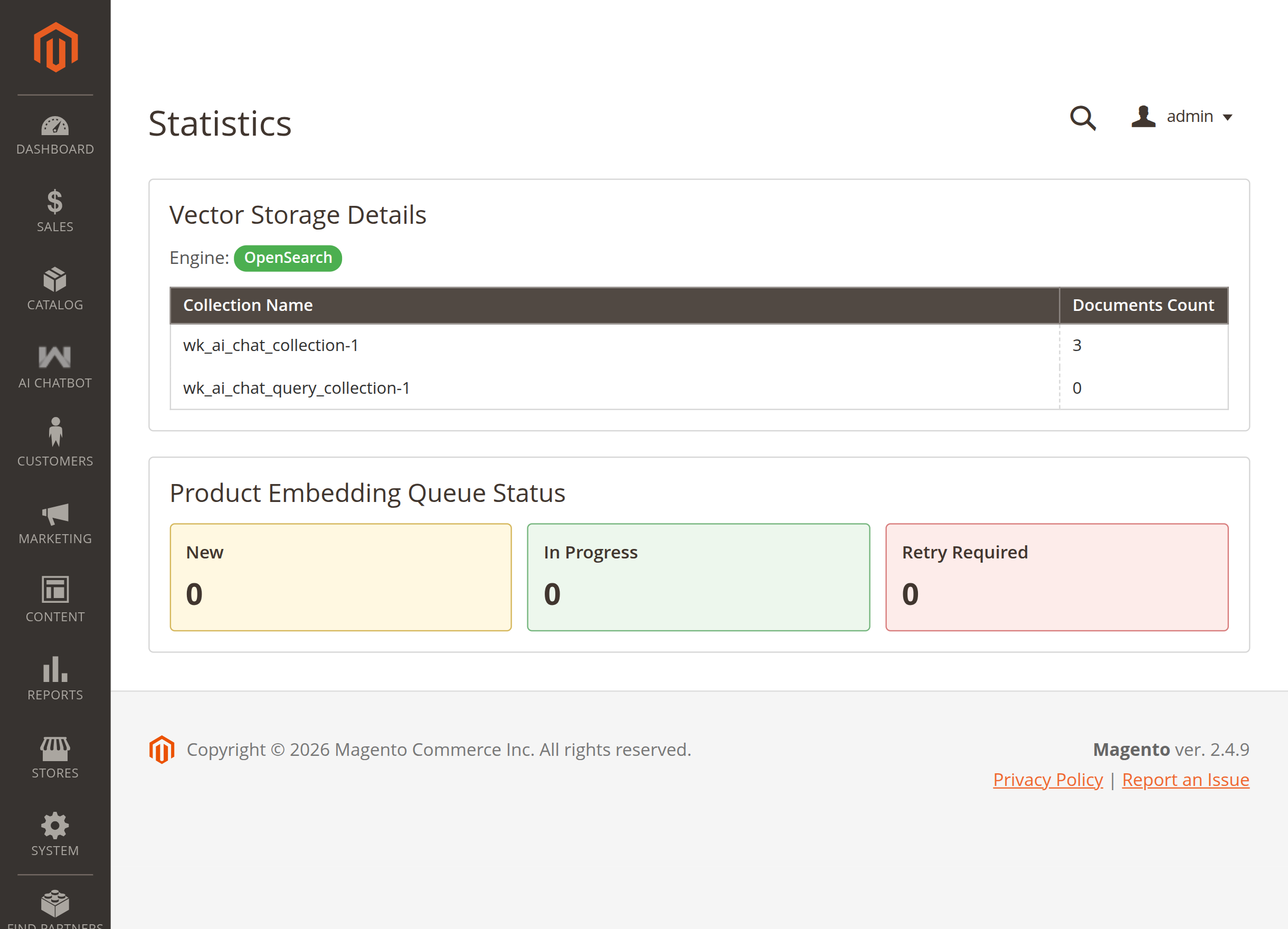
Statistics

Metrics Tracked

  • Total Chats: Total number of conversational sessions initiated by shoppers.
  • Total Queries: Volume of individual customer questions processed.
  • Chat Reports: Total number of issue tickets submitted to admin.
  • Manage FAQ: Total active FAQs indexed in the knowledge base.
  • Embeddings Count: Real-time count of indexed catalog products, CMS pages, and FAQs.
Prev
Chat Reports
Next
Generate Product Embeddings