Magento 2 AI ChatBotMagento 2 AI ChatBot
Live Demo
Buy Now
Support
Live Demo
Buy Now
Support
  • Getting Started

    • Introduction
    • System Requirements
    • Installation
    • Activation
  • Configuration

    • Configuration Overview
    • Chatbot Configuration
    • LLM Provider
    • Pre Configured Model
    • Intfloat E5
    • Vector Index & Attribute Settings
    • Chat Context Settings
    • Frontend Chat Window Options
  • Storefront Chat

    • Storefront Chat
    • Conversational Product Search
    • Order Lookup & Tracking
    • View Order Details
    • Report Issue to Admin
  • Admin Panel

    • Admin Areas Overview
    • Chat History
    • Manage FAQ
    • Chat Reports
    • Statistics Dashboard
    • Generate Product Embeddings
  • Help

    • Chat Widget Not Visible
    • No AI Response
    • Empty Search Results
    • ChromaDB Connection Failure
    • Further Support
    • FAQ

Order Lookup & Tracking

Logged-in customers can check order details and shipment tracking directly inside the chat interface without navigating to the My Account section.

Step 1: Browse Recent Orders

Selecting "Check your orders" lists the customer's recent orders with thumbnail, order number, date, and current status:
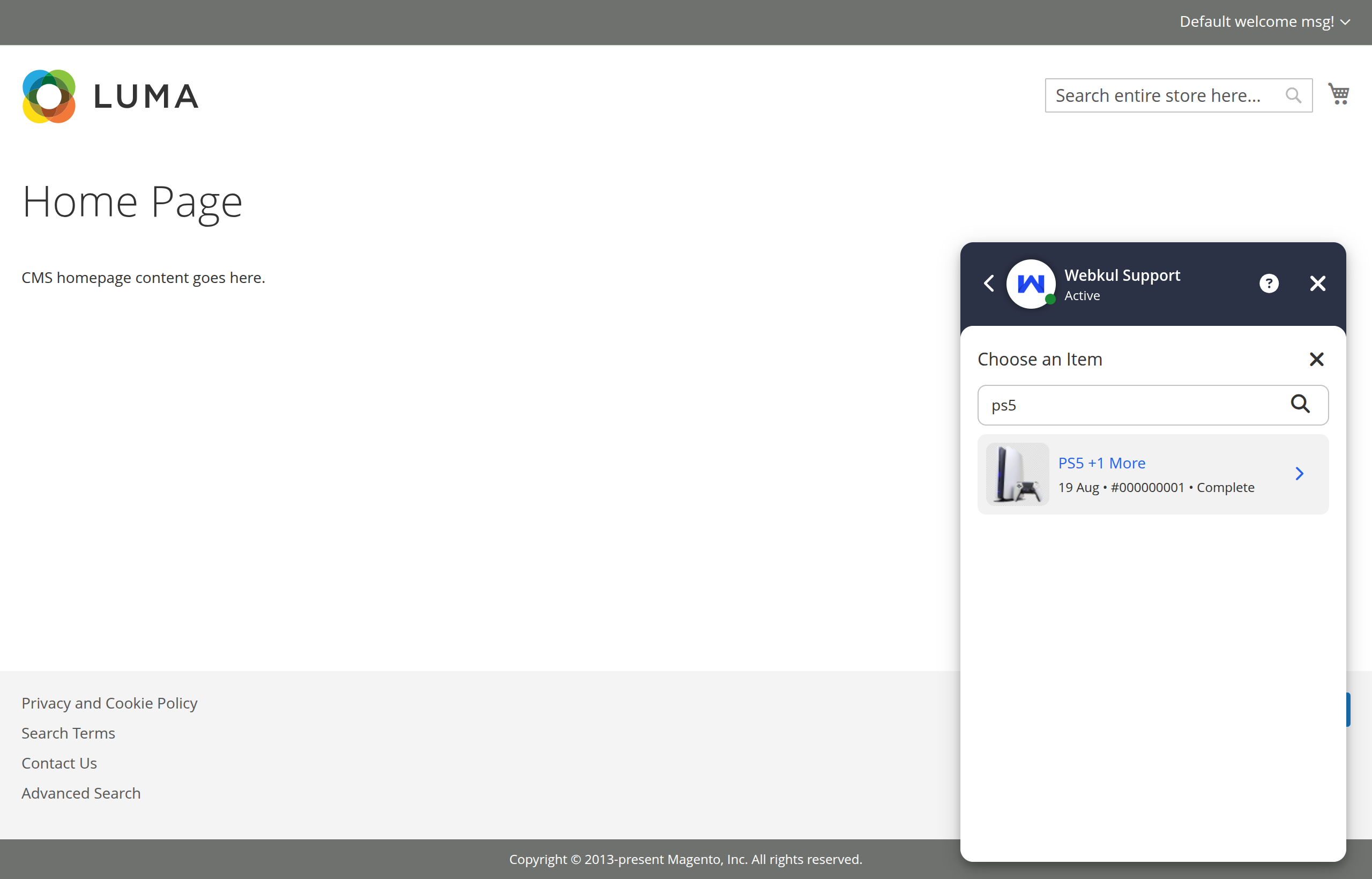
Orders list

Step 2: Select an Order Query Option

Clicking on an order reveals interactive action options:
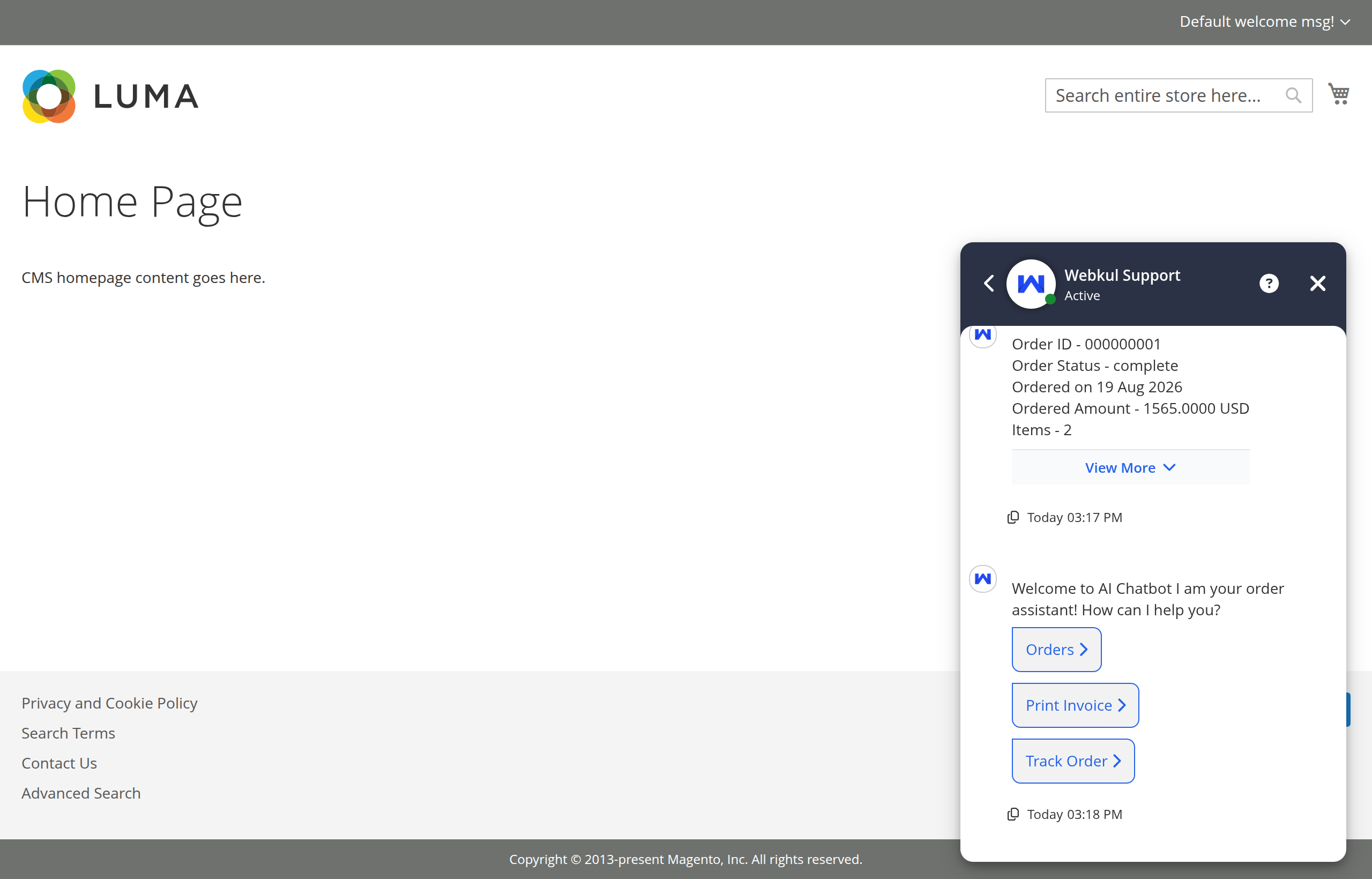
Check order options

Available options include:

  • Check order status: Instant summary of current fulfillment state (Pending, Processing, Complete).
  • Order summary: High-level overview of the order date, items count, and total.
  • Detailed items breakdown: Comprehensive invoice list with itemized prices and quantities.
  • Shipping and tracking: Direct shipment carrier info and tracking links.

To view the full order breakdown, see View Order Details.

Prev
Conversational Product Search
Next
View Order Details