Magento 2 AI ChatBotMagento 2 AI ChatBot
Live Demo
Buy Now
Support
Live Demo
Buy Now
Support
  • Getting Started

    • Introduction
    • System Requirements
    • Installation
    • Activation
  • Configuration

    • Configuration Overview
    • Chatbot Configuration
    • LLM Provider
    • Pre Configured Model
    • Intfloat E5
    • Vector Index & Attribute Settings
    • Chat Context Settings
    • Frontend Chat Window Options
  • Storefront Chat

    • Storefront Chat
    • Conversational Product Search
    • Order Lookup & Tracking
    • View Order Details
    • Report Issue to Admin
  • Admin Panel

    • Admin Areas Overview
    • Chat History
    • Manage FAQ
    • Chat Reports
    • Statistics Dashboard
    • Generate Product Embeddings
  • Help

    • Chat Widget Not Visible
    • No AI Response
    • Empty Search Results
    • ChromaDB Connection Failure
    • Further Support
    • FAQ

Chat Context Settings

Controls multi-turn dialogue memory so the assistant retains context from previous messages in the customer's session.
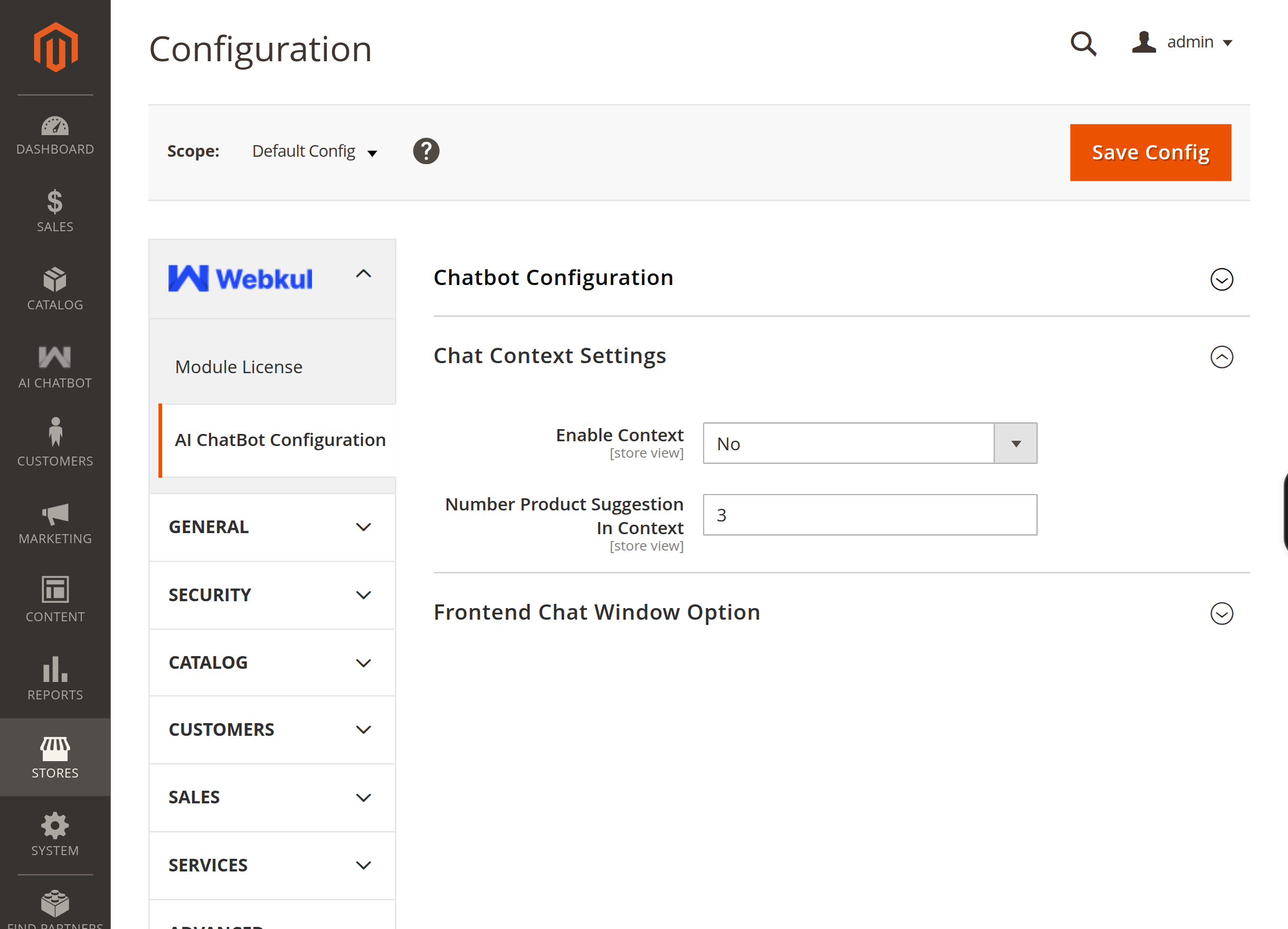
Chat context configuration

Context Fields

FieldDescription
Enable ContextEnable or disable multi-turn conversational memory.
Number Threads In ContextNumber of previous dialogue turns (customer query + assistant reply) included in the LLM context. Recommended: 5 – 10.
Number Product Suggestion In ContextMaximum number of recommended products passed to the LLM prompt when generating suggestions.
Prev
Vector Index & Attribute Settings
Next
Frontend Chat Window Options