Magento 2 AI ChatBotMagento 2 AI ChatBot
Live Demo
Buy Now
Support
Live Demo
Buy Now
Support
  • Getting Started

    • Introduction
    • System Requirements
    • Installation
    • Activation
  • Configuration

    • Configuration Overview
    • Chatbot Configuration
    • LLM Provider
    • Pre Configured Model
    • Intfloat E5
    • Vector Index & Attribute Settings
    • Chat Context Settings
    • Frontend Chat Window Options
  • Storefront Chat

    • Storefront Chat
    • Conversational Product Search
    • Order Lookup & Tracking
    • View Order Details
    • Report Issue to Admin
  • Admin Panel

    • Admin Areas Overview
    • Chat History
    • Manage FAQ
    • Chat Reports
    • Statistics Dashboard
    • Generate Product Embeddings
  • Help

    • Chat Widget Not Visible
    • No AI Response
    • Empty Search Results
    • ChromaDB Connection Failure
    • Further Support
    • FAQ

Admin Areas Overview

The Webkul AI ChatBot extension provides a comprehensive set of backend tools in the Magento Admin Panel under the AI ChatBot navigation menu.
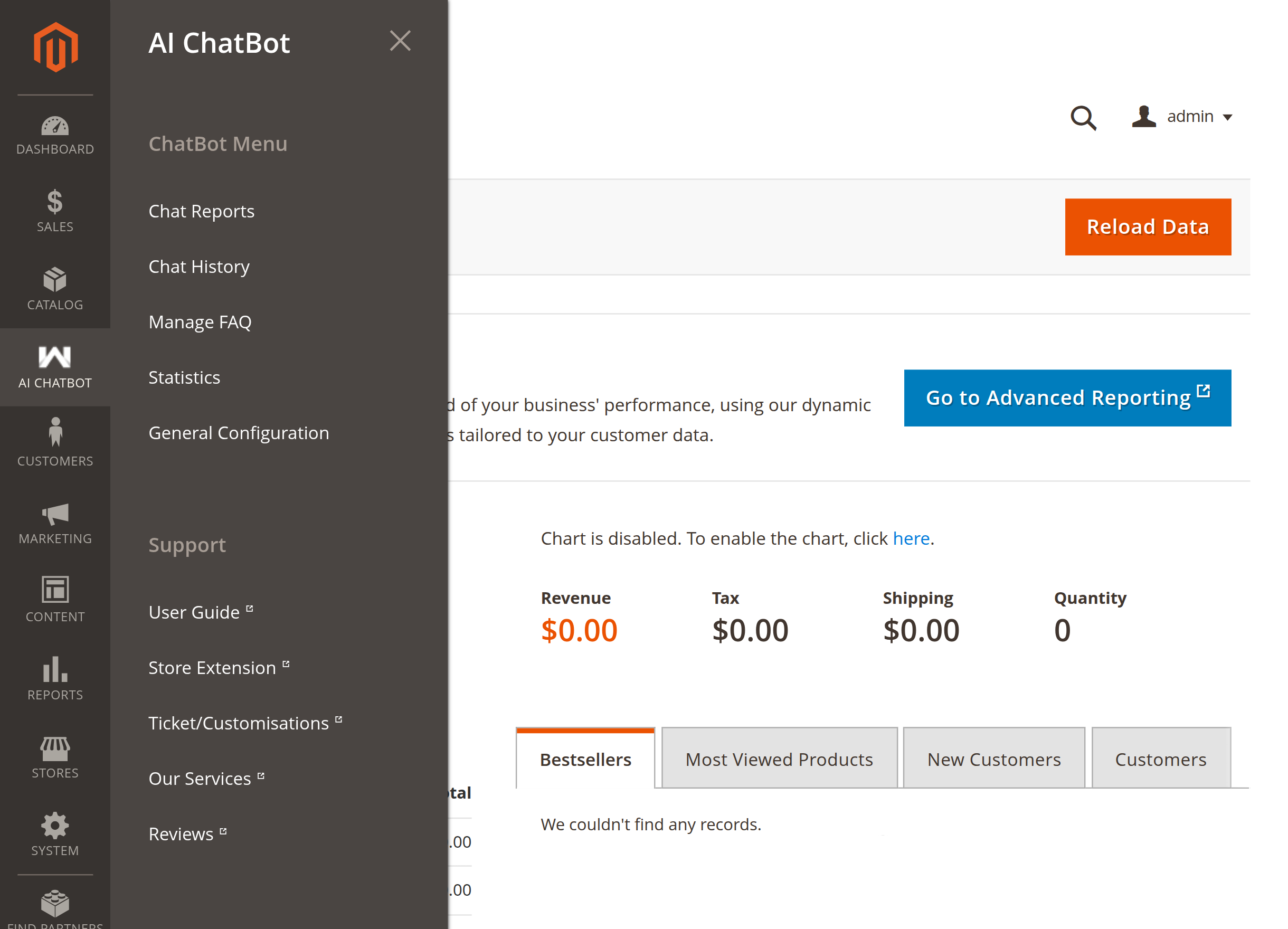
Admin menu

The admin menu gives store administrators direct access to:

  • Chat History: Review customer conversation logs and message transcripts.
  • Manage FAQ: Maintain FAQ question-answer pairs used for automated responses.
  • Chat Reports: Review customer support inquiries and issue submissions.
  • Statistics: Monitor chatbot usage trends, total chats, and indexed embeddings.
  • General Configuration: Direct shortcut to the extension's system settings.
  • Support Links: Access Webkul user guides, support ticketing, and extension updates.

See the dedicated pages for each area below.

Next
Chat History