Magento 2 AI ChatBotMagento 2 AI ChatBot
Live Demo
Buy Now
Support
Live Demo
Buy Now
Support
  • Getting Started

    • Introduction
    • System Requirements
    • Installation
    • Activation
  • Configuration

    • Configuration Overview
    • Chatbot Configuration
    • LLM Provider
    • Pre Configured Model
    • Intfloat E5
    • Vector Index & Attribute Settings
    • Chat Context Settings
    • Frontend Chat Window Options
  • Storefront Chat

    • Storefront Chat
    • Conversational Product Search
    • Order Lookup & Tracking
    • View Order Details
    • Report Issue to Admin
  • Admin Panel

    • Admin Areas Overview
    • Chat History
    • Manage FAQ
    • Chat Reports
    • Statistics Dashboard
    • Generate Product Embeddings
  • Help

    • Chat Widget Not Visible
    • No AI Response
    • Empty Search Results
    • ChromaDB Connection Failure
    • Further Support
    • FAQ

AI Model Type: Intfloat E5

Run lightweight transformer embeddings in the browser or via a companion Node.js server with SSL certificates.
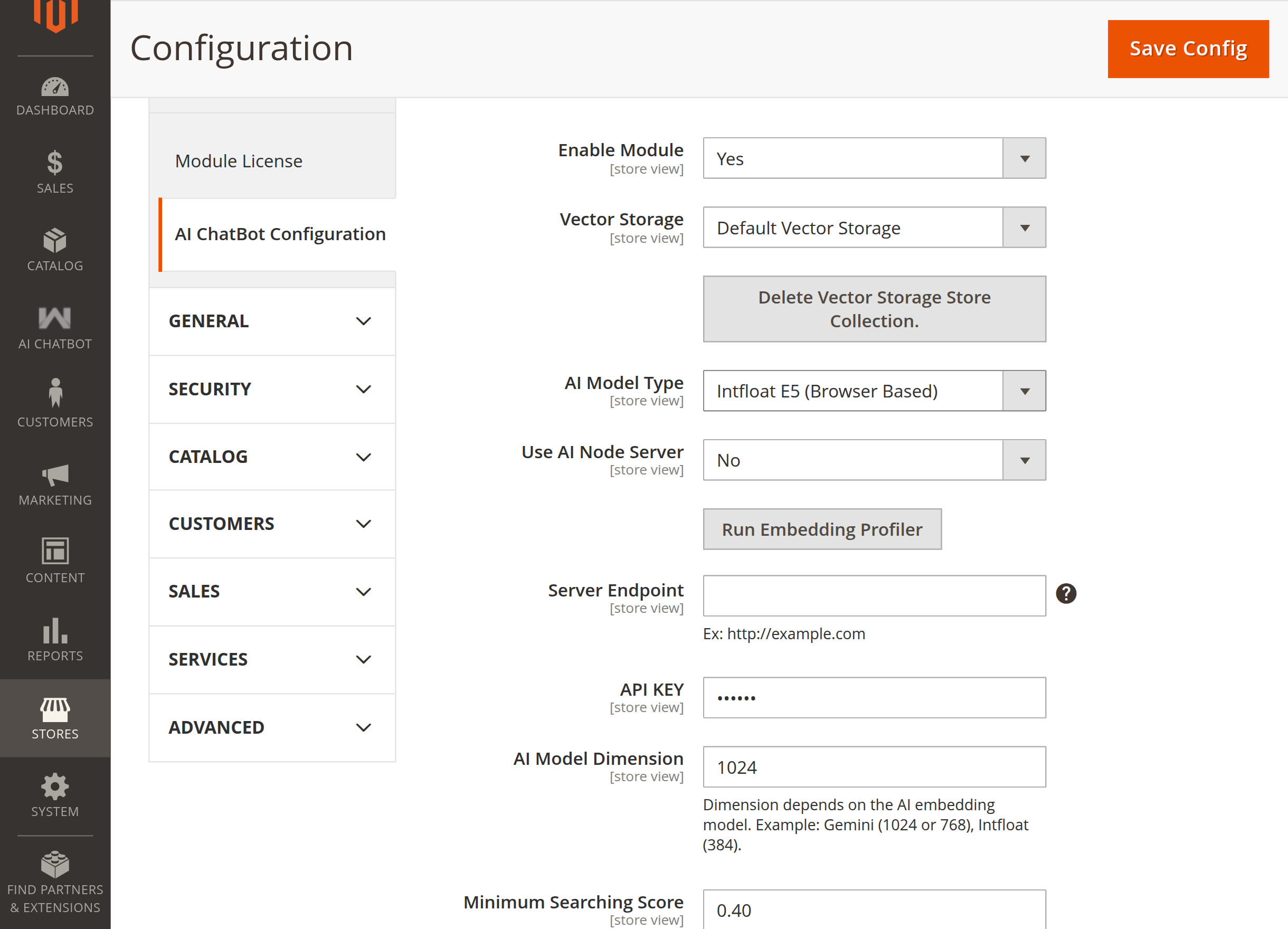
Intfloat E5 settings

Intfloat E5 Fields

FieldDescription
Use AI Node ServerSet to Yes to use Node server SSL certificates, or No for browser-based profiler execution.
Node Server Host NameHostname of the Node server (e.g., example.com).
Node Server Port NumberPort number on which the Node server listens (e.g., 8443).
Upload Private Key FileUpload the server private key (server.key).
Upload Certificate FileUpload the server certificate (server.crt).
Upload CA Bundle FileUpload the certificate authority bundle (server.cabundle).
Intfloat E5 ProfilerProfiler tool to manage and monitor browser-based embedding generation.
Prev
Pre Configured Model
Next
Vector Index & Attribute Settings