
Cart & Checkout Events
These events cover the money funnel — cart changes, coupons, the checkout steps, and the final purchase. They are the events most tags care about.
Events
| Event | Fires when | Key payload |
|---|---|---|
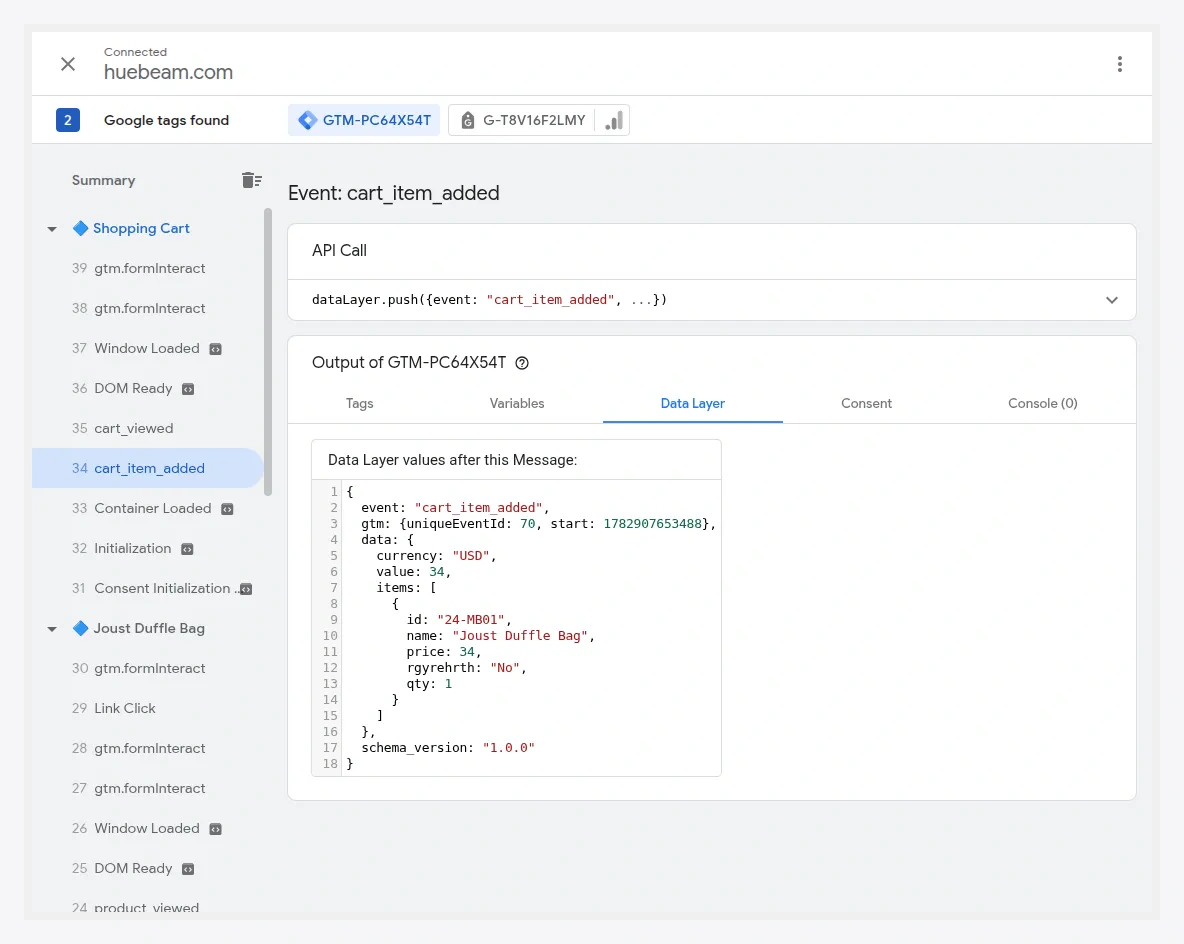
cart_item_added | A product is added to the cart. | the added item with quantity, value |
cart_item_removed | A product is removed from the cart. | the removed item |
cart_viewed | The cart page renders. | items[], cart value |
coupon_applied | A coupon is applied. | coupon, updated value |
coupon_removed | A coupon is removed. | coupon |
checkout_started | A shopper enters checkout. | items[], value |
shipping_selected | A shipping method is chosen. | shipping_tier (carrier/title if enabled) |
payment_selected | A payment method is chosen. | payment_type (title if enabled) |
payment_completed | An order is placed (success page). | transaction_id, value, tax, shipping, items[] |
Example — add to cart
{
  "event": "cart_item_added",
  "data": {
    "currency": "USD",
    "value": 49.00,
    "items": [
      { "item_id": "24-MB01", "item_name": "Joust Duffle Bag", "price": 49.00, "quantity": 1 }
    ]
  }
}
Example — purchase
{
  "event": "payment_completed",
  "data": {
    "transaction_id": "000000123",
    "currency": "USD",
    "value": 108.00,
    "tax": 8.00,
    "shipping": 5.00,
    "items": [
      { "item_id": "24-MB01", "item_name": "Joust Duffle Bag", "price": 49.00, "quantity": 2 }
    ]
  }
}
The reported value (and whether it excludes tax/shipping, and in which currency) follows your Tracking Data Tuning settings. Carrier and payment titles appear on shipping_selected / payment_selected only if you enabled Include shipping carrier name / Include payment method name.
Multishipping
The purchase funnel has parity with Magento's multishipping checkout — checkout_started, shipping_selected, payment_selected, and payment_completed fire there too, so multi-address orders are tracked like single-address ones.
Enhanced Conversions
When enabled and consented, payment_completed also carries data.user_data with hashed email/phone (never plaintext) for Google Ads Enhanced Conversions. See Consent & PII.
Verify
Add a product, proceed through checkout, and place a test order while in GTM Preview mode. Confirm payment_completed fires once on the success page with the correct transaction_id and value.