
Google Analytics 4
Enable the Google Analytics 4 destination to have Guided Setup wire GA4 tags into your exported container, mapped from the storefront's neutral events.
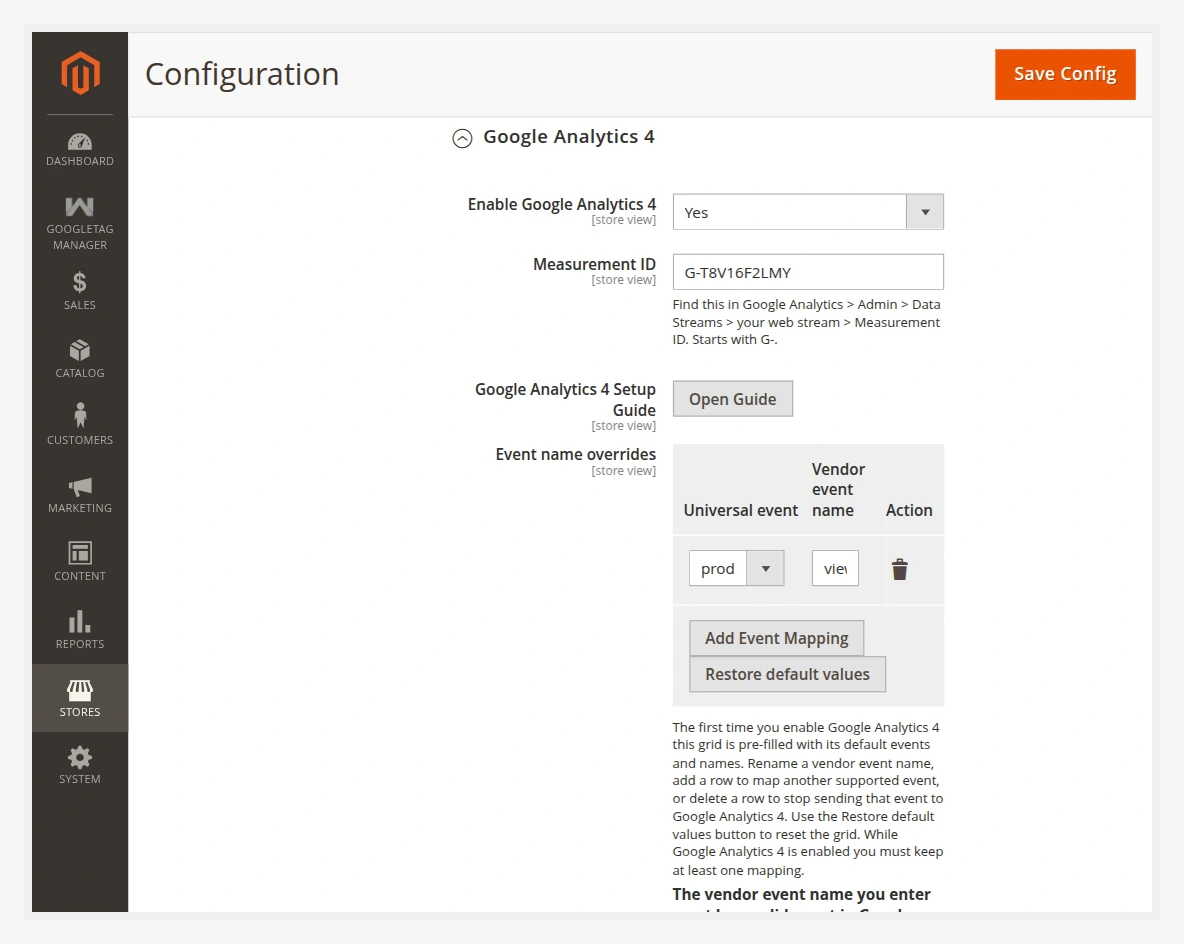
Fields
| Field | Description |
|---|---|
| Enable Google Analytics 4 | Turns the GA4 destination on for Guided Setup. |
| Measurement ID | Your GA4 web stream ID, starting with G-. Find it in Google Analytics → Admin → Data Streams → your web stream → Measurement ID. See how to find it. |
| Google Analytics 4 Setup Guide | An in-Admin button that walks you through GA4 setup. |
| Event name overrides | Maps neutral storefront events to GA4 event names. Pre-filled with GA4 defaults on first enable. |
Default event mapping
The neutral events map to GA4's recommended e-commerce events, for example:
| Storefront event | GA4 event |
|---|---|
product_viewed | view_item |
product_list_viewed | view_item_list |
product_clicked | select_item |
cart_item_added | add_to_cart |
cart_item_removed | remove_from_cart |
cart_viewed | view_cart |
checkout_started | begin_checkout |
payment_completed | purchase |
search_performed | search |
You can rename any of these in the Event name overrides grid, add mappings for other supported events, or delete a row to stop sending it to GA4.
Valid GA4 names only
The GA4 event name you enter must be a name GA4 recognises. A name the platform does not recognise will not appear in reports. Keep at least one mapping while GA4 is enabled.
Server-side GA4
If you want GA4 hits to flow through your own server-side GTM server, fill in the GTM Server Container URL in the Destinations group first. On export, that URL is stamped onto the GA4 tag automatically. See Server-Side Tagging.
Next
- Export the container and import it into GTM.
- Verify events in GTM Preview and GA4 DebugView.