
Google Ads
Enable the Google Ads destination to have Guided Setup wire Google Ads conversion tracking, remarketing, and dynamic remarketing tags into your exported container.
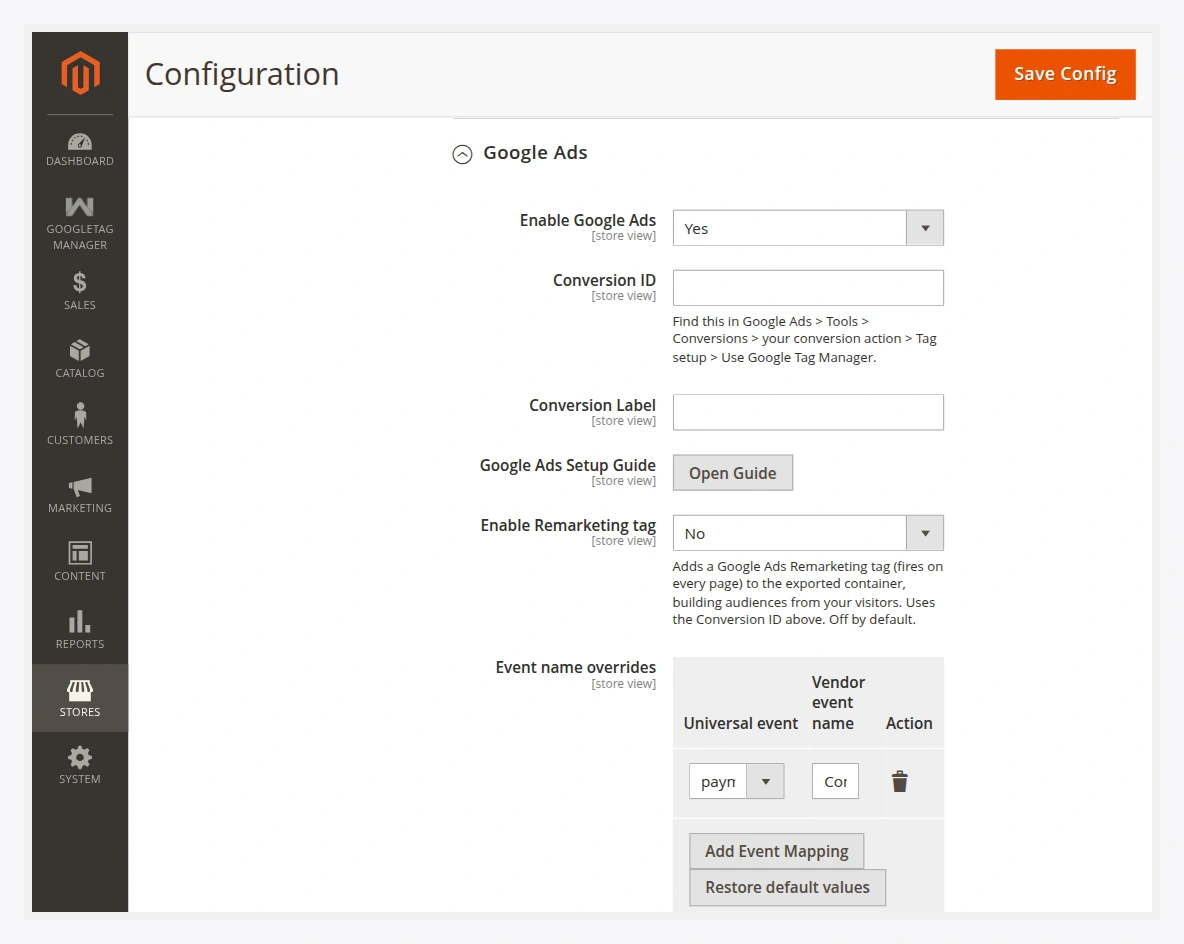
Fields
| Field | Description |
|---|---|
| Enable Google Ads | Turns the Google Ads destination on for Guided Setup. |
| Conversion ID | Your Google Ads conversion ID. Find it in Google Ads → Tools → Conversions → your conversion action → Tag setup → Use Google Tag Manager. See how to find it. |
| Conversion Label | The conversion label paired with the Conversion ID for the purchase conversion. |
| Dynamic remarketing | Enables dynamic remarketing tags that carry product IDs and values from the events. |
| Merchant Center ID | Links product IDs to your Google Merchant Center feed for dynamic remarketing. |
What gets wired
| Capability | Fires on | Notes |
|---|---|---|
| Conversion tracking | payment_completed | Reports order value using your revenue basis. |
| Remarketing | page / event views | Builds audiences from browsing behaviour. |
| Dynamic remarketing | product events | Sends item_id + value so ads show the exact products a shopper viewed. |
| Enhanced Conversions | payment_completed | Uses hashed identifiers from Consent & PII to improve match rate. |
Make the product IDs match
Dynamic remarketing only works if the item_id on the event equals the ID in your Merchant Center feed. Set Send products as SKU or numeric ID to match how your feed is keyed — this is the usual cause of "product not found" warnings.
Enhanced Conversions
To improve conversion match rate, enable hashed identifier capture under Consent & PII. The purchase event then carries SHA-256–hashed email/phone (never plaintext), which Google Ads consumes as Enhanced Conversions — subject to your consent gate.
Next
- Export the container and import it into GTM.
- Verify events and confirm conversions in Google Ads.