
Shopper Actions to Track
The Shopper Actions to Track group decides which shopper actions push tracking data into window.dataLayer. Every destination configured inside Google Tag Manager (Meta Pixel, Google Ads, Google Analytics 4, or a custom tag) consumes the same data, so you turn an action on once and every tag can use it.
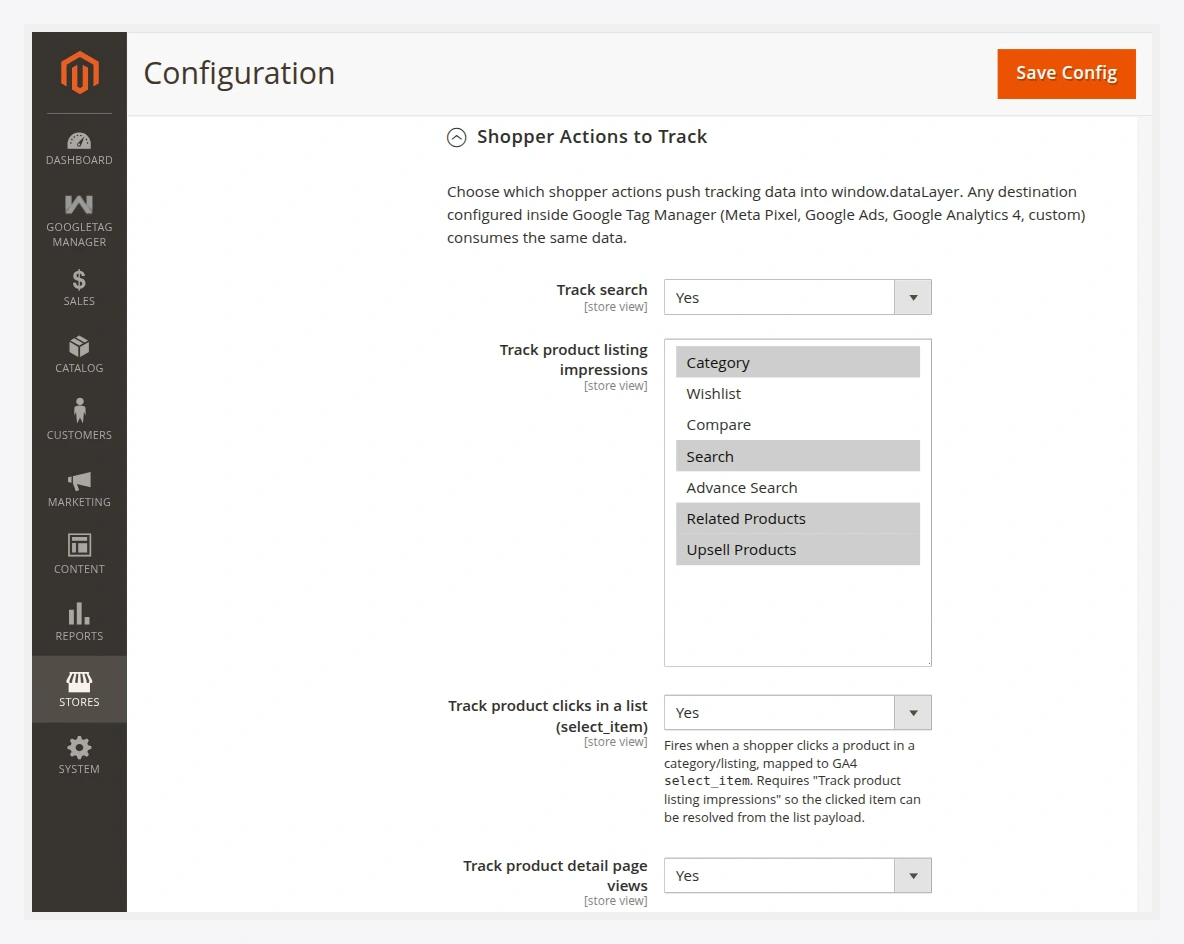
The 18 tracked events
Each row is an independent toggle. Turn off anything you do not need.
Browse & discovery
| Event (dataLayer) | Admin label | Fires when |
|---|---|---|
search_performed | Track search | A shopper runs a catalog search. |
product_list_viewed | Track product listing impressions | A category or search results list is shown. (multiselect — choose which lists count) |
product_clicked | Track product clicks in a list (select_item) | A shopper clicks a product in a list. |
product_viewed | Product page views | A product detail page is opened. |
product_compared | Product compare | A product is added to compare. |
Cart
| Event (dataLayer) | Admin label | Fires when |
|---|---|---|
cart_item_added | Add to cart | A product is added to the cart. |
cart_item_removed | Remove from cart | A product is removed from the cart. |
cart_viewed | Cart view | The cart page is shown. |
wishlist_item_added | Wishlist add | A product is added to the wishlist. |
coupon_applied | Coupon applied | A coupon is applied to the cart. |
coupon_removed | Coupon removed | A coupon is removed. |
Checkout & purchase
| Event (dataLayer) | Admin label | Fires when |
|---|---|---|
checkout_started | Checkout start | A shopper enters checkout. |
shipping_selected | Shipping method selection | A shipping method is chosen. |
payment_selected | Payment method selection | A payment method is chosen. |
payment_completed | Purchases | An order is placed (order success page). |
Account
| Event (dataLayer) | Admin label | Fires when |
|---|---|---|
customer_registered | Customer registration | A new account is created. |
customer_logged_in | Customer login | A shopper logs in. |
newsletter_subscribed | Newsletter subscription | A shopper subscribes to the newsletter. |
Multishipping
The purchase funnel has parity with Magento's multishipping checkout — checkout_started, shipping_selected, payment_selected, and payment_completed fire there too.
Product listing impressions (multiselect)
product_list_viewed is a multiselect, not a simple on/off. Use it to choose which kinds of lists count as impressions (for example category pages, search results, upsells, related products). Select only the lists you care about to keep the dataLayer lean.
How events reach the page
Observers capture each action server-side and place it on a session-backed event queue. On the next page render, the queued events drain into window.dataLayer. This is why an event triggered by a redirecting action (like add to cart) appears on the page the shopper lands on. See Events & dataLayer for the payload schema.
After changing toggles, flush the cache:
php bin/magento cache:flush