Magento 2 Shopify ConnectorMagento 2 Shopify Connector
Buy Now
Support
Buy Now
Support
  • Getting Started

    • Introduction
    • Requirements
    • Installation
    • Activate & Connect
  • Configuration

    • Settings
  • Usage

    • Shopify Accounts
    • Category Mapping
    • Map Category with Shopify Collection
    • Export Customers
    • Import Products
    • Import Orders
    • Export Products
    • Export Orders
    • Templates
    • Price Rule
  • Help

    • Troubleshooting
    • FAQ

Export Orders

Export Magento Orders To Shopify

Export Magento 2 orders directly to Shopify in a few simple steps. The connector supports exporting different order statuses such as Complete, Processing, Closed, Pending, Refunded, etc.

  1. Go to Webkul Shopify Connector -> Export Orders To Shopify.
  2. Select the required orders.
  3. Choose Export To Shopify from the action dropdown.
  4. Click Submit.
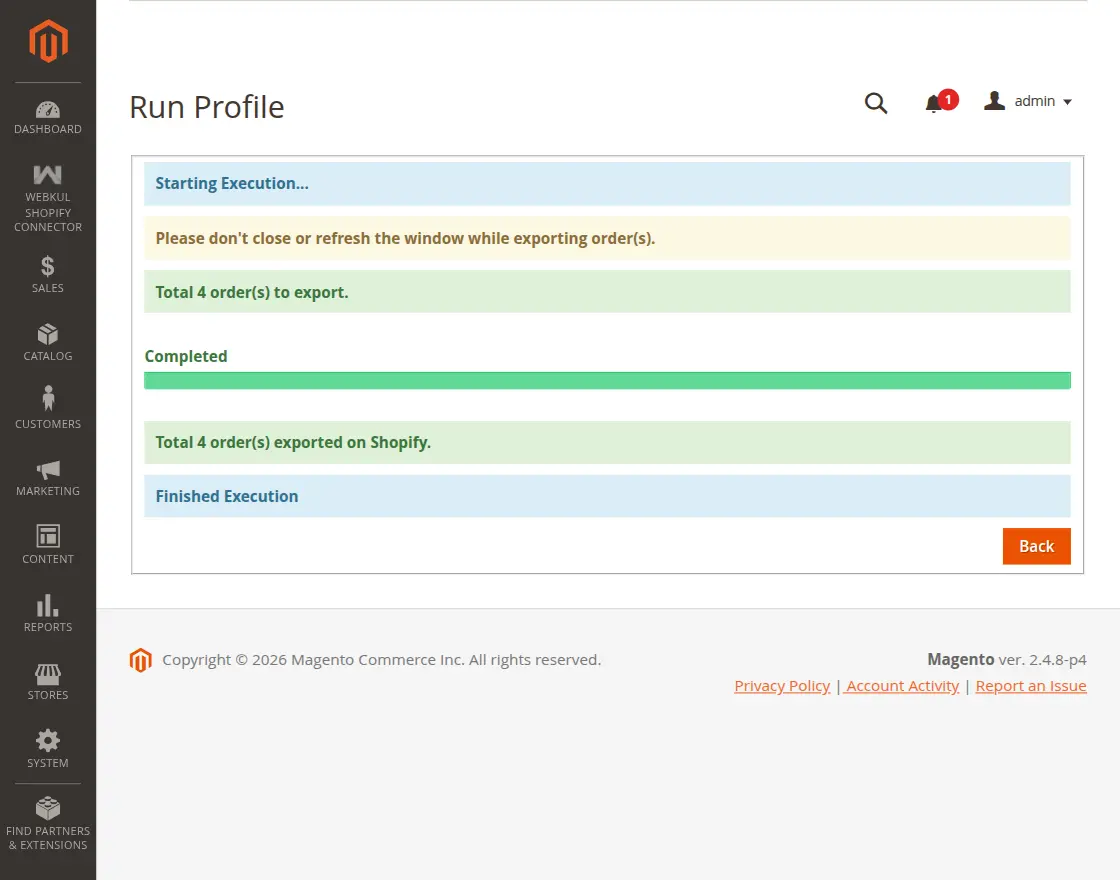
  5. This navigates you to the "Run Profile" page where the execution occurs.
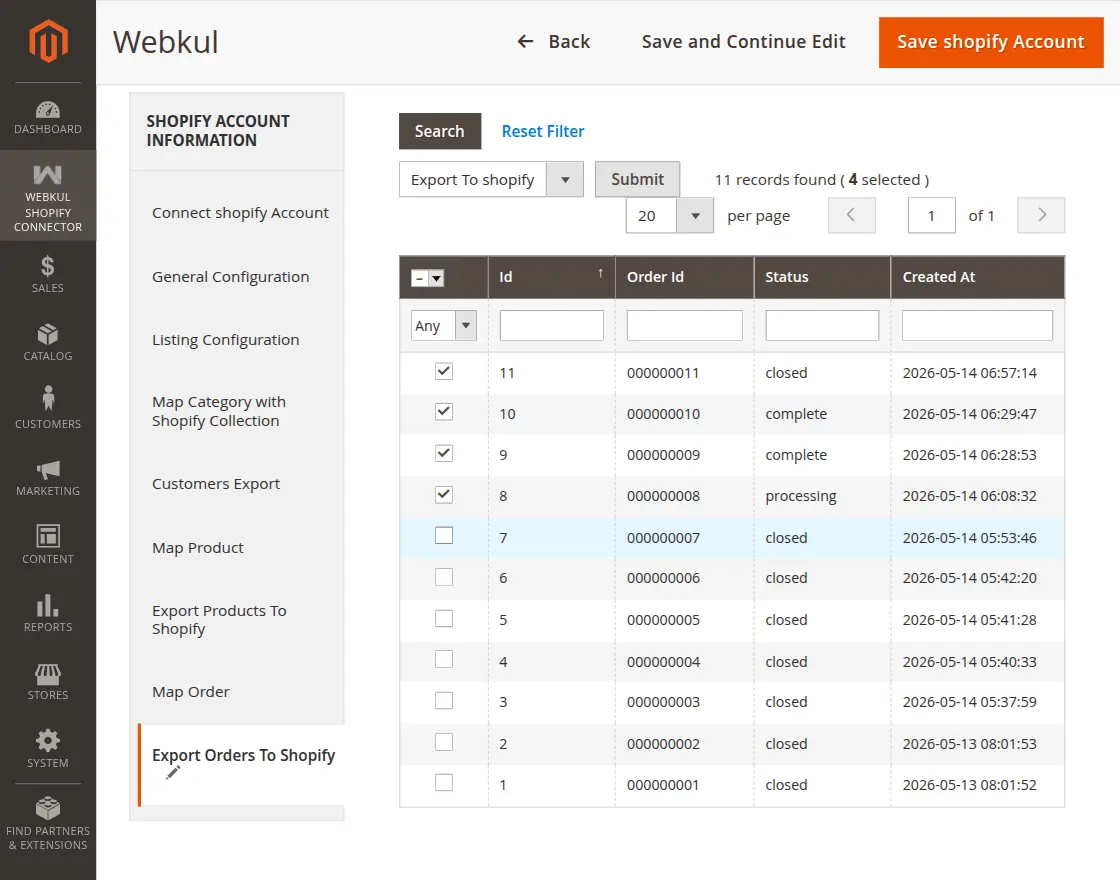
Export Orders Grid

Order Export Profiler

Once the export profile runs successfully, the orders become visible in the Shopify admin panel under the Orders section.
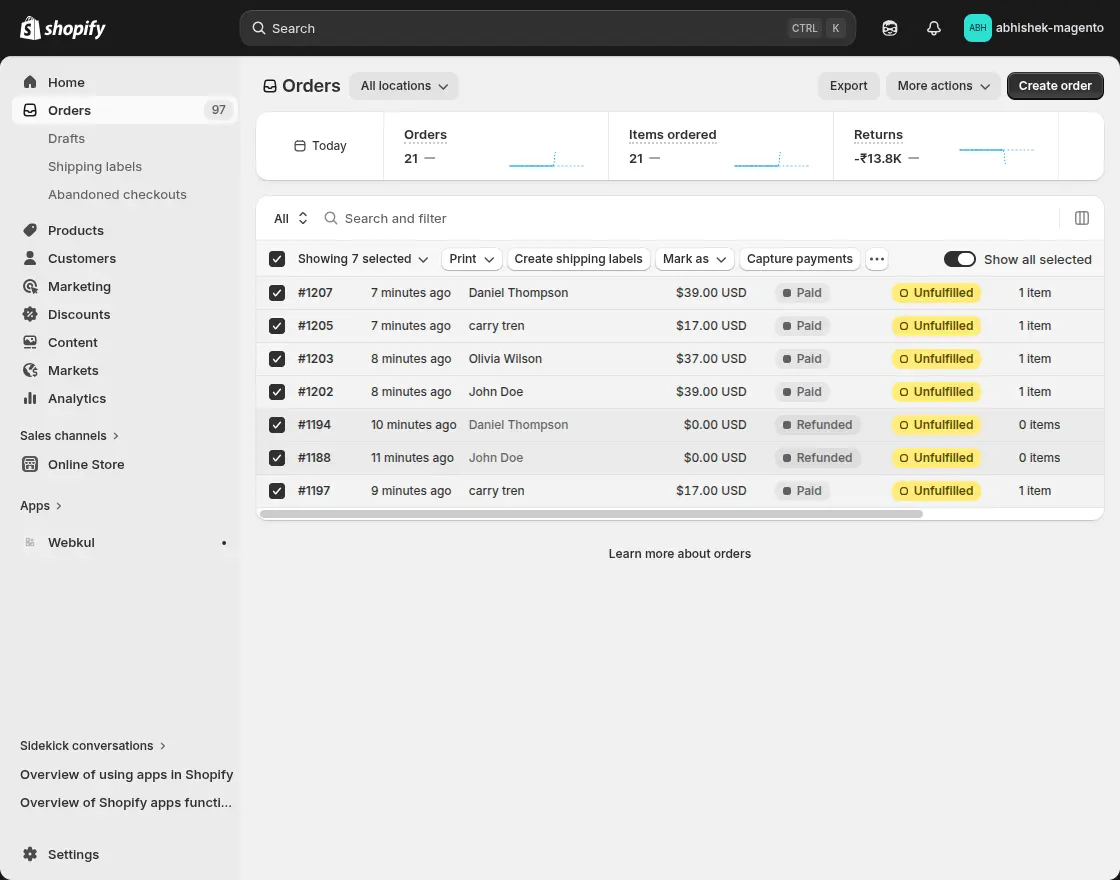
Shopify Orders List

Prev
Export Products
Next
Templates