Export Customers
You can easily migrate customers from Magento 2 to Shopify.
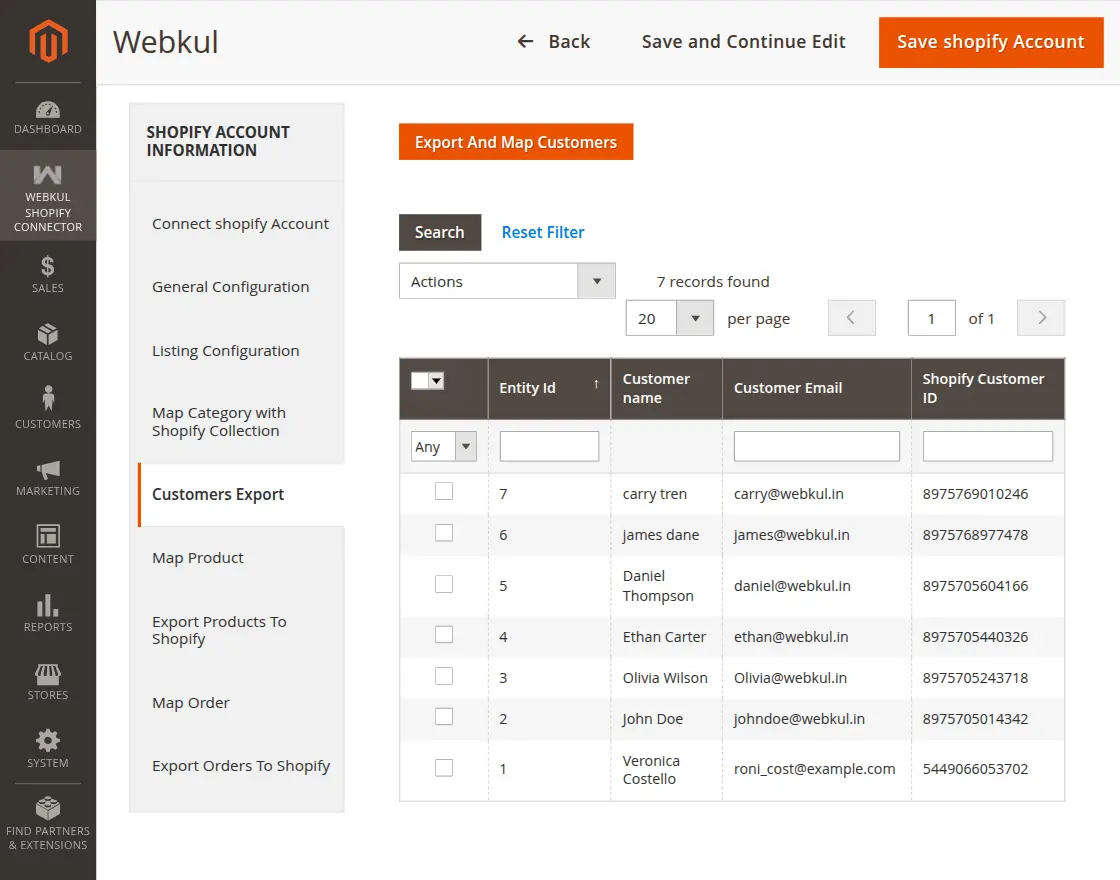
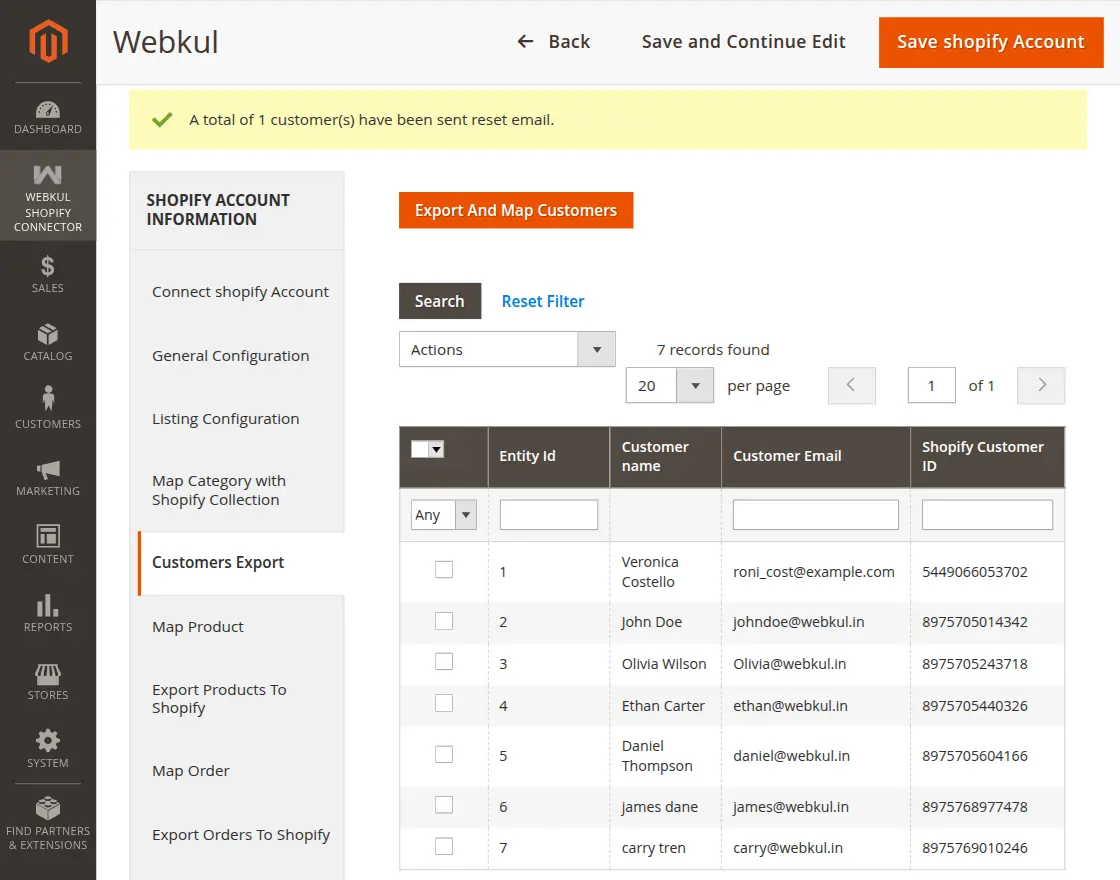
Navigate to: Webkul Shopify Connector -> Customers Export Here, you can view all Magento 2 customers available for export to Shopify.
Select Customers for Export
- Select the customers you want to export.
- Use the checkbox option to choose multiple customers.
- Click on the Export And Map Customers button.
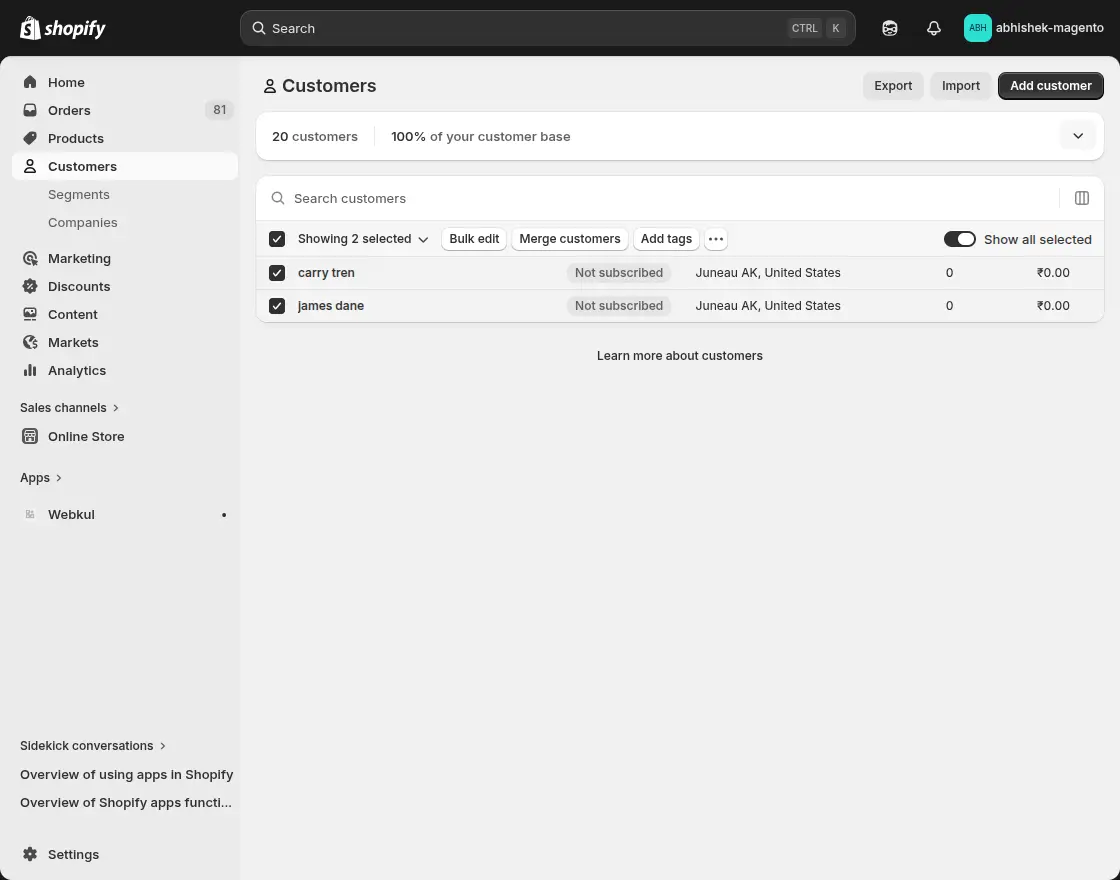
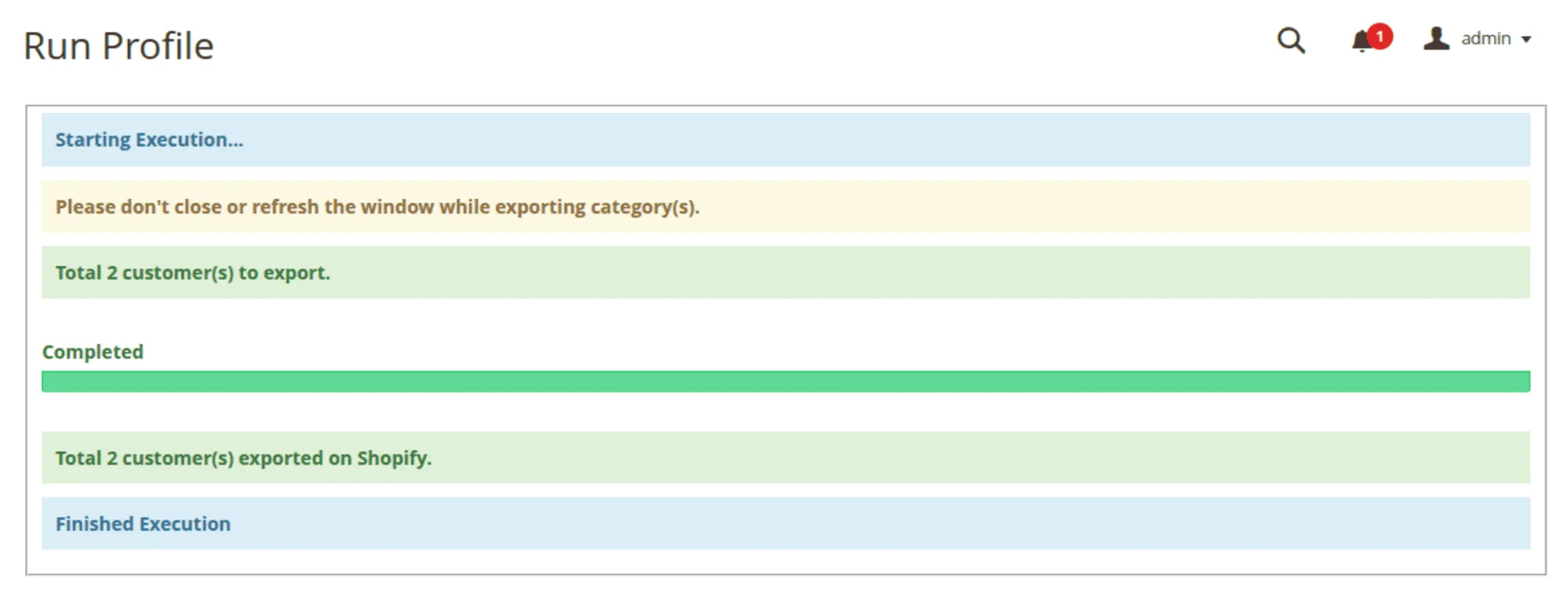
Once the process starts, the execution page will display the export progress. You can verify the exported customers in your Shopify admin panel under Customers.
Send Customer Reset Mail for Shopify
This feature helps customers activate or reset their Shopify account passwords after export.
- Select the mapped customer using the checkbox.
- From the Actions dropdown, choose Reset Mail for Shopify.
- Click Submit.
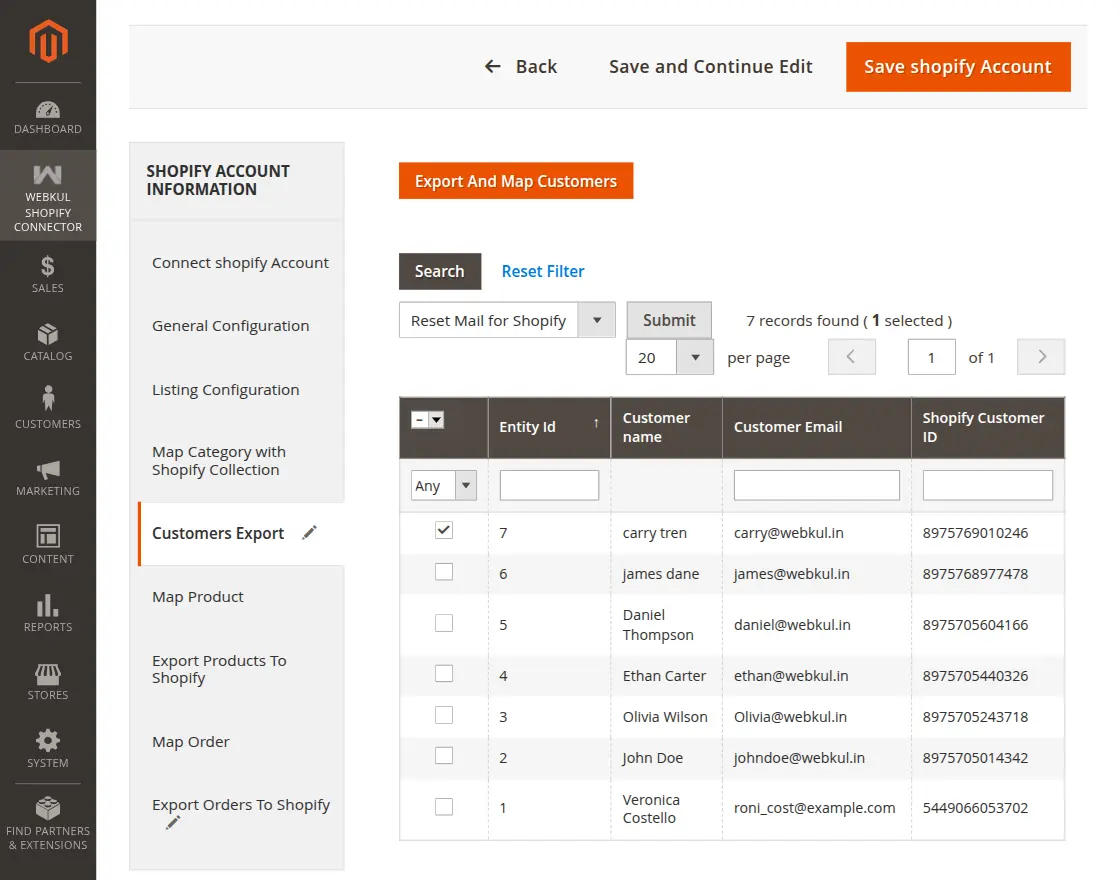
This action sends a Shopify customer account reset email to the selected customer's email address.
Verify Customers in Shopify
After the system completes the export successfully:
- Login to your Shopify admin panel.
- Go to Customers.
- Verify that the exported customers are available in Shopify.