
Magento 2 AI Review TranslatorMagento 2 AI Review Translator
Live Demo
Buy Now
Support
Live Demo
Buy Now
Support
  • Getting Started

    • Introduction
    • Key Features
    • How It Works
  • Installation

    • Requirements
    • Install the Module
    • Install the AI Packages
    • Enable & Compile
    • Verify the Installation
    • Content Security Policy
    • Translating the Interface
  • Setup

    • Enable the Module
    • Activate Your Licence
    • Select an LLM Provider
    • Validate & Load Models
    • First Translation
  • Configuration

    • Overview
    • General Settings
    • Limits & Timeouts
    • Store Views & Languages
    • Admin Menu
    • Access Control
  • LLM Providers

    • Provider Overview
    • How Validation Works
    • Choosing a Model
    • Switching Providers
  • Ollama (Self-Hosted)

    • Install Ollama
    • Connect to Magento
    • Timeouts & Batch Size
    • Troubleshooting
  • Translating Reviews

    • Translation Basics
    • What Is Sent to the Model
    • Fallback Behaviour
    • Automatic Translation
    • The Queue Consumer
    • Running the Consumer
    • Bulk CLI Command
    • Batch Size
    • CLI Output & Exit Codes
  • Storefront

    • On the Storefront
    • The Toggle
    • Styling
  • Developers

    • GraphQL API
    • Querying from Code
    • Data Model
    • Useful SQL
  • Help

    • Setup Problems
    • Translation Problems
    • Queue Problems
    • Storefront Problems
    • FAQ

Enable the Module

Open Stores → Configuration → Webkul → AI Review Translation.

Straight after installing, the section shows a single field, because everything else depends on the master switch:
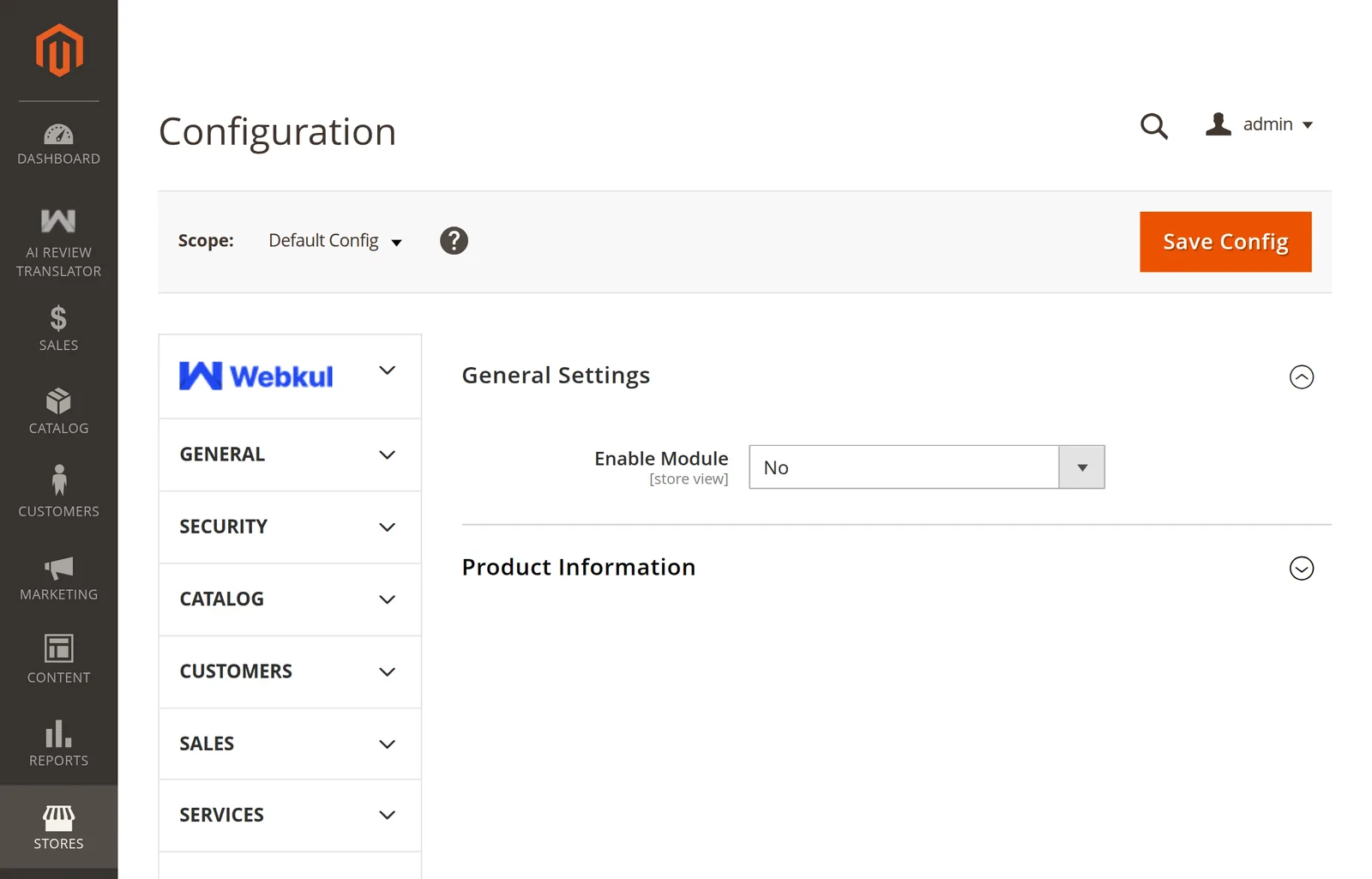
AI Review Translation configuration with the module disabled

Turn it on

Set Enable Module to Yes and save. The rest of the fields appear immediately.

Config path: aireviewtranslator/general/status
Default:     No
Scope:       Store view

What switching it on changes

BeforeAfter
Only Enable Module is visibleProvider, key, model, and limits appear
No AI REVIEW TRANSLATOR admin menuThe menu appears in the sidebar
The observer ignores review savesApproved reviews are queued for translation
Translate:All refuses to runThe bulk command works
Storefront shows stock Magento reviewsStorefront shows translations and the toggle

Store-view scope

This is a store-view setting, so you can translate reviews in some store views and not others. Use the Scope switcher at the top-left of the page, clear Use Website, and set a different value.

Turning it off is not destructive

Disabling the module leaves every existing translation in the database. The storefront just stops rendering them. Switch it back on and they return.

Next: Activate Your Licence.

Next
Activate Your Licence