
Magento 2 AI Review TranslatorMagento 2 AI Review Translator
Live Demo
Buy Now
Support
Live Demo
Buy Now
Support
  • Getting Started

    • Introduction
    • Key Features
    • How It Works
  • Installation

    • Requirements
    • Install the Module
    • Install the AI Packages
    • Enable & Compile
    • Verify the Installation
    • Content Security Policy
    • Translating the Interface
  • Setup

    • Enable the Module
    • Activate Your Licence
    • Select an LLM Provider
    • Validate & Load Models
    • First Translation
  • Configuration

    • Overview
    • General Settings
    • Limits & Timeouts
    • Store Views & Languages
    • Admin Menu
    • Access Control
  • LLM Providers

    • Provider Overview
    • How Validation Works
    • Choosing a Model
    • Switching Providers
  • Ollama (Self-Hosted)

    • Install Ollama
    • Connect to Magento
    • Timeouts & Batch Size
    • Troubleshooting
  • Translating Reviews

    • Translation Basics
    • What Is Sent to the Model
    • Fallback Behaviour
    • Automatic Translation
    • The Queue Consumer
    • Running the Consumer
    • Bulk CLI Command
    • Batch Size
    • CLI Output & Exit Codes
  • Storefront

    • On the Storefront
    • The Toggle
    • Styling
  • Developers

    • GraphQL API
    • Querying from Code
    • Data Model
    • Useful SQL
  • Help

    • Setup Problems
    • Translation Problems
    • Queue Problems
    • Storefront Problems
    • FAQ

Timeouts & Batch Size
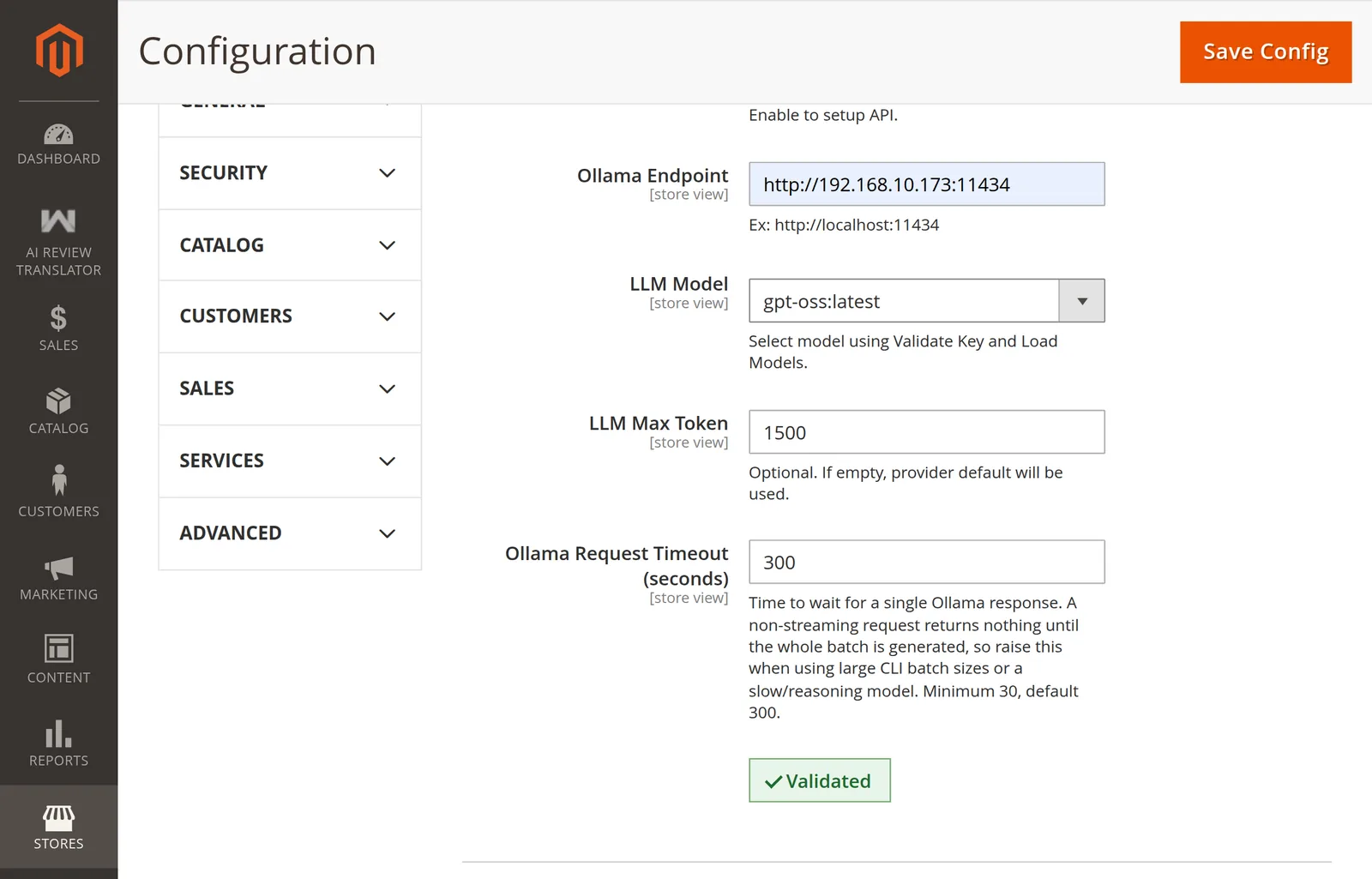
A validated Ollama configuration

Why the timeout is large

Ollama Request Timeout (seconds) — minimum 30, default 300.

The request is non-streaming: Ollama returns nothing at all until the entire batch has been generated. So the timeout must cover generating every review in the batch, not one review.

That is why the default is 300 rather than the 15–30 seconds a normal API call would need.

Sizing it

SituationSuggested timeout
Small model, default batch of 20, GPU300 (default)
Large or reasoning model600–900
CPU-only inference900+
--batch 50 or higherScale roughly with the batch size

Lower the batch instead

Raising the timeout forever is the wrong lever. A smaller batch returns sooner:

php bin/magento Translate:All --batch 5

More API calls — but to a local server that costs nothing — and far less likely to time out. See Batch Size.

The three settings interact

A timeout that is too low fails loudly — the run stops and prints the store view and batch number. A token ceiling that is too low fails silently — see Fallback Behaviour.

Next: Ollama Troubleshooting.

Prev
Connect to Magento
Next
Troubleshooting