
General Settings
Stores → Configuration → Webkul → AI Review Translation → General Settings
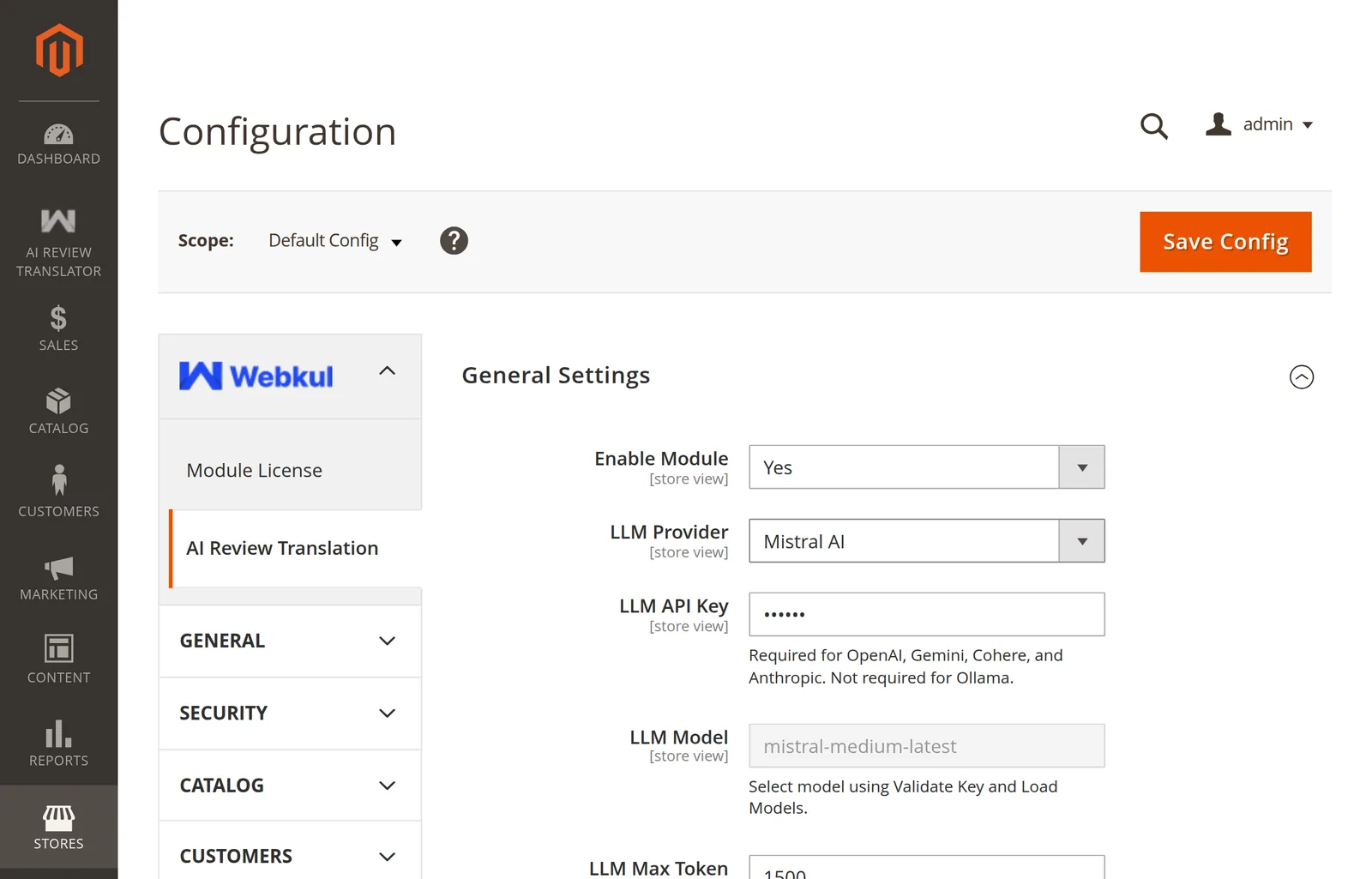
Field reference
| Field | Type | Shown when | Config path |
|---|---|---|---|
| Enable Module | Yes / No | Always | aireviewtranslator/general/status |
| LLM Provider | Dropdown | Enabled | aireviewtranslator/general/llm_provider |
| Is Authorized | Yes / No | Ollama only | aireviewtranslator/general/llm_api_key_enabled |
| LLM API Key | Password | Enabled | aireviewtranslator/general/llm_api_key |
| Ollama Endpoint | Text | Ollama only | aireviewtranslator/general/ollama_endpoint |
| LLM Model | Dropdown | Enabled | aireviewtranslator/general/llm_model |
| LLM Max Token | Number | Enabled | aireviewtranslator/general/llm_max_token |
| Ollama Request Timeout | Number | Ollama only | aireviewtranslator/general/llm_timeout |
| Validate Key and Load Models | Button | Enabled | — |
Every field is store-view scoped.
What each field does
Enable Module — the master switch. No hides every other field, hides the admin menu, stops the observer, and makes the CLI command refuse to run. Default No. See Enable the Module.
LLM Provider — which vendor to call. Required. See Provider Overview.
Is Authorized — Ollama only. Set to Yes when your endpoint sits behind bearer-token auth, and the API key is then sent as an Authorization: Bearer header.
LLM API Key — stored encrypted. Required for the eight hosted providers, optional for Ollama.
Ollama Endpoint — base URL of your Ollama server. See Connect Ollama.
LLM Model — read-only until Validate Key and Load Models succeeds. Only text-in / text-out models are offered. See Choosing a Model.
LLM Max Token and Ollama Request Timeout — see Limits & Timeouts.
Validate Key and Load Models — tests the connection and fills the model dropdown. See How Validation Works.
Product Information
A read-only group below General Settings showing the installed module version. Quote it when raising a support ticket.
Switching away from Ollama
Saving any provider other than Ollama deletes the stored Ollama endpoint and Ollama model for that scope, so a stale localhost:11434 can never be used by a cloud provider.