
Admin Menu
Once the module is enabled, an AI REVIEW TRANSLATOR entry appears in the admin sidebar.
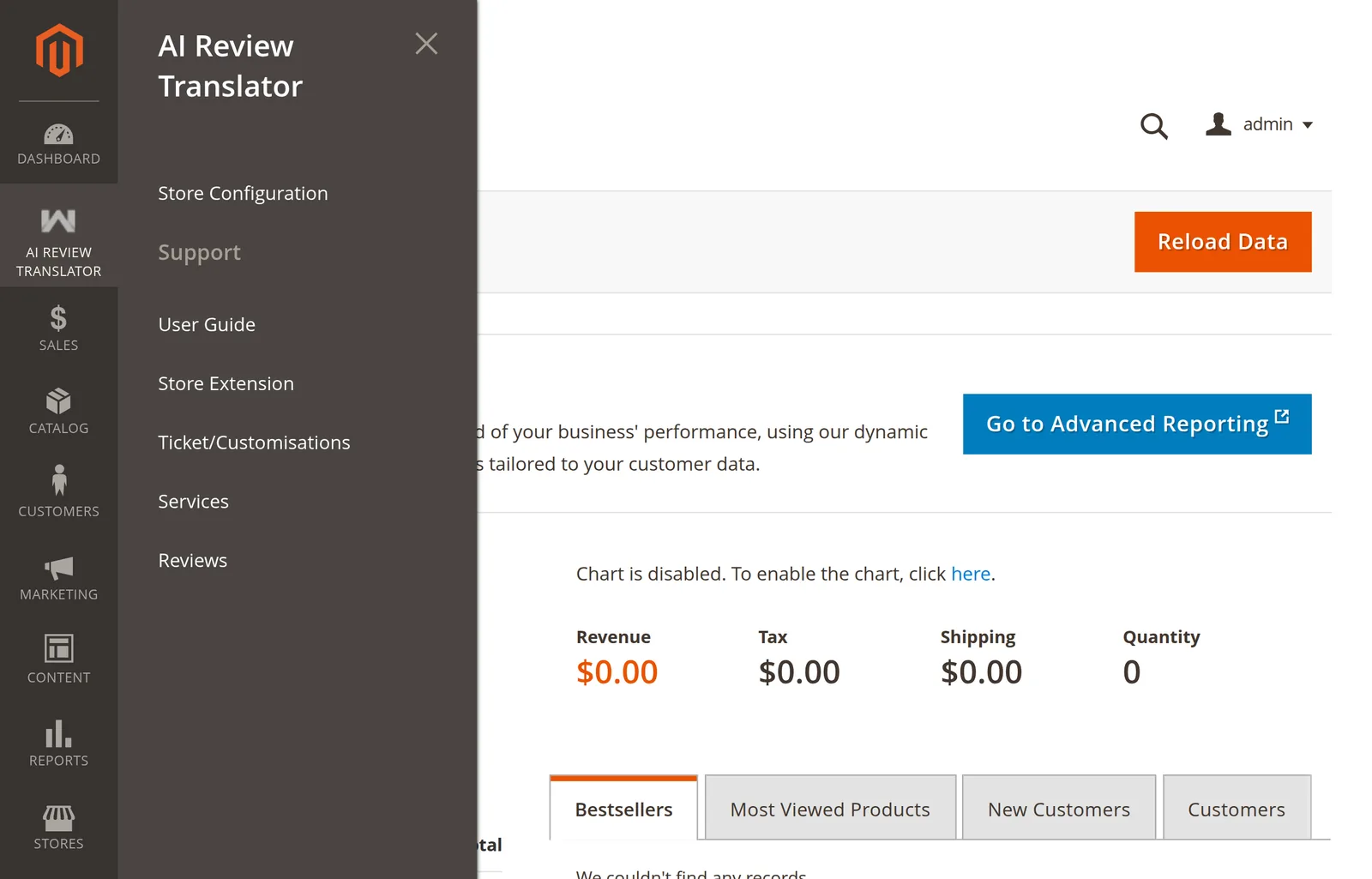
What is in it
| Menu item | Goes to |
|---|---|
| Store Configuration | The AI Review Translation config section. |
| Support → User Guide | This documentation. |
| Support → Store Extension | The extension's page on the Webkul store. |
| Support → Ticket/Customisations | Webkul's UVdesk support desk. |
| Support → Services | Webkul's services page. |
| Support → Reviews | The extension's own store reviews. |
There is no grid of translated reviews. Translations are read on the storefront, through GraphQL, or directly from the database table.
The menu is missing
Every item depends on aireviewtranslator/general/status. An absent menu means the module is switched off, not broken.
- Open Stores → Configuration → Webkul → AI Review Translation.
- Set Enable Module to Yes, save.
php bin/magento cache:flush.
If it is enabled and still missing, the admin role lacks the menu ACL resource — see Access Control.