
Connect Ollama to Magento
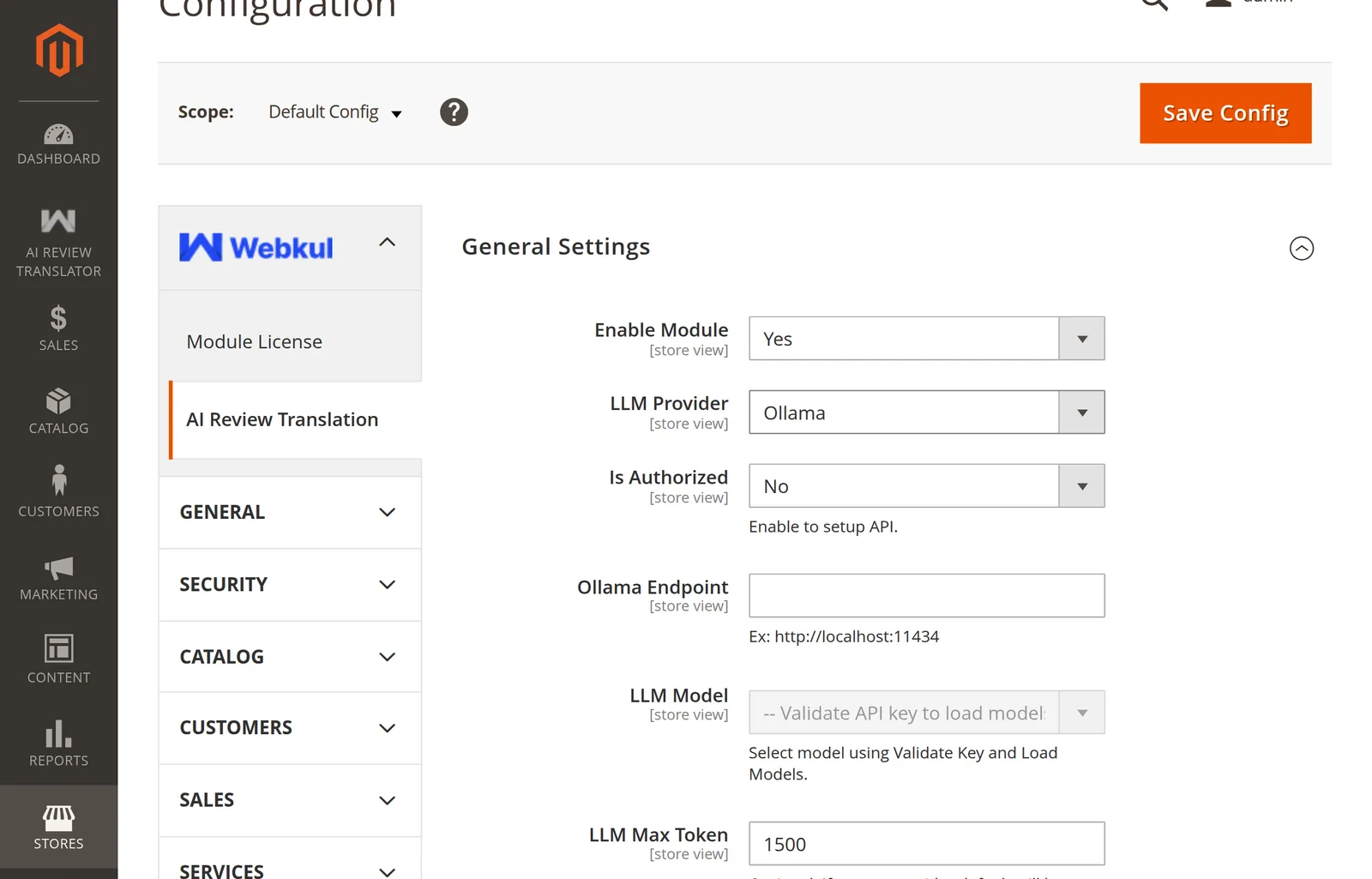
Selecting Ollama swaps the API-key-shaped fields for endpoint-shaped ones:
1. Check reachability first
From the Magento server — not your laptop:
curl http://192.168.10.173:11434/api/tags
A JSON list of models means you are ready. Anything else is a network or firewall problem, and the admin will only tell you it "cannot connect".
2. Fill the fields
| Field | Value |
|---|---|
| LLM Provider | Ollama |
| Is Authorized | No for a plain server; Yes if it sits behind a bearer-token proxy |
| LLM API Key | Only when Is Authorized is Yes — sent as Authorization: Bearer … |
| Ollama Endpoint | Base URL, no trailing path — http://localhost:11434 |
Base URL only
Enter http://host:11434, not http://host:11434/api and not a trailing slash. The module appends /api/tags itself; a doubled path returns a non-2xx status and validation fails.
3. Validate
Click Validate Key and Load Models. The module calls /api/tags and lists what is installed:
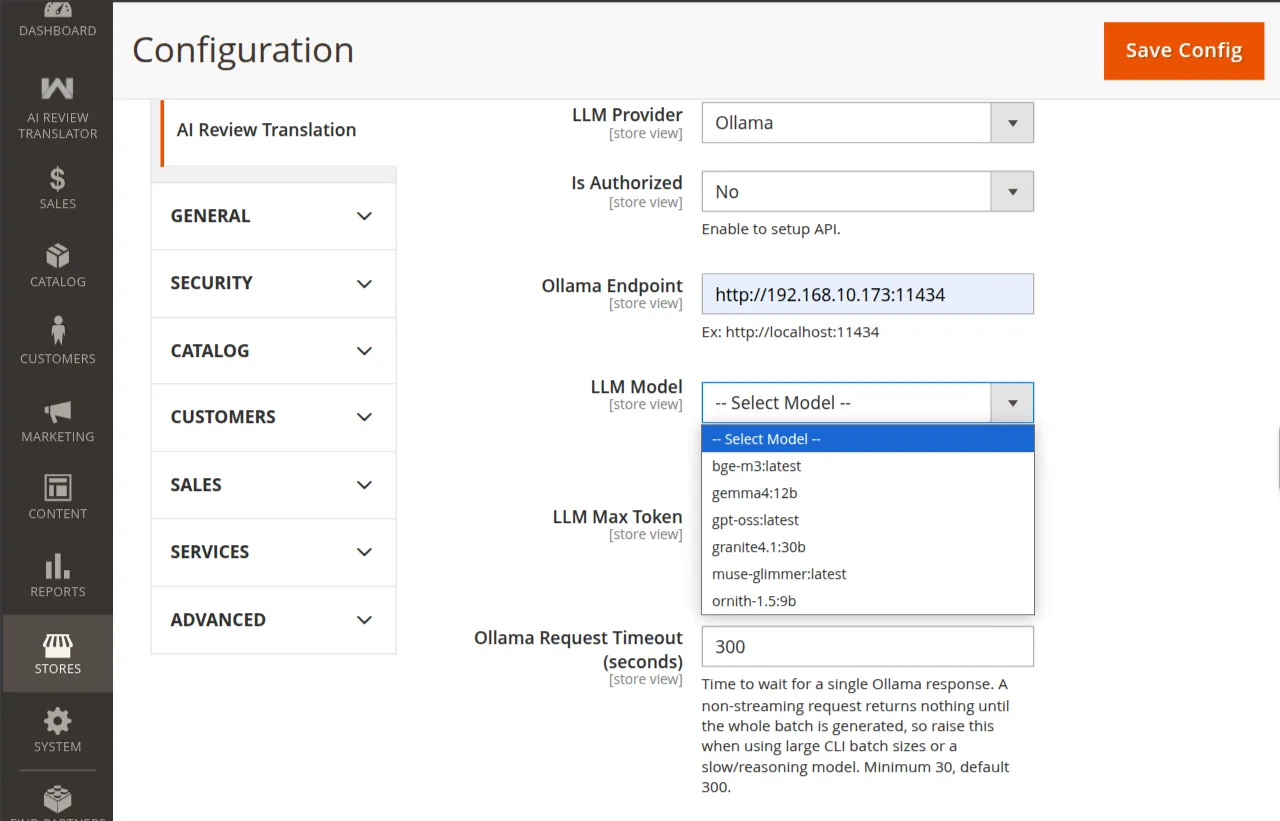
Unlike the hosted providers, there is no ping call and no capability filtering — you get exactly what ollama list shows.
4. Pick a model and save
Choose from the dropdown, set the timeout, Save Config, then:
php bin/magento cache:flush
Next: Timeouts & Batch Size.