
Magento 2 AI Review TranslatorMagento 2 AI Review Translator
Live Demo
Buy Now
Support
Live Demo
Buy Now
Support
  • Getting Started

    • Introduction
    • Key Features
    • How It Works
  • Installation

    • Requirements
    • Install the Module
    • Install the AI Packages
    • Enable & Compile
    • Verify the Installation
    • Content Security Policy
    • Translating the Interface
  • Setup

    • Enable the Module
    • Activate Your Licence
    • Select an LLM Provider
    • Validate & Load Models
    • First Translation
  • Configuration

    • Overview
    • General Settings
    • Limits & Timeouts
    • Store Views & Languages
    • Admin Menu
    • Access Control
  • LLM Providers

    • Provider Overview
    • How Validation Works
    • Choosing a Model
    • Switching Providers
  • Ollama (Self-Hosted)

    • Install Ollama
    • Connect to Magento
    • Timeouts & Batch Size
    • Troubleshooting
  • Translating Reviews

    • Translation Basics
    • What Is Sent to the Model
    • Fallback Behaviour
    • Automatic Translation
    • The Queue Consumer
    • Running the Consumer
    • Bulk CLI Command
    • Batch Size
    • CLI Output & Exit Codes
  • Storefront

    • On the Storefront
    • The Toggle
    • Styling
  • Developers

    • GraphQL API
    • Querying from Code
    • Data Model
    • Useful SQL
  • Help

    • Setup Problems
    • Translation Problems
    • Queue Problems
    • Storefront Problems
    • FAQ

Admin Menu

Once the module is enabled, an AI REVIEW TRANSLATOR entry appears in the admin sidebar.
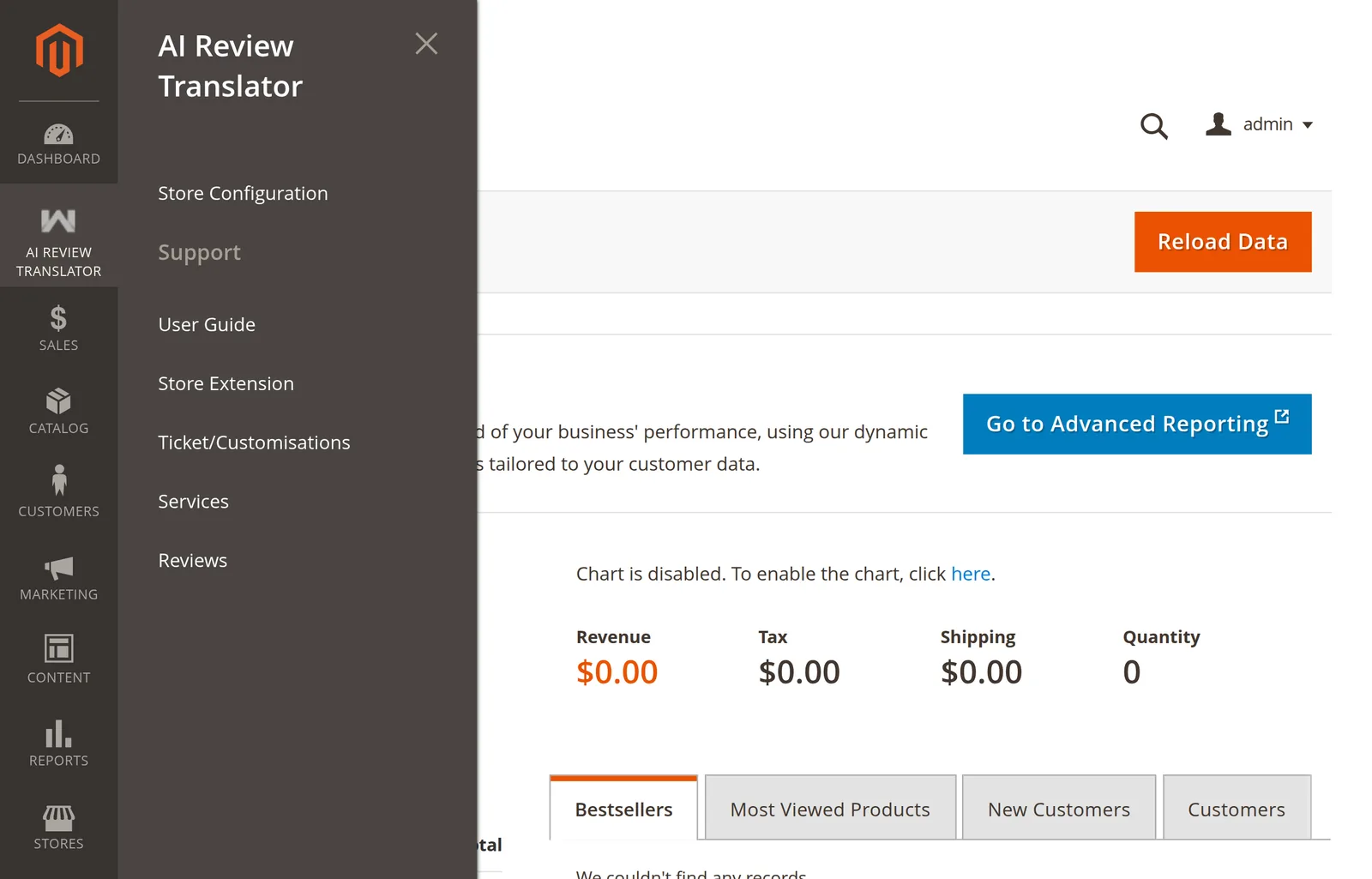
The AI Review Translator admin menu

What is in it

Menu itemGoes to
Store ConfigurationThe AI Review Translation config section.
Support → User GuideThis documentation.
Support → Store ExtensionThe extension's page on the Webkul store.
Support → Ticket/CustomisationsWebkul's UVdesk support desk.
Support → ServicesWebkul's services page.
Support → ReviewsThe extension's own store reviews.

There is no grid of translated reviews. Translations are read on the storefront, through GraphQL, or directly from the database table.

The menu is missing

Every item depends on aireviewtranslator/general/status. An absent menu means the module is switched off, not broken.

  1. Open Stores → Configuration → Webkul → AI Review Translation.
  2. Set Enable Module to Yes, save.
  3. php bin/magento cache:flush.

If it is enabled and still missing, the admin role lacks the menu ACL resource — see Access Control.

Prev
Store Views & Languages
Next
Access Control