
Conversation
A message thread attached to a quote, so you and the customer can settle the details without leaving the store. Turn it on under Conversation.
For the customer
From My Account → My Quotes, open a quote and click Conversation. A panel slides in with the thread — oldest at the top, newest at the bottom — and a box to type a reply.
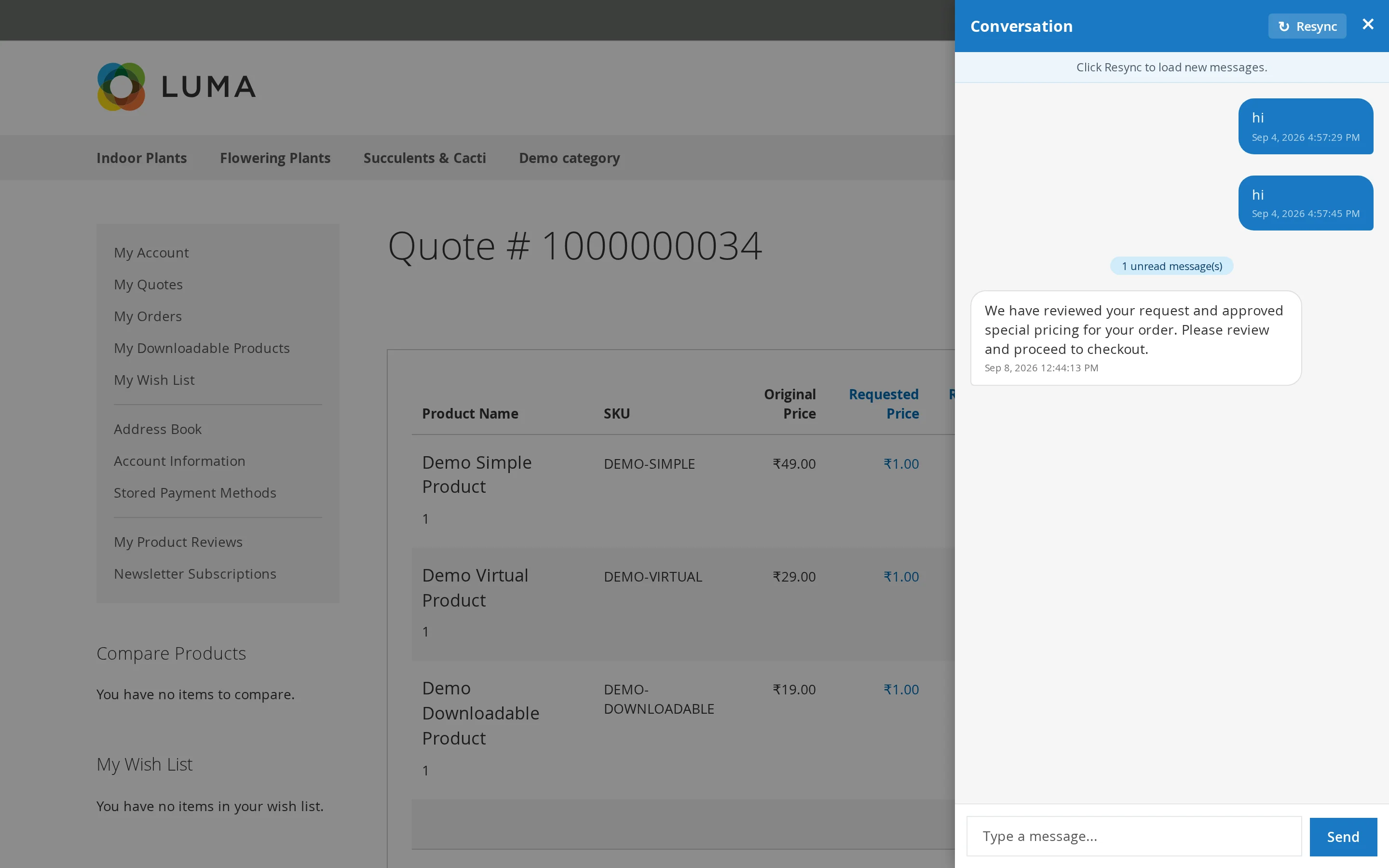
A divider marks where the messages they have not read begin, so they can pick up where they left off. Scrolling to the top loads older messages.
Guests reach the same thread through the private link emailed to them.
For you
The thread is on the quote detail page in admin. Post a reply, and the customer is emailed.
Unread badges
Each side has its own read marker:
- The customer sees a badge on the Conversation button and an Unread column in My Quotes.
- You see an unread count in the admin grid.
Opening the thread clears that side's badge, and leaves the other alone.
Email notifications
Every message triggers an email to the other side, using the Quote Message template.
These are sent through Magento's message queue rather than while the page loads, so posting a message is never held up by the mail server. The consumer must be running:
php bin/magento queue:consumers:start webkul.quotesystem.conversation.notify
Warning
If messages appear in the thread but no emails arrive, the consumer is not running. This is the most common cause — check it before looking at your mail configuration.