
Workflow
Stores → Configuration → Webkul → Quote System → Workflow
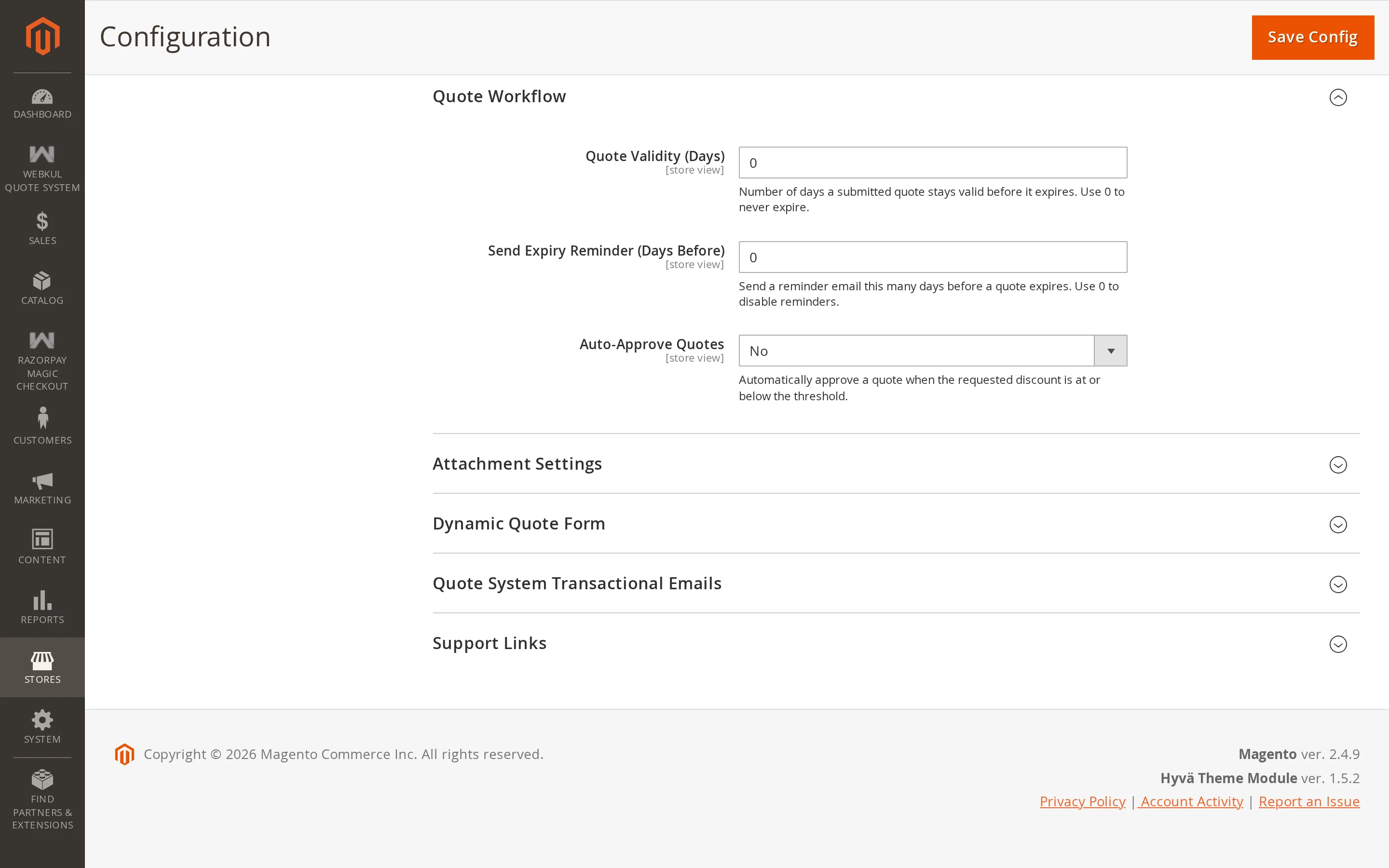
| Setting | Description |
|---|---|
| Auto Approve | Approve requests automatically when the discount asked for is small enough. |
| Auto Approve Max Discount (%) | The largest discount that will be approved automatically. |
| Quote Expiry (days) | How long an approved quote stays valid. |
| Reminder (days) | How many days before expiry to email the customer. |
Automatic approval
Most quote requests are routine — a customer asking for 5% off a bulk order. Auto approval clears those without you touching them, and leaves the real negotiations for your team.
With Auto Approve on, a submitted quote is checked against Auto Approve Max Discount. If every line asks for a discount within that limit, the quote is approved on the spot: each line's offered price and quantity are set to what the customer requested, and they can buy immediately.
Anything asking for more lands as Pending and waits for you.
Tips
Start with a conservative limit — 5% is a common starting point — and raise it once you can see from the grid how much of your volume it clears.
Quote expiry
Quote Expiry (days) sets how long a quote stays valid after it is submitted. A daily cron job moves quotes past that date to the Expired status, and an expired quote cannot be purchased.
Set it to 0 to switch expiry off; quotes then stay valid indefinitely.
Expiry reminders
Reminder (days) emails the customer that many days before their quote expires — a useful nudge on a quote they have not acted on. A second daily cron job sends these, and each quote is reminded only once.
Set it to 0 to switch reminders off.
Warning
Both features run on cron. If cron is not configured, quotes never expire and reminders are never sent. Check with php bin/magento cron:run and confirm the wk_raq_expire_quotes and wk_raq_remind_expiring_quotes jobs are running.