
Button & Cart
Stores → Configuration → Webkul → Quote System → Button and → Cart
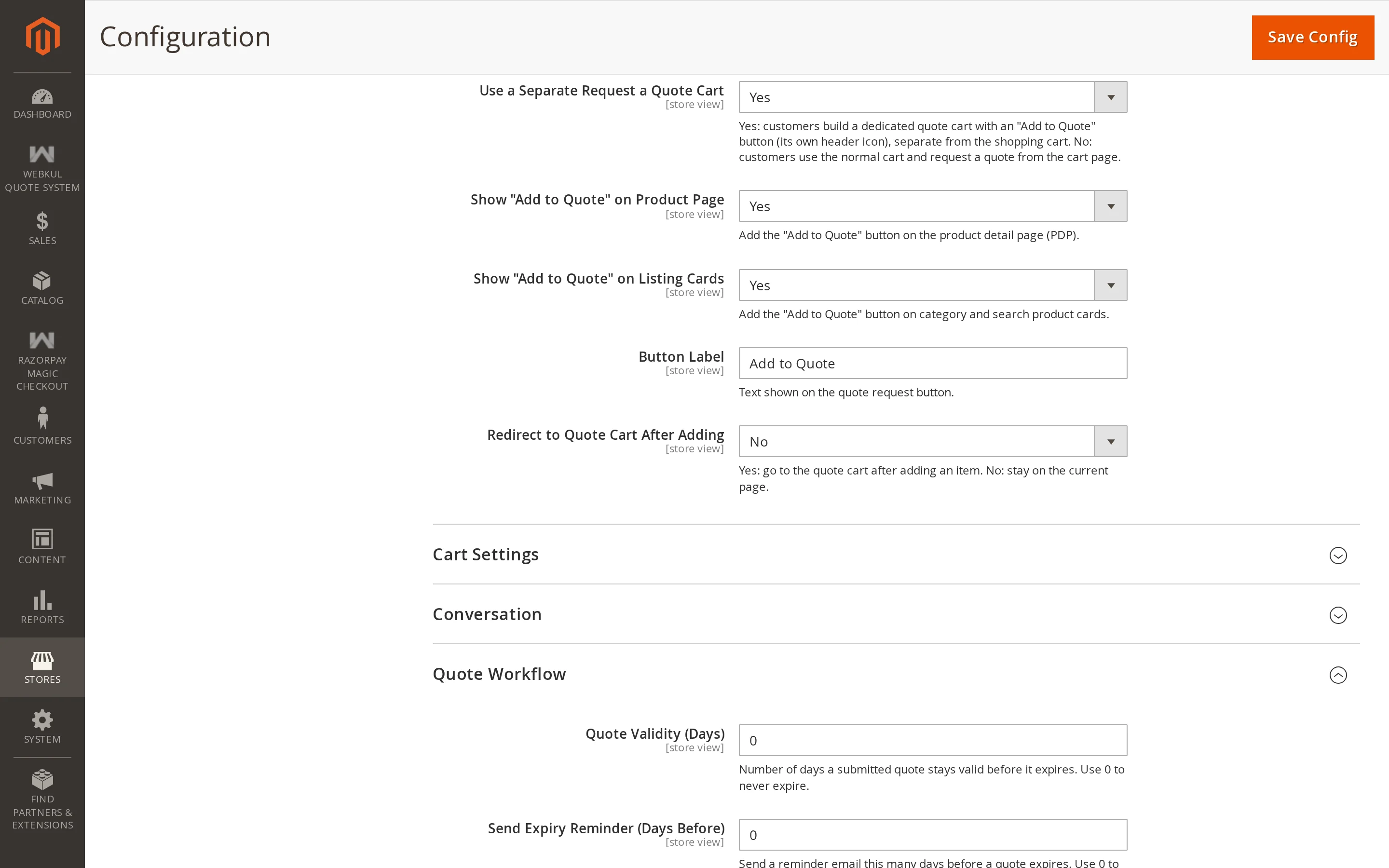
| Setting | Description |
|---|---|
| Separate Quote Cart | Keep quote requests in their own cart, apart from the shopping cart. |
| Show on Product Page | Show Add to Quote on product detail pages. |
| Show on Product Listing | Show Add to Quote on category and search result cards. |
| Button Label | The wording on the button. |
| Redirect to Quote Cart | Send the shopper to the quote cart after adding, instead of leaving them on the page. |
| Allow Discount on Quote Items | Whether cart and catalogue price rules apply to negotiated lines. |
Separate Quote Cart
When set to Yes (default), quote requests are collected into a dedicated Quote Cart separate from the standard shopping cart. Customers can access it from the header quote-cart icon and the My Account → Cart Quotes menu.
When set to No, quote requests operate directly without requiring the dedicated quote cart. The visibility of the Add to Quote button on quotable products remains independent of this option.
Button Label
Defaults to Add to Quote. Change it to match your store's language — Request a Price, Ask for a Quote, Get a Quotation. It is used on product pages, listing cards, and as the button's title attribute.
Show on Product Page and Show on Product Listing
Turn the listing button off if your category pages are already busy; shoppers then request quotes from the product page only.
On a listing card, products that must be configured first — configurable, bundle and grouped products, and anything with required custom options — show a link to the product page rather than opening the quote form. There is nothing on a card to choose options with, so sending the shopper to the product page is the only way they can tell you what they actually want. This matches how Magento's own Add to Cart behaves on a card.
Redirect to Quote Cart
| Setting | After the shopper adds an item |
|---|---|
| No | They stay where they are; the header count updates and a confirmation message appears |
| Yes | They are taken to the quote cart |
Leave it off if shoppers commonly request several products in one go.
Allow Discount on Quote Items
This one matters. You have agreed a price on a quote — should a coupon then reduce it further?
- No (default) — cart price rules and catalogue price rules skip negotiated lines. The price you agreed is the price paid. Other items in the same cart still get their discounts.
- Yes — negotiated lines behave like any other cart line and rules apply on top.
Warning
Leaving this on can let a customer stack a negotiated price with a coupon and buy below your floor. Turn it on only if that is what you intend.