
Attachments
Stores → Configuration → Webkul → Quote System → Attachment
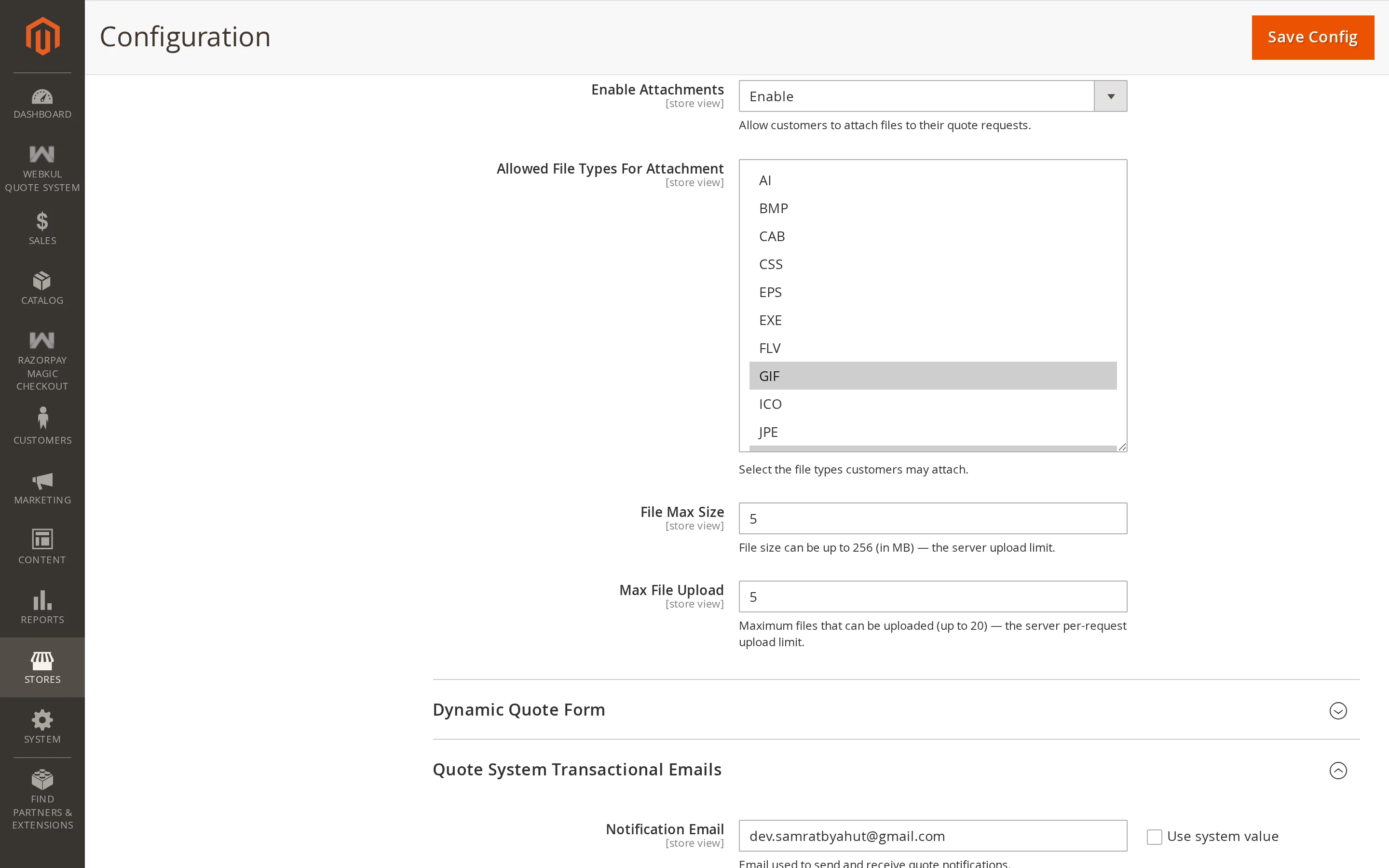
Let customers attach files to a quote request — a drawing, a spec sheet, a list of what they need.
| Setting | Description |
|---|---|
| Enable Attachments | Show the file field on the quote submission form. |
| Allowed File Types | Which extensions are accepted. |
| Maximum File Size (MB) | The largest single file. |
| Maximum Files | How many files one request may carry. |
Allowed File Types
Choose from a list built from the file types Magento itself recognises, minus the ones it treats as unsafe. Executable and script types are never offered, so you cannot accidentally allow an upload that could be run on your server.
A practical set for most stores is pdf, jpg, png, zip.
Maximum File Size and Maximum Files
The size limit is capped by your server's own PHP limits. The field tells you the current ceiling from upload_max_filesize and post_max_size, and a value above that is not accepted — it would only produce failed uploads.
If you need larger attachments, raise the PHP limits first, then raise this setting.
Tips
Maximum Files counts files per request, not per line. A customer attaching a drawing for each of five products needs a limit of at least five.
Where attachments appear
Uploaded files are listed on the quote detail page in admin and in the customer's own view of the quote, with the file name and size. They are stored in Magento's media directory.