
Browsing & Product Page
Customers can discover and purchase subscription products seamlessly across the marketplace storefront.
Guest User Experience: "Login to Subscribe"
Because recurring billing profiles require continuous customer account association to manage automated renewal orders, guest users are required to sign in or register before subscribing.
- When a non-authenticated visitor views a subscription product on a catalog grid or product page, the action button displays Login to Subscribe:
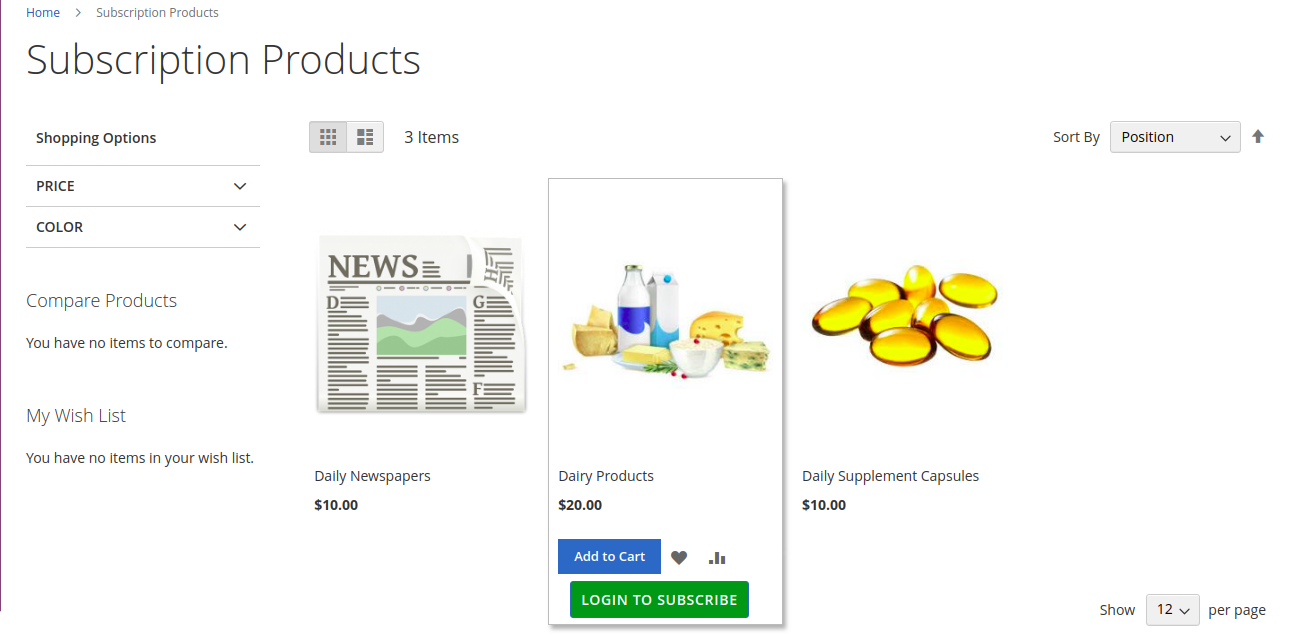
- Clicking the button redirects the guest to the customer login / registration page.
- Once logged in, the customer is returned to the product page with active subscription controls enabled:
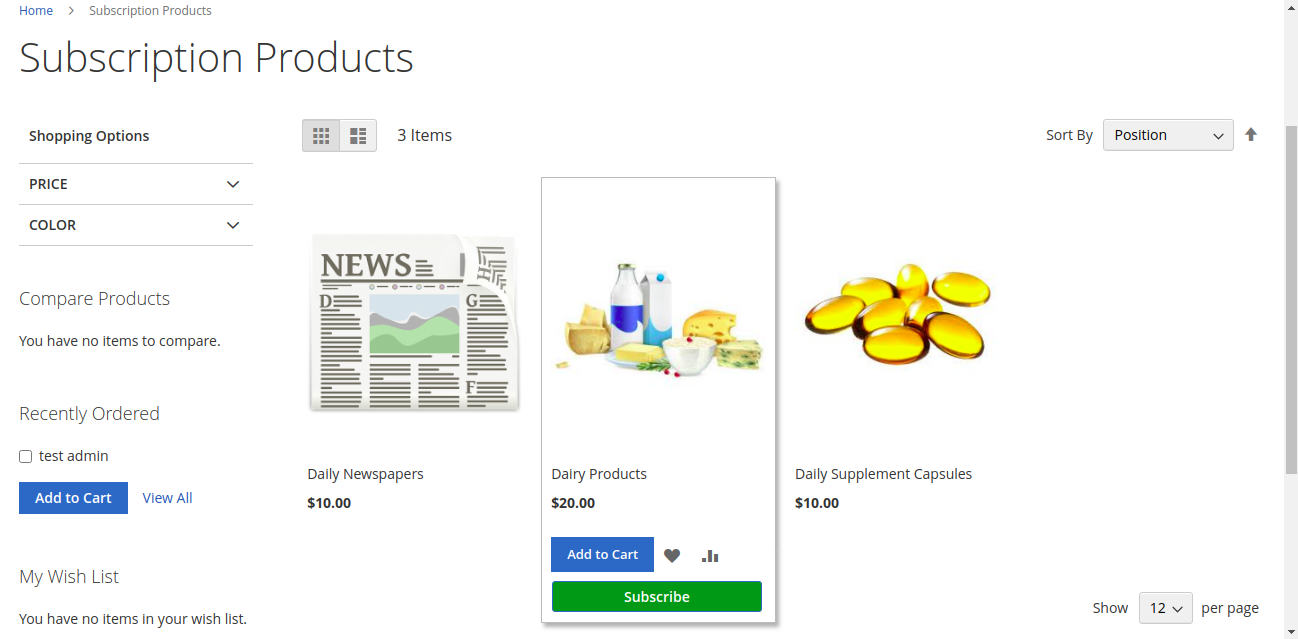
Product Page Subscription Configuration
On the product detail page, customers can evaluate subscription terms and choose their preferred delivery schedule:
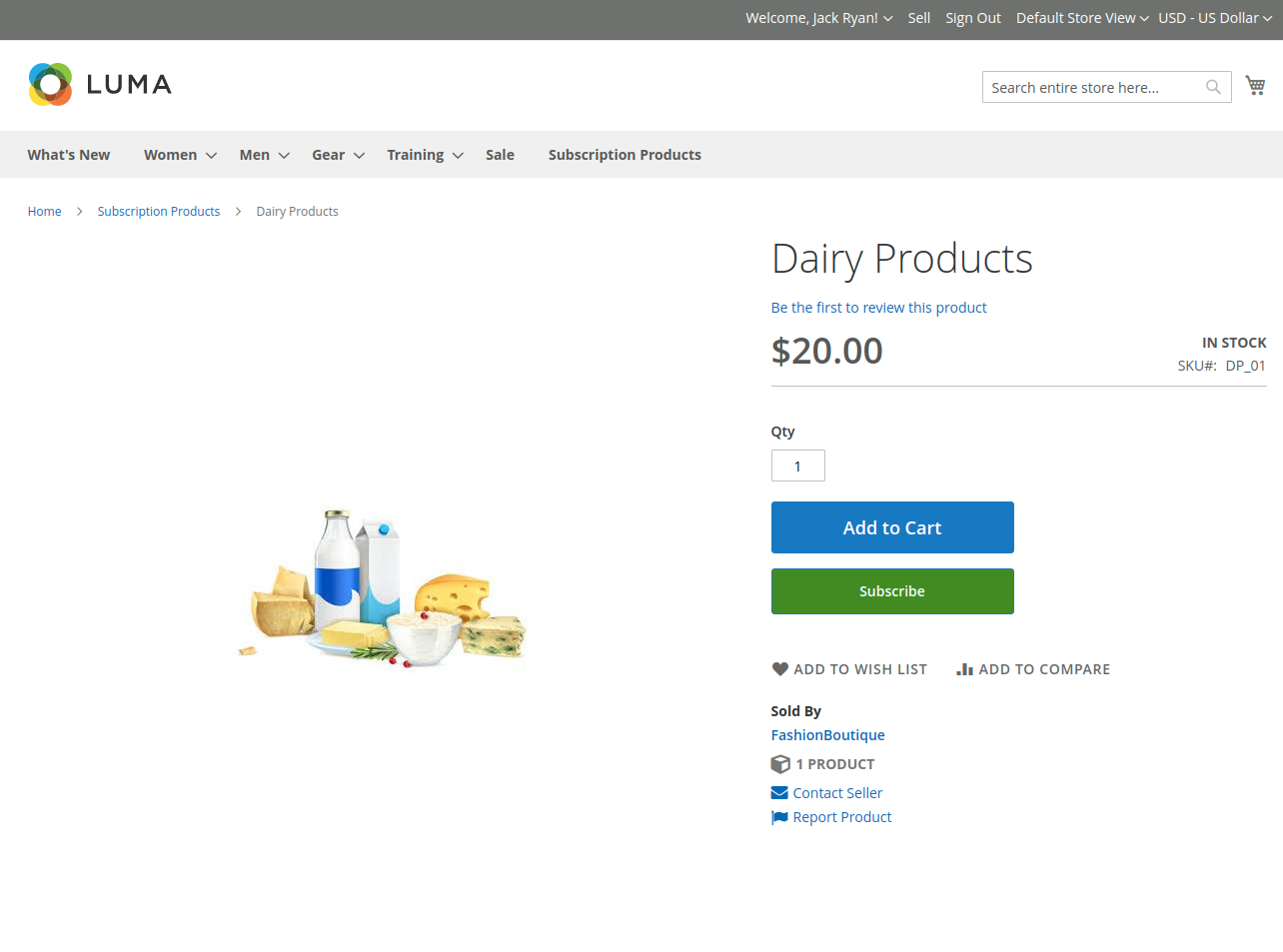
Customers configure the following parameters:
- Choose Subscription Plan: Select from the seller's configured duration frequencies (e.g., Weekly, Monthly, Yearly).
- Start Date: Select the calendar date on which subscription deliveries and billing cycles should officially begin.
- Fee Breakdown Display: The page clearly indicates:
- Initial Fee: Immediate setup charge included in the initial order.
- Subscription Amount: Recurring fee that will be automatically billed on each subsequent renewal cycle.
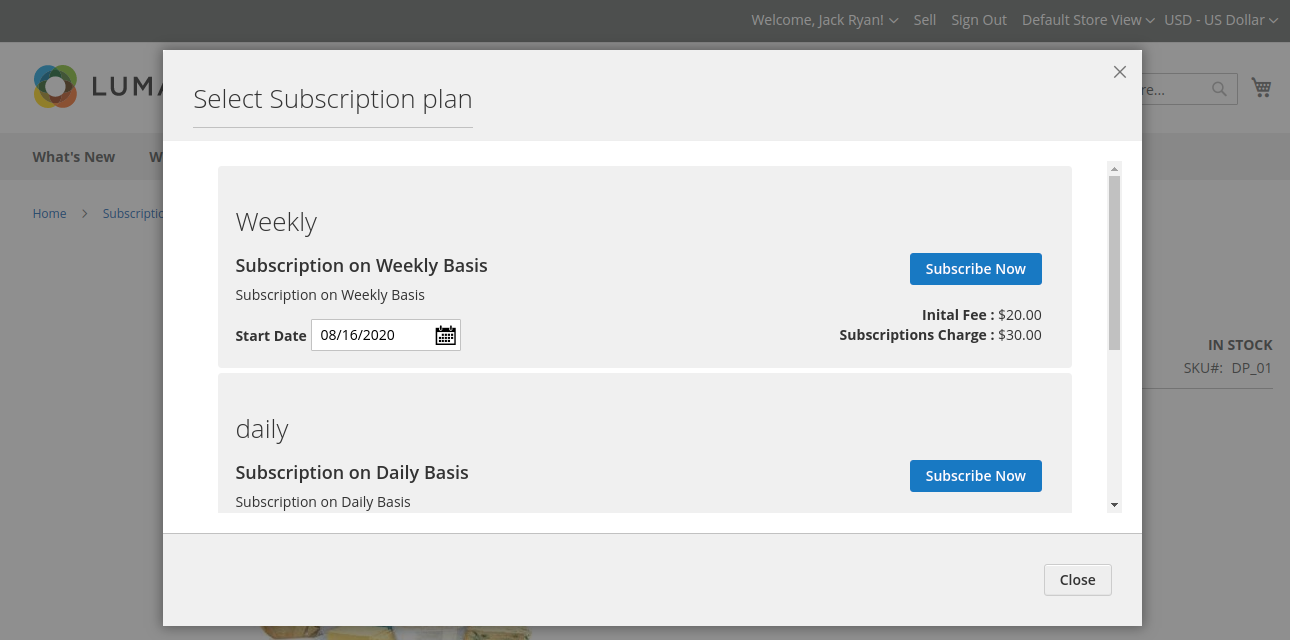
- Click Subscribe (or Add to Cart) to place the subscription item in the shopping cart.
Storefront Visibility
The Subscribe option is displayed dynamically across the Category listing page, Search results page, and Product detail page.