
Subscription Reports & Analytics
The Subscription Report gives administrators deep insight into recurring revenue, subscriber retention, and catalog performance through a centralized analytics dashboard.
Accessing Subscription Reports
- In the Magento Admin Panel, navigate to Recurring > Subscription Reports (or Reports under the Recurring menu).
- The interactive subscription performance dashboard will display.
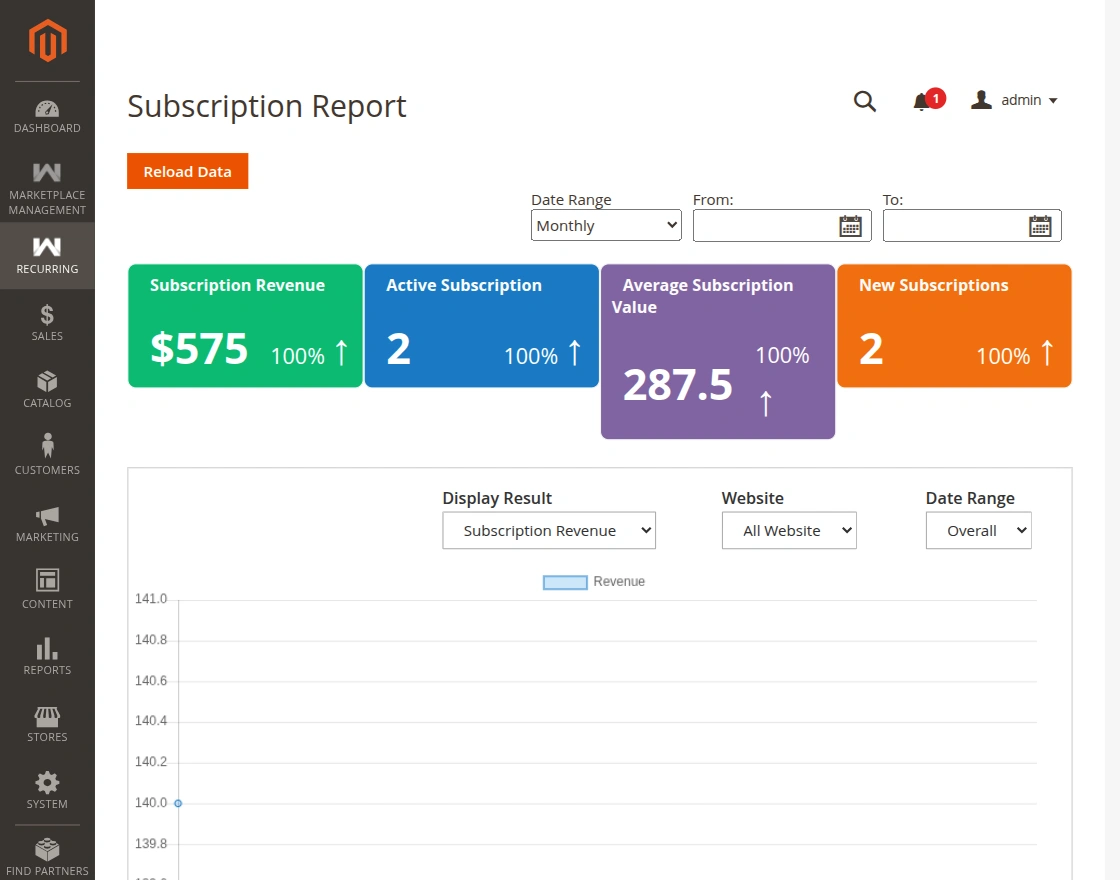
Executive KPI Cards
At the top of the report, key performance indicators provide an instant snapshot of your subscription health:
- Subscription Revenue: Total revenue generated from subscription initial fees and recurring installment cycles.
- Active Subscriptions: Total count of recurring profiles currently active and generating renewals.
- Average Subscription Value (ASV): Average revenue earned per active subscription across billing periods.
- New Subscriptions: Count of newly acquired subscribers within the selected filtering time window.
Date Range & Website Filtering
Admins can tailor report metrics using intuitive filtering parameters:
- Date Range: Filter data by Today, Current Month, Last 30 Days, Current Year, or a customized date interval.
- Website / Store View: Scope reporting to specific multi-tenant websites or localized store views.
Visual Analytics & Churn Analysis
Interactive visual charts map recurring revenue progression over time:
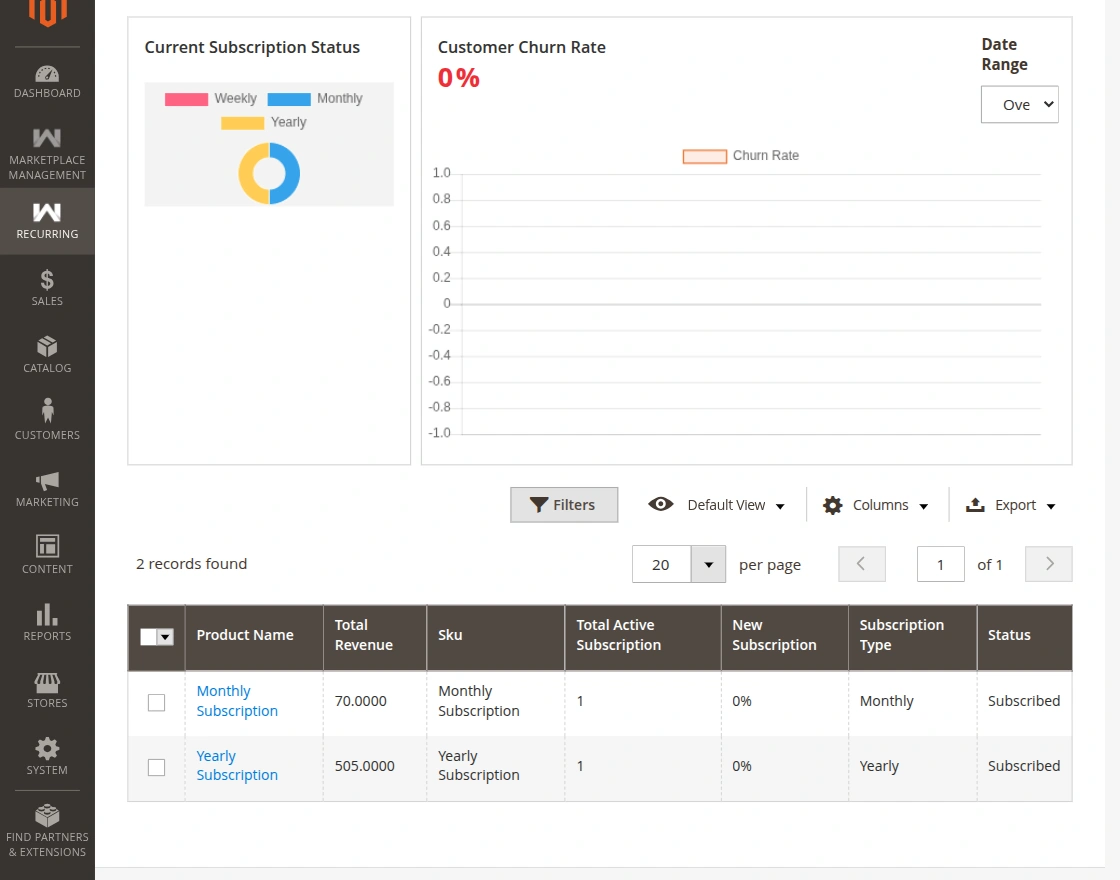
- Revenue Progression Chart: Visualizes cash flow generated per cycle to track subscription revenue growth.
- Churn Rate Analysis: Highlights the percentage of subscriptions cancelled or expired to help optimize retention strategies.
Detailed Product-Wise Breakdown Grid
Below the trend charts, a granular grid breaks down performance per individual subscription product:
| Column | Description |
|---|---|
| Product Name | Catalog product offered on subscription. |
| Subscription Type | Duration frequency attached to the product. |
| Product Revenue | Cumulative revenue generated by this product's subscriptions. |
| Active Subscriptions | Number of active paying customers for this specific product. |
| Subscription Status | Current status breakdown (Active, Paused, Cancelled). |