
Connect with Stripe
To receive payments from customers who subscribe via credit card / Stripe, marketplace sellers must connect their Stripe account with the platform's Stripe Connect application.
Onboarding Procedure
- In the seller dashboard, navigate to Recurring Subscriptions > Connect To Stripe.
- The Connect To Stripe management page displays.
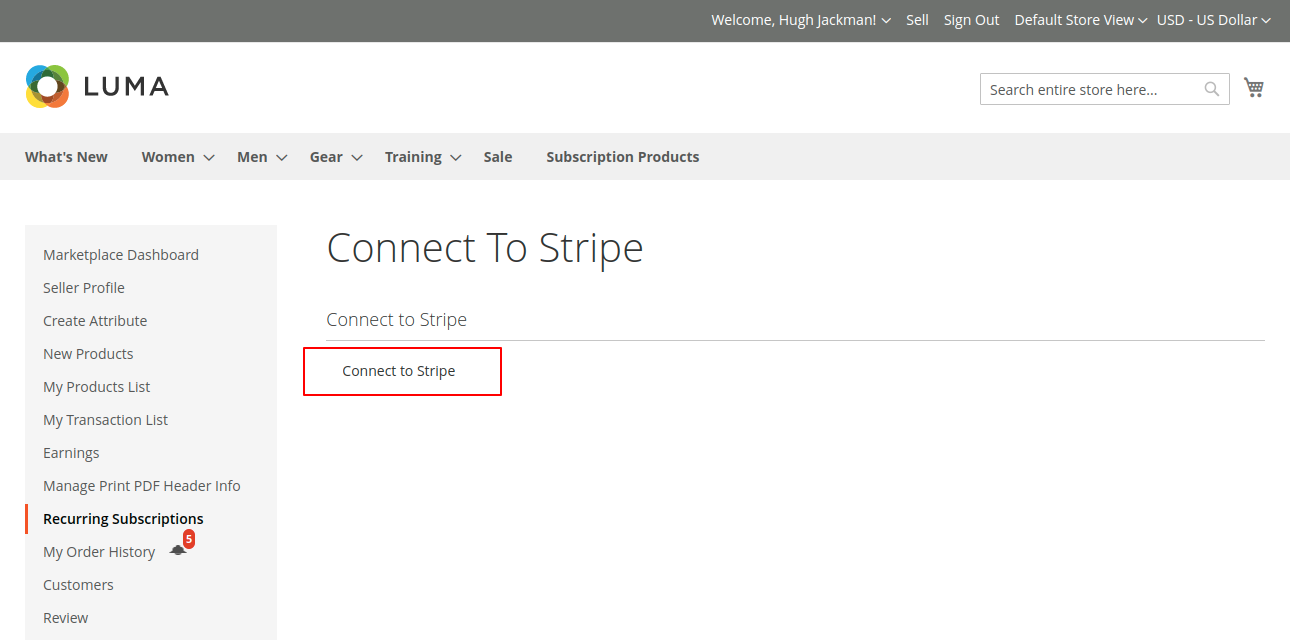
- Click the Connect with Stripe button.
- The seller is redirected to the official Stripe Connect authorization portal:
- If the seller already has a Stripe account, they log in and grant platform access.
- If they do not have a Stripe account, they complete Stripe's standard onboarding form (business details, identity verification, and bank payout information).
- Upon authorization, Stripe redirects the seller back to the marketplace store with a success status.
- The seller's connected Stripe account ID is securely associated with their vendor profile in Magento.
Direct Transfers
With Stripe Connect configured, payments collected from subscribers can be split automatically between the marketplace commission and the vendor's connected account.