
Manage Duration Types
Duration Types (also referred to as Subscription Terms or Cycles) define the recurring intervals at which customers will be billed and products or services will renew.
The administrator has centralized authority to create, edit, or disable duration types across the entire marketplace platform.
Accessing Duration Types Grid
In the Magento Admin Panel:
- Click on the Recurring menu in the left navigation sidebar.
- Select Manage Duration Type.
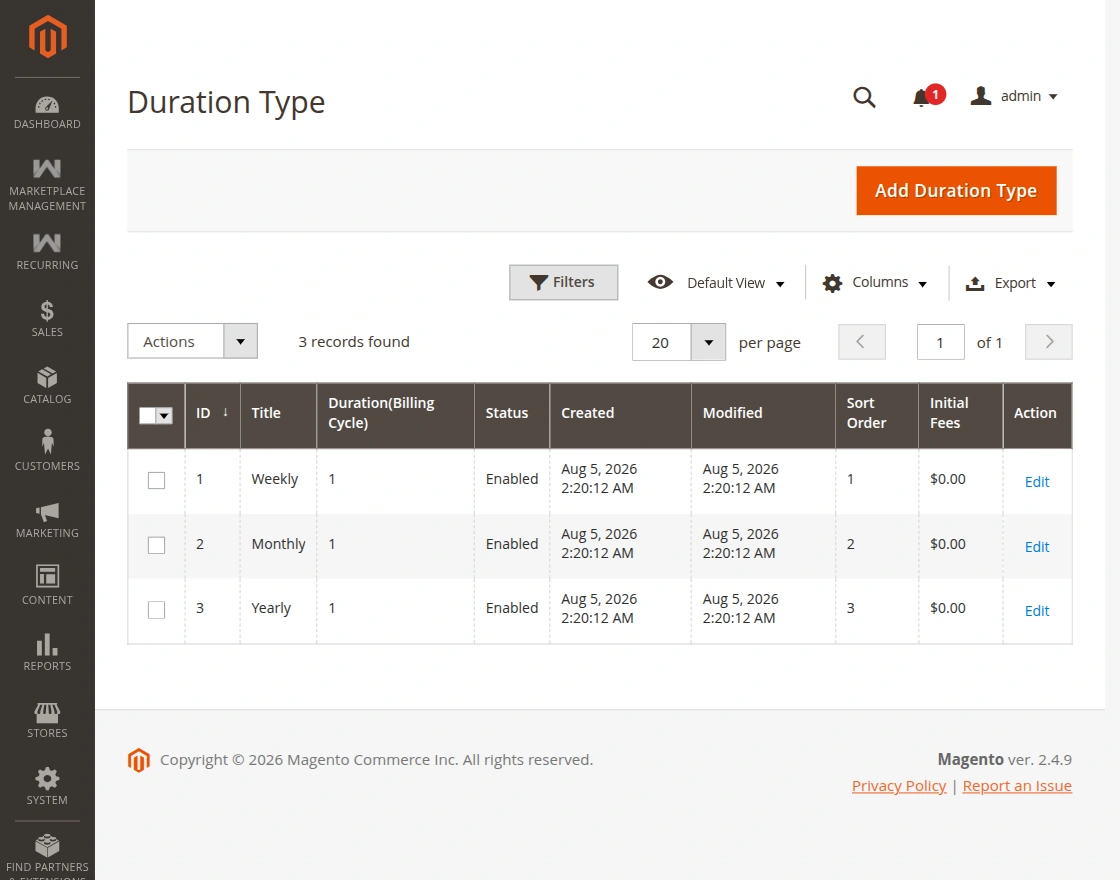
The grid displays:
- ID: Unique duration record ID.
- Duration Title: Display name shown to sellers and customers (e.g. Daily, Weekly, Monthly, Yearly).
- Duration (Days): The billing and renewal cycle represented as number of calendar days.
- Status: Current operational status (
EnabledorDisabled). - Sort Order: Priority in plan selection dropdown menus.
Adding a New Duration Type
To create a new recurring term:
- Click the Add Duration Type button in the upper right corner.
- You will be redirected to the New Duration Type form.
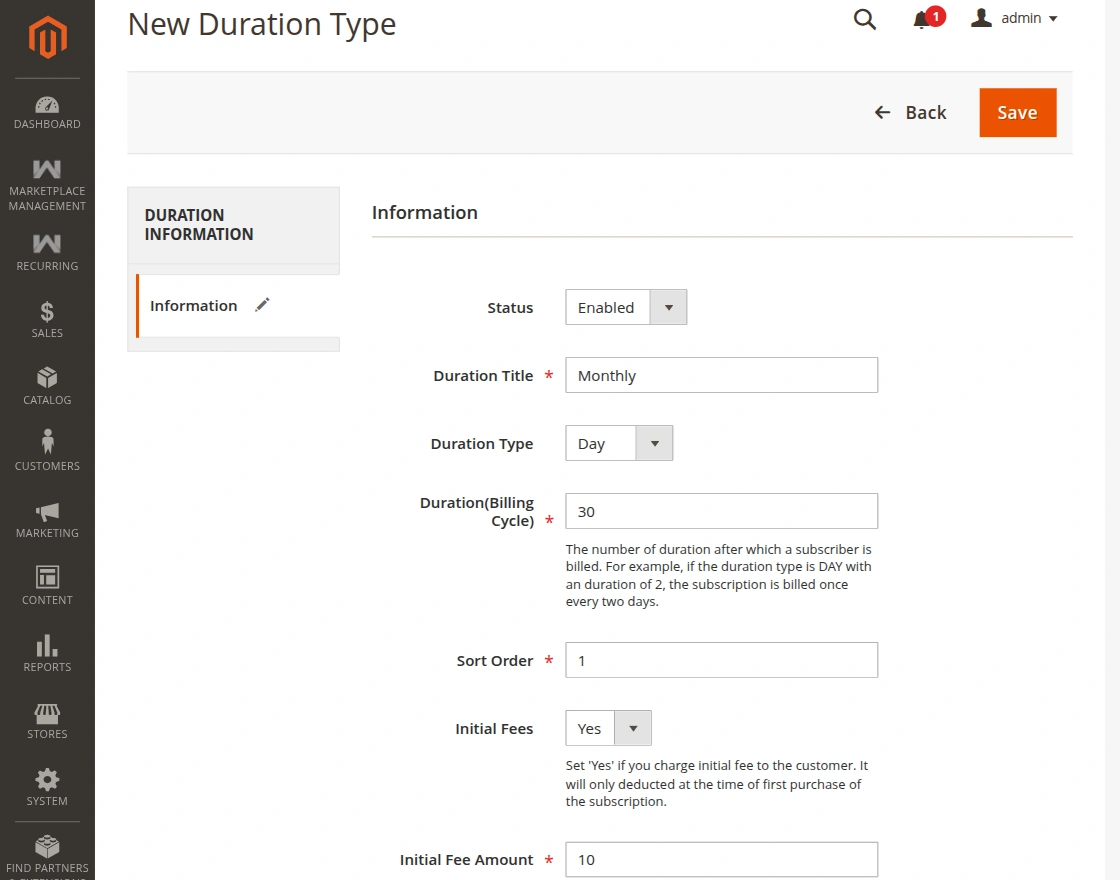
Configure the following fields:
| Field | Description | Example |
|---|---|---|
| Duration Title | The name of the duration visible on product pages and invoice statements. | Bi-Weekly, Quarterly |
| Duration (days) | The cycle interval measured in days between each renewal charge. | 14 (for Bi-Weekly), 90 (for Quarterly) |
| Status | Toggle to make this duration immediately active for product assignments. | Enabled |
| Sort Order | Numerical sort value to control display ordering. | 1, 2, 3 |
- Click Save Duration Type.
Dynamic Billing Intervals
Once created and enabled, the duration type becomes instantly selectable for both administrators and marketplace sellers when editing catalog products.