
Manage All Subscriptions
The store administrator can monitor and manage every subscription order created across the marketplace, whether sold by the store owner or third-party sellers.
All Subscriptions Grid
To view subscriptions:
- In the Magento Admin Panel, go to Recurring > Manage Subscriptions.
- The All Subscriptions page opens.
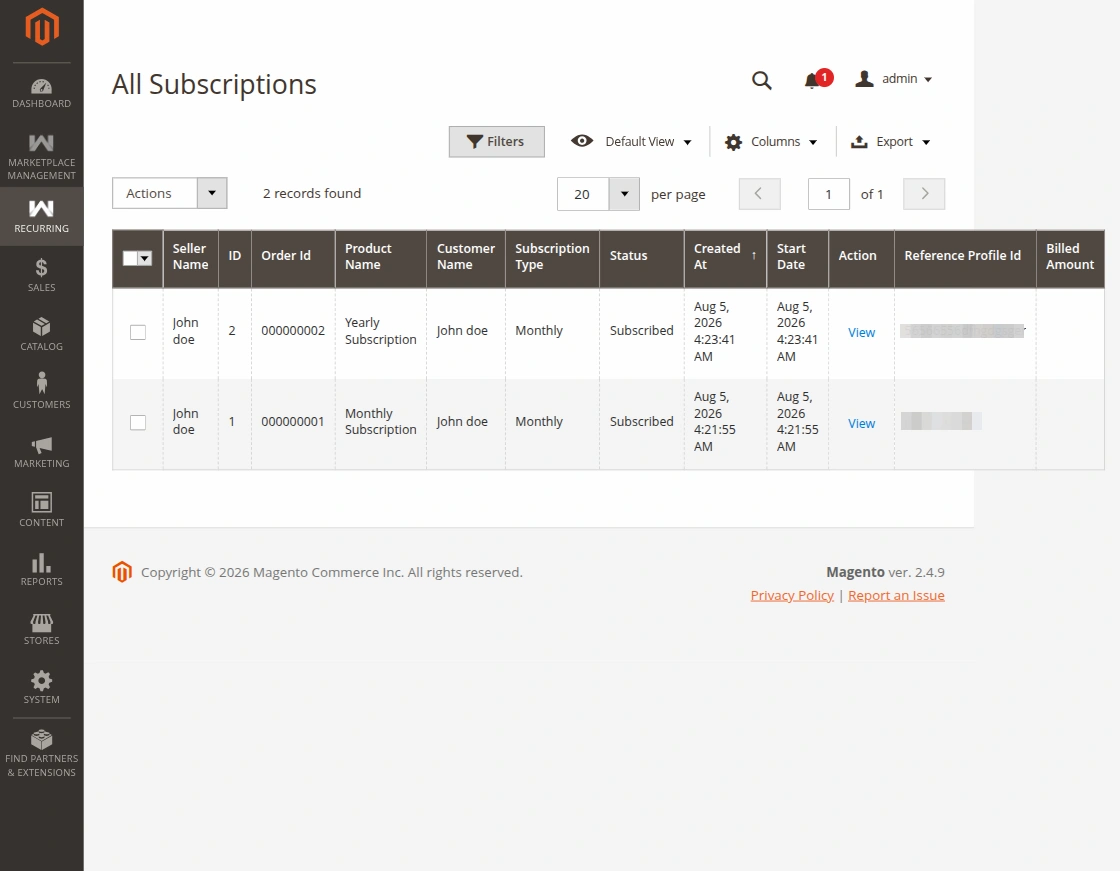
The grid includes comprehensive details:
- Order ID: Primary order ID associated with the initial purchase.
- Product Name: Name of the subscribed item.
- Seller Name: The vendor that owns the product (or platform store).
- Customer Name: Customer who purchased the subscription.
- Subscription Type: Duration cycle (e.g., Weekly, Monthly).
- Status: Status of the subscription (
Subscribed,Unsubscribed,Expired). - Start Date: Date when the subscription billing began.
- Action: View details link.
Subscription Detail View
Clicking View on any subscription record opens the complete subscription profile:
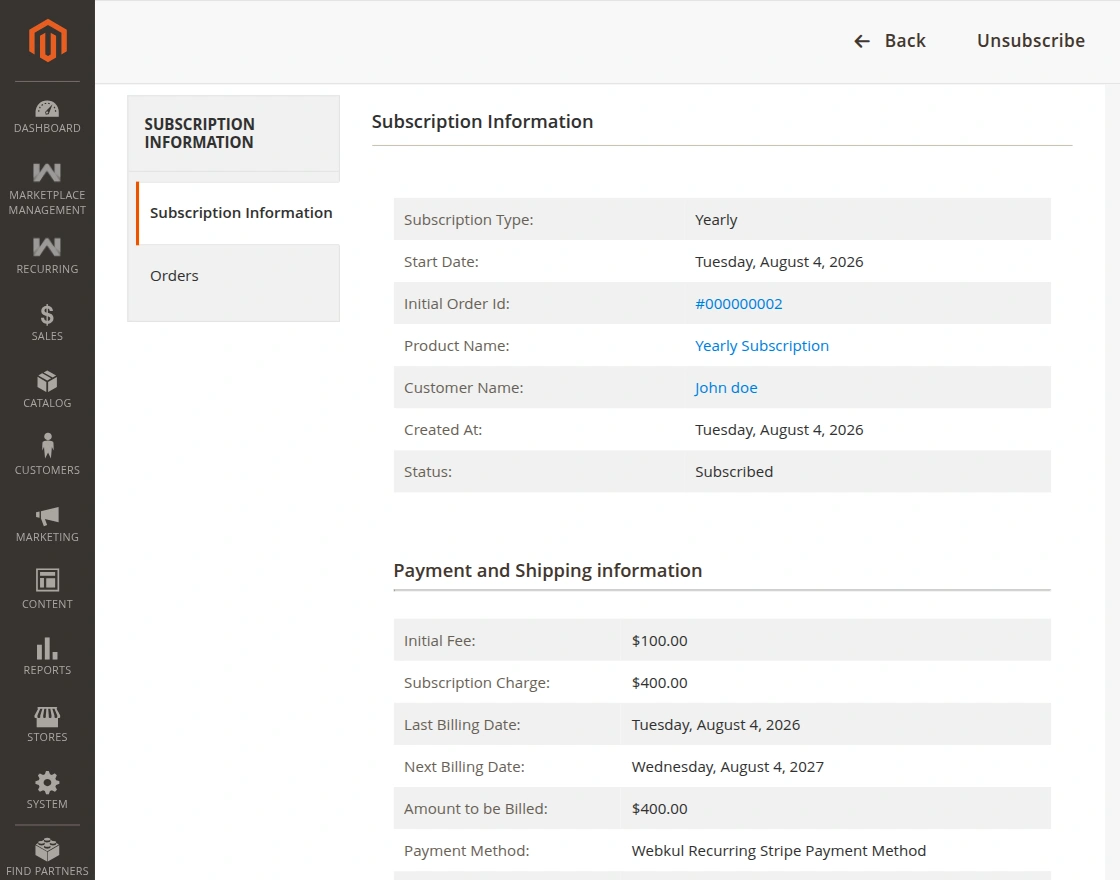
1. Subscription Information Tab
- Subscription Type: Recurring billing cycle.
- Start Date: Date of first subscription cycle.
- Initial Order Id: Clickable link to the original Magento sales order.
- Product Name: Link to the subscribed catalog product.
- Customer Name: Link to the customer record.
- Created At: Timestamp when customer completed checkout.
- Status: Current lifecycle status (
Subscribed/Unsubscribed). - Recurring Payment ID: Gateway reference profile ID (e.g.
I-L2LU9033TRFEfor PayPal orsub_...for Stripe). - Payment & Shipping Information: Breakdown of the Initial Fee charged upon signup and periodic Subscription Fee billed every cycle.
2. Orders Tab
The Orders tab lists all subsequent renewal child orders generated automatically by cron tasks and payment gateway webhook triggers each billing cycle.
Admin Unsubscription Capability
Administrators can cancel any customer's subscription directly:
- Open the specific subscription detail page.
- In the top action bar, click Unsubscribe.
- Confirm the action when prompted.
- The status is updated to
Unsubscribed, and a cancellation command is transmitted to PayPal/Stripe to stop future automated recurring charges.