
General settings
Stores → Configuration → Webkul → Instagram Feed
These are global settings. Anything about how a feed looks lives on the feed itself — see Design & Layout.
General
| Field | Purpose | Default |
|---|---|---|
| Enable Instagram Feed | Master switch. Off means no syncing and no storefront output. | Yes |
| Instagram App ID | From Meta → Instagram → API setup with Instagram login | empty |
| Instagram App Secret | From the same panel; stored encrypted | empty |
| Debug Logging | Verbose API traces for support | No |
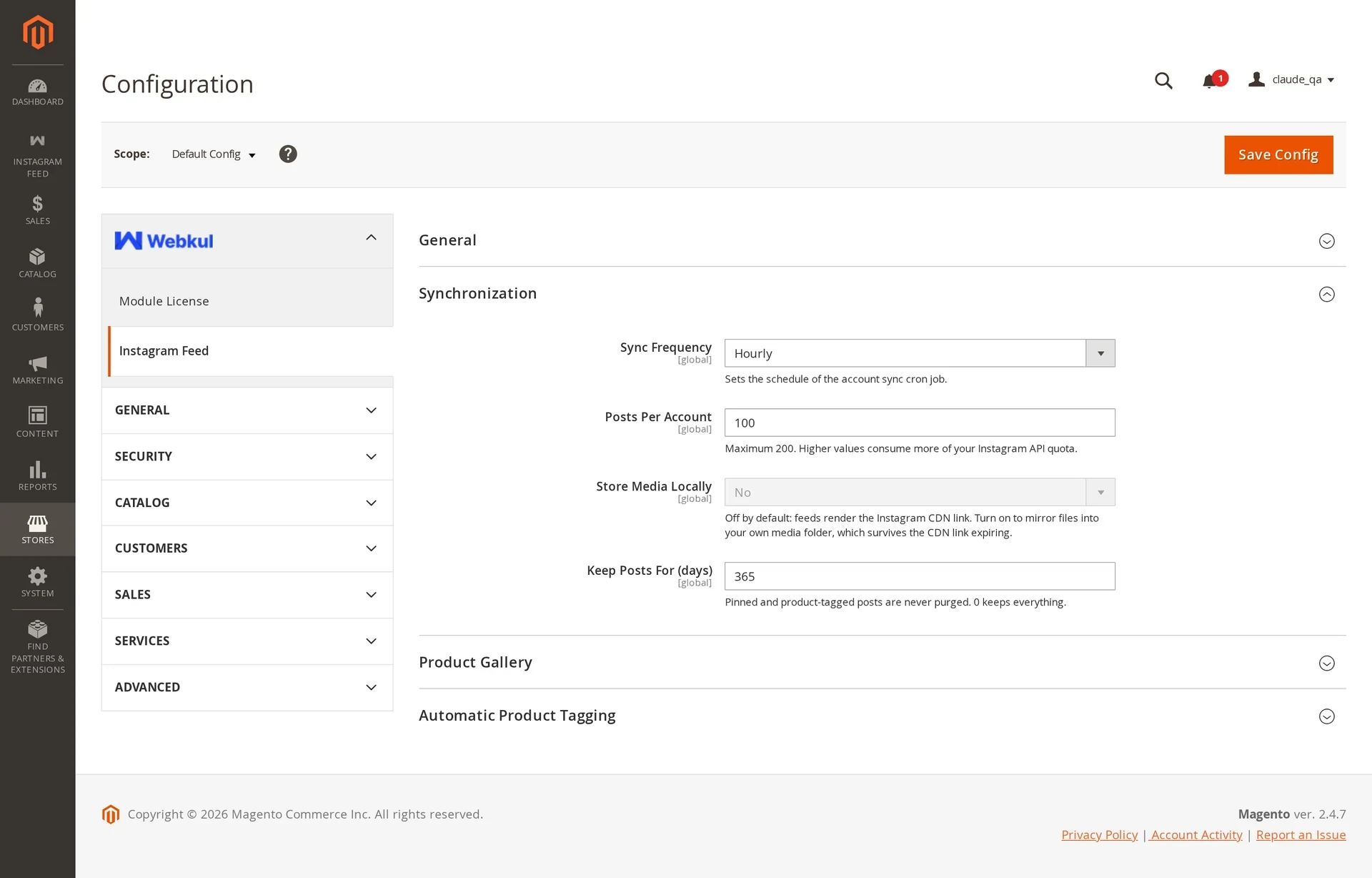
Synchronization
| Field | Purpose | Default |
|---|---|---|
| Sync Frequency | Every 15 minutes, Hourly, or Daily. Rewrites the sync cron schedule when saved. | Hourly |
| Posts Per Account | How many posts each sync requests, max 200. Higher values consume more of your Instagram API quota. | 50 |
| Store Media Locally | Mirrors images and video into your media folder | No |
| Keep Posts For (days) | Retention window; 0 keeps everything | 365 |
Turn "Store Media Locally" on for production
It ships off, so feeds render Instagram's CDN link directly. Those links expire in about a day, and tiles break once they do. Mirroring copies each file into your own media folder, which costs disk but survives expiry.
Retention never deletes pinned posts, product-tagged posts, posts curated into a manual feed, or anything you uploaded yourself.
Product Gallery
Instagram posts can be attached to a product's own media gallery, so a shot of the item being worn sits beside the studio photography on the product page. Attaching is done per product — see Product gallery.
| Field | Purpose | Default |
|---|---|---|
| Posts Per Selector Page | How many posts the media picker loads per page | 24 |
| Autoplay Video | Plays an attached Instagram video when it becomes the active gallery item | Yes |
| Loop Video | Restarts an attached video when it ends | Yes |
Automatic Product Tagging
| Field | Purpose | Default |
|---|---|---|
| Enable Automatic Tagging | Runs the hourly suggestion job | No |
| Match SKUs In Captions | Tags a product when its exact SKU appears in a caption | Yes |
| Hashtag To SKU Rules | Maps hashtags to SKUs, one rule per line | empty |
| Publish Suggestions Without Review | Publishes suggestions straight to the storefront, skipping the Tag Products review | No |
Rule format:
#summerdress = WSD-01
#gymkit = MP09, MP10, MP11
Details and behaviour: Shoppable posts.
Support links
The Support group holds the URLs used by the admin's help links (blog, services, store, ticket system). Change them only if you resell the module.
Scope
Configuration is set at default scope. Feeds themselves are scoped per store view, so a German store view can run its own feed with its own placement from the same account.