
Connect an account
Instagram Feed → Accounts → Connect Account
Two ways in. Use OAuth if you can — it renews itself.
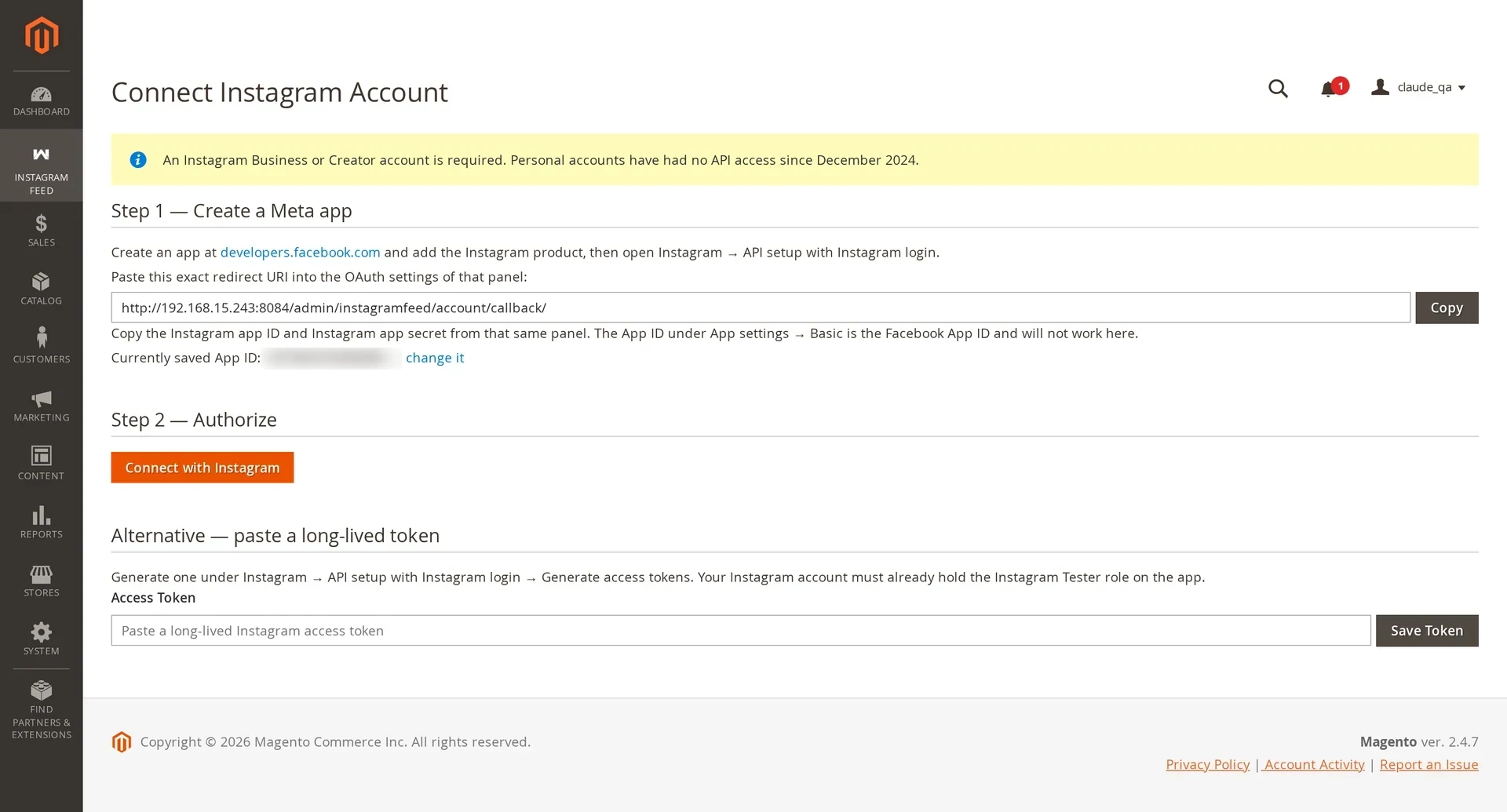
Option 1 — Connect with Instagram (recommended)
- Save your App ID and secret in configuration first — see Create a Meta App.
- Click Connect with Instagram.
- Authorise on Instagram.
- You return to Magento with the account listed as Active.
The module stores the long-lived token encrypted and renews it automatically seven days before it expires.
Option 2 — Paste a token
On the same screen, paste a long-lived access token and choose the account type. No Meta app needed, which suits agency-managed accounts.
Manual tokens do not renew
Instagram only refreshes tokens issued through OAuth. A pasted token lapses after 60 days and the account then shows Token invalid. Magento notifies you seven days beforehand so you can paste a fresh one.
After connecting
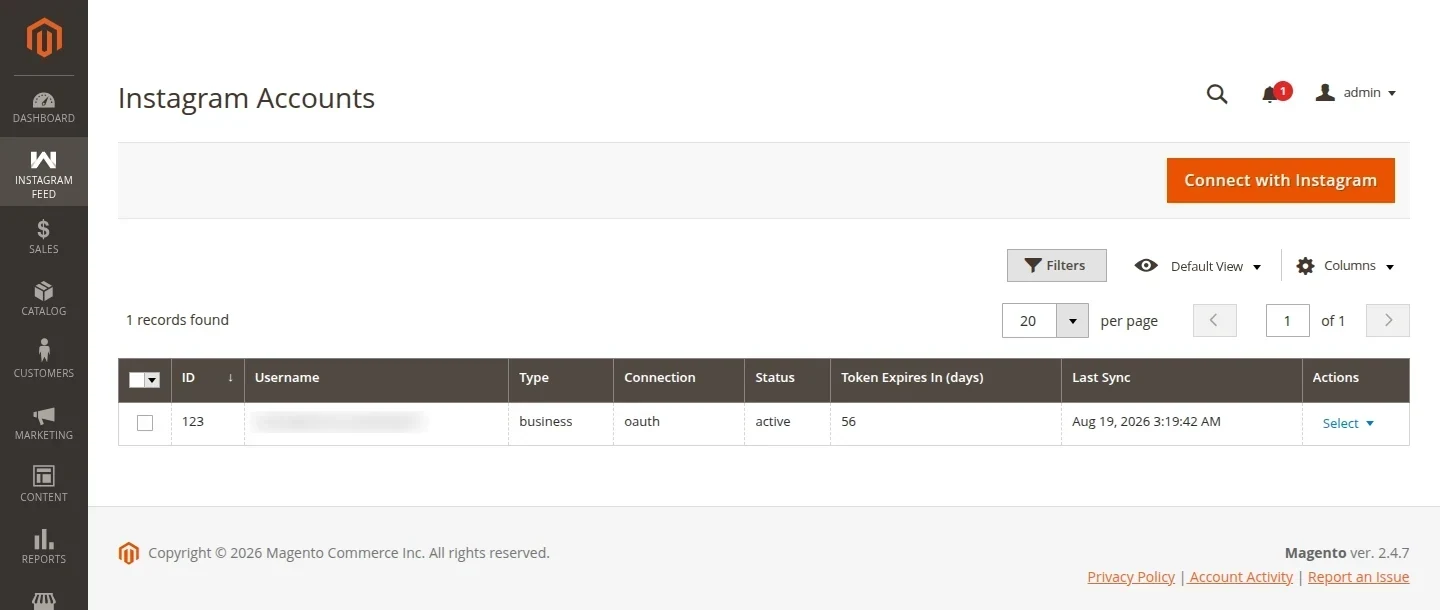
| Action | What it does |
|---|---|
| Sync now | Pulls posts immediately instead of waiting for cron |
| Disconnect | Keeps synced posts, stops future syncing |
| Delete | Removes the account and all of its posts |
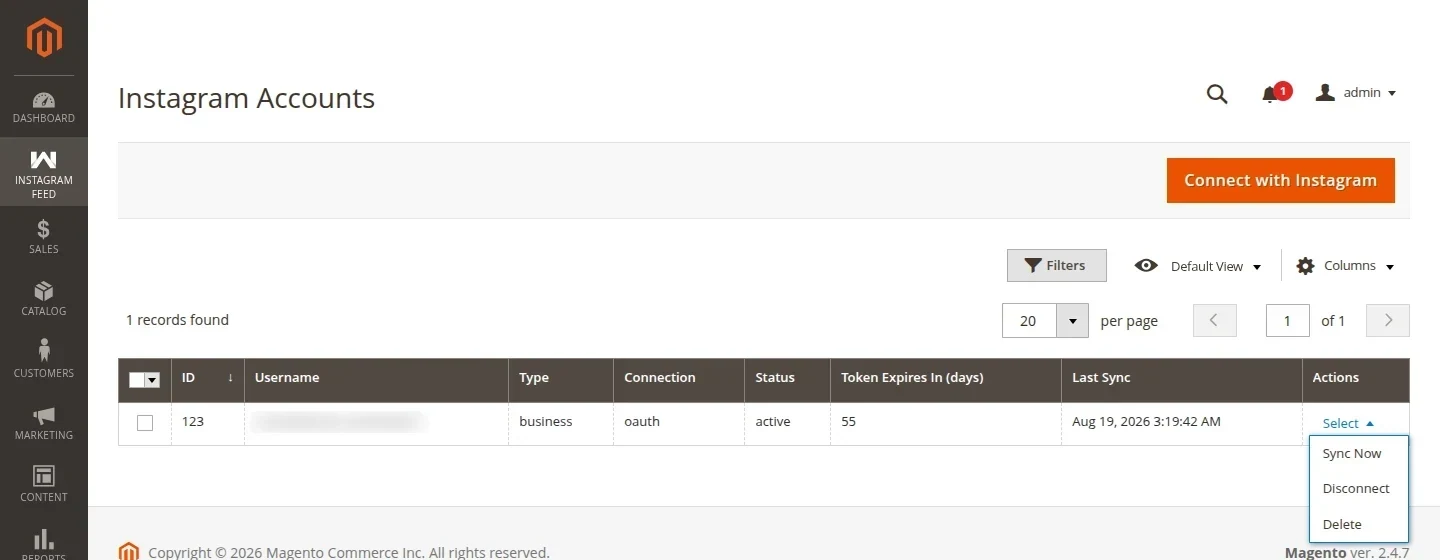
Deleting removes the posts too
Posts are tied to their account by a foreign key, so deleting an account deletes its media rows — and any feed pointing at that account renders nothing until you select a different one. Disconnect instead if you only want syncing to stop.
Account statuses
| Status | Meaning |
|---|---|
| Active | Syncing normally |
| Token invalid | Token expired or was revoked; reconnect or paste a new one |
| Disconnected | You stopped it; existing posts still render |
The Accounts grid also shows Token Expires In (days), the last sync time and the last error per account, which is usually faster than reading logs. Reconnect before that counter reaches zero to avoid a gap in syncing.
Multiple accounts
Connect as many as you like. One feed can draw from several — select them all in the feed's Accounts field and tiles interleave by post date.