
Canva App Frontend & API Configuration
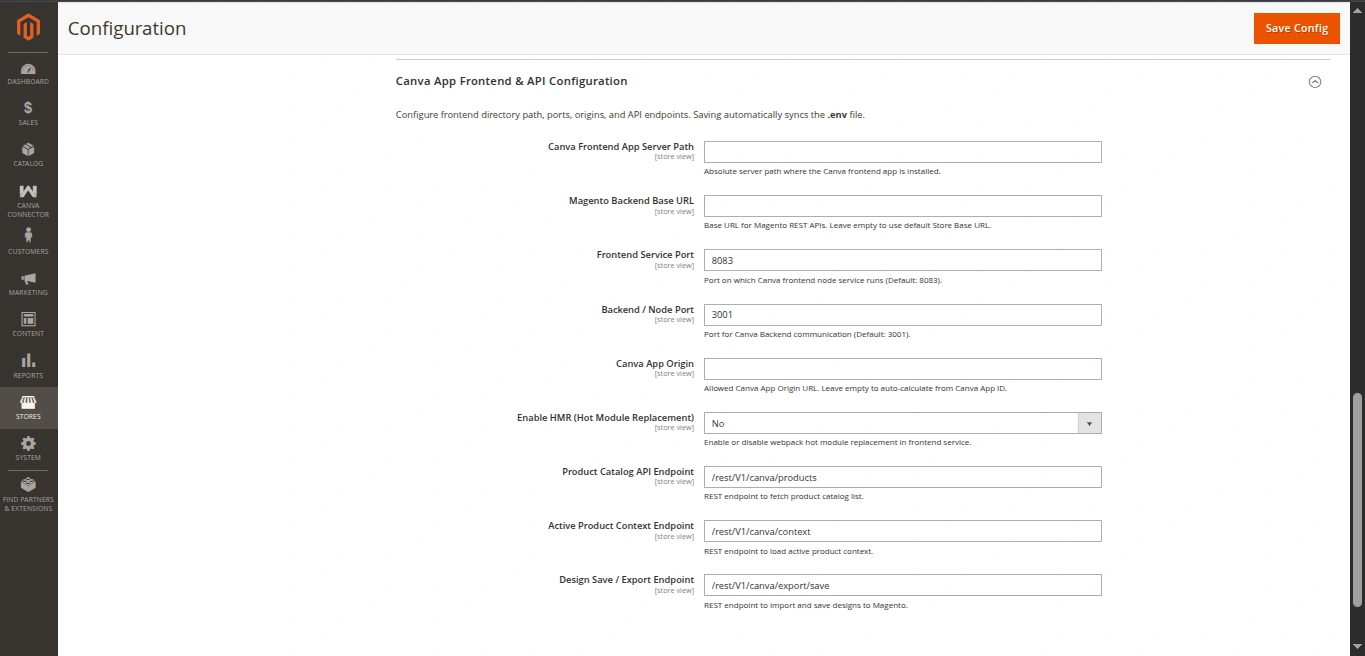
The Canva App Frontend & API Configuration section connects Magento with the canva-app-frontend Node.js service and manages API endpoints and automatic .env synchronization.
Settings Reference
| Field | Type | Default | Description |
|---|---|---|---|
| Canva Frontend App Server Path | Text | Empty | Absolute server filesystem path where canva-app-frontend is installed (e.g. /var/www/html/canva-app-frontend). |
| Magento Backend Base URL | Text | Store Base URL | Base URL used by the frontend app to call Magento REST Web APIs. |
| Frontend Service Port | Text | 8083 | Local or container port where the frontend webpack dev server runs. |
| Backend / Node Port | Text | 3001 | Communication port for Node backend proxy (if applicable). |
| Canva App Origin | Text | Auto-calculated | Allowed origin URL for Canva iframes (e.g. https://app-<app-id>.canva-apps.com). |
| Enable HMR | Select (Yes / No) | Yes | Enables Webpack Hot Module Replacement for live frontend development. |
| Product Catalog API Endpoint | Text | /rest/V1/canva/products | REST endpoint for paginated product search & catalog retrieval. |
| Active Product Context Endpoint | Text | /rest/V1/canva/context | REST endpoint for fetching active product context based on design token. |
| Design Save / Export Endpoint | Text | /rest/V1/canva/export/save | REST endpoint for saving exported design image data to product gallery. |
Automated .env Synchronization
When you enter the Canva Frontend App Server Path and click Save Config, Magento's backend validator model (Webkul\CanvaConnector\Model\Config\Backend\NodeAppPath) performs the following tasks:
- Validates that the provided path exists and is writable.
- Formats all environment parameters into key-value pairs.
- Automatically creates or updates the
.envfile in the frontend root directory:
# Auto-generated by Magento 2 Canva Connector
CANVA_APP_ID=your_canva_app_id
CANVA_FRONTEND_PORT=8083
CANVA_BACKEND_PORT=3001
CANVA_APP_ORIGIN=https://app-your_canva_app_id.canva-apps.com
CANVA_HMR_ENABLED=true
MAGENTO_BASE_URL=https://your-magento-domain.com
API_ENDPOINT_PRODUCTS=/rest/V1/canva/products
API_ENDPOINT_CONTEXT=/rest/V1/canva/context
API_ENDPOINT_SAVE=/rest/V1/canva/export/save
No Manual File Editing Needed
Whenever you update endpoints, ports, or domain URLs in Magento Admin, simply click Save Config to immediately push the new configuration to the Node.js frontend.