
Customer Checkout & Order Tracking
When shoppers purchase items fulfilled via dropship warehouses, shipping rates and fulfillment logistics are computed seamlessly without interrupting the customer shopping experience.
Storefront Checkout Experience
During checkout, when the customer selects their shipping address:
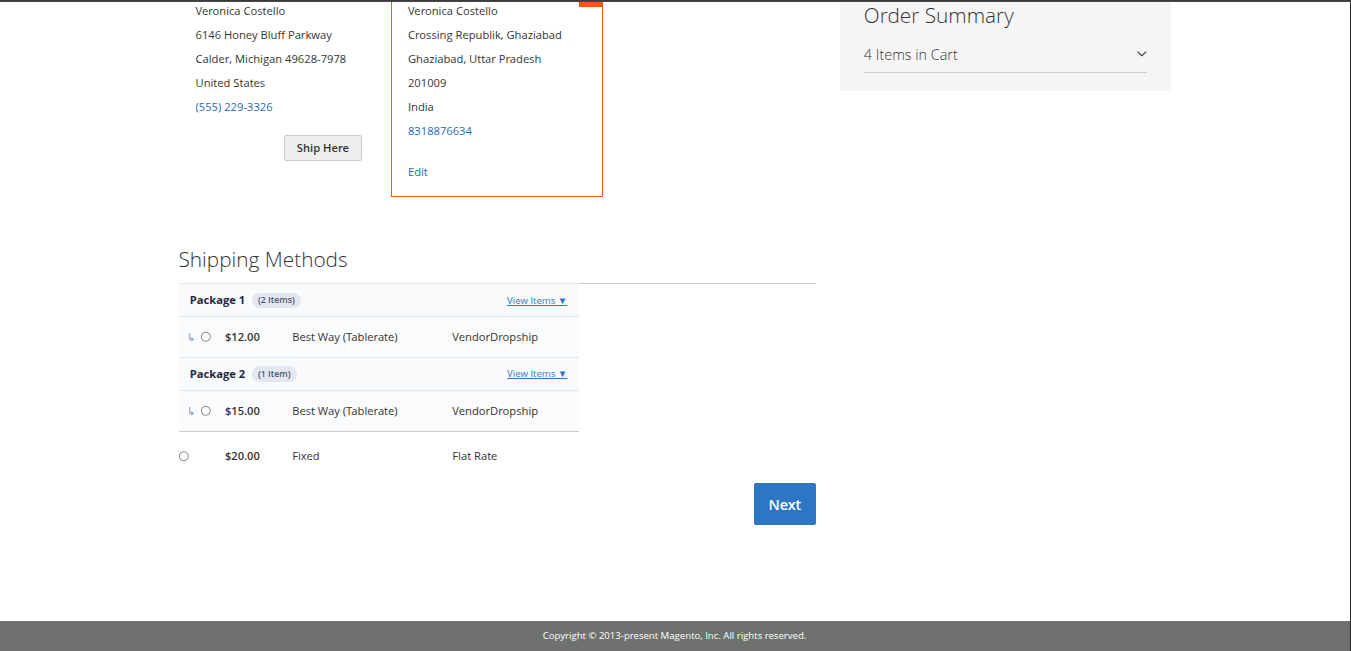
- The module evaluates the items in the cart and splits them according to the fulfilling warehouses into separate packages (e.g., Package 1 (2 Items) and Package 2 (1 Item)).
- For each package, the module dynamically calculates the applicable dropship shipping rates based on the warehouse's Table Rate rules:
- Package 1: $12.00 Best Way (Tablerate) - VendorDropship
- Package 2: $15.00 Best Way (Tablerate) - VendorDropship
- Standard store-wide shipping methods (such as Fixed Flat Rate) are also presented.
- The customer selects the desired shipping option for each package and clicks Next to proceed to payment.
Customer Order History & Tracking
After placing an order, customers can view and track their purchase:
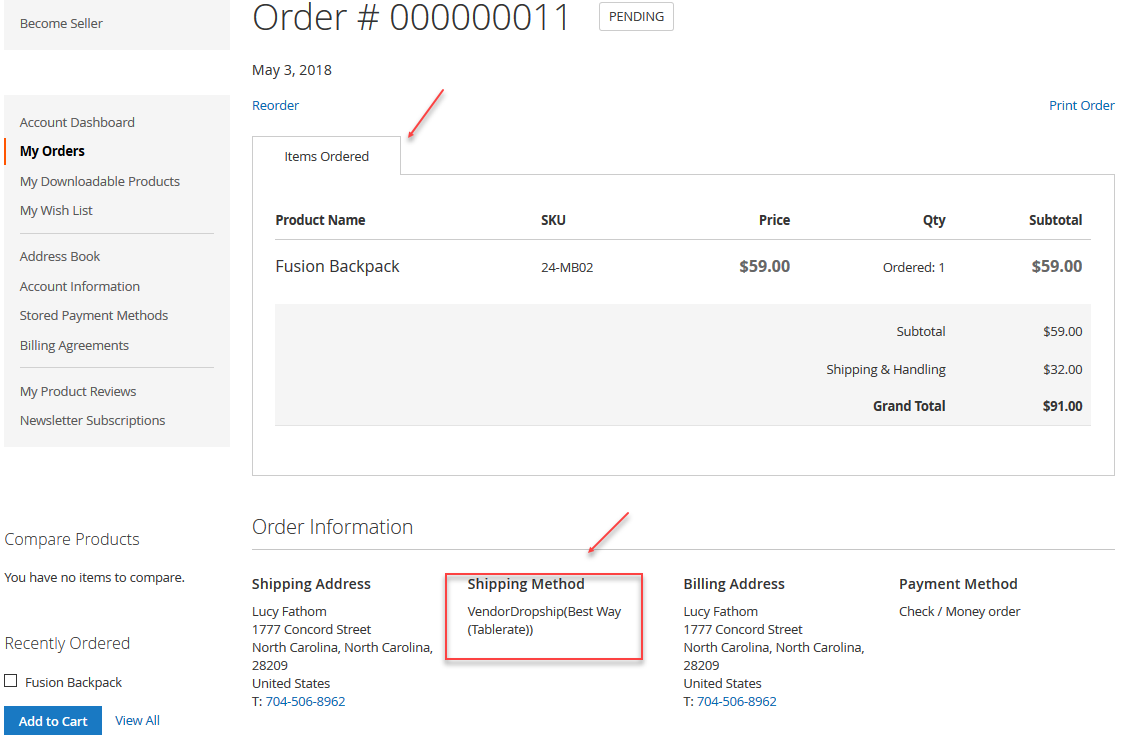
- The customer navigates to My Account > My Orders.
- Click View Order on their recent purchase.
- In the order details summary, the customer sees full product itemization, applied shipping method, billing and shipping addresses, and shipment status.
When the warehouse manager creates the shipment and enters carrier tracking numbers, the customer receives an automated dispatch email with real-time tracking links.