
Magento 2 Multi Vendor Mass UploadMagento 2 Multi Vendor Mass Upload
Live Demo
Buy Now
Support
Live Demo
Buy Now
Support
  • Getting Started

    • Introduction
    • Requirements
    • Installation
  • Configuration

    • Admin Configuration
    • Multilingual & i18n
  • Seller Management

    • Mass Upload Overview
    • Simple Products
    • Configurable Products
    • Virtual Products
    • Downloadable Products
    • Error Detection
    • Dataflow Profile
    • Product Export
    • Profile Listing
  • Admin Management

    • Admin Mass Upload
    • Multiple Sellers Import
    • Dataflow & Export
  • Storefront View

    • Product Edit & Front View
  • Help

    • Troubleshooting
    • FAQ

Profile Listing & Management

Sellers can monitor and clean up created upload profiles using the Mass Upload Profile Listing section.


Managing Import Profiles

If an uploaded profile was not executed, contained invalid data, or is no longer needed:

  1. Navigate to Marketplace > Mass Upload Profile Listing in the seller panel.
  2. Review the list of all created upload profiles along with file type and status details.
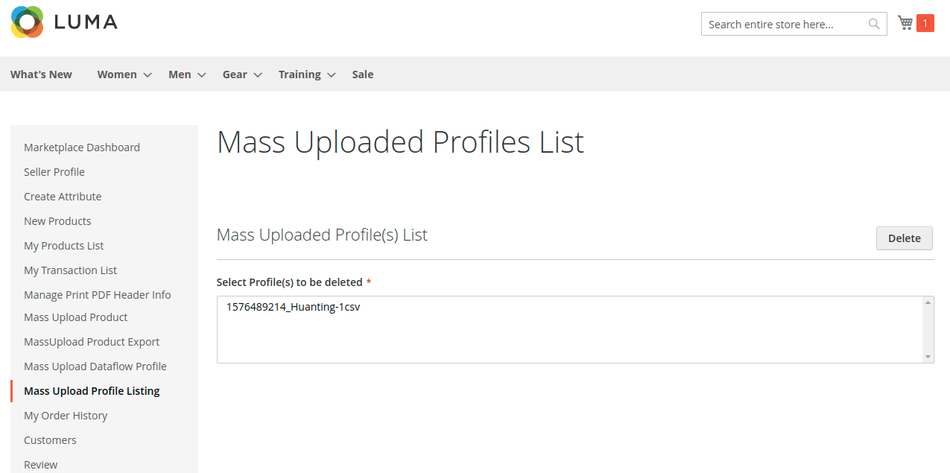
Seller Mass Upload Profile Listing Grid

  1. Select unwanted profiles and delete them to keep the upload queue organized and clear unused file uploads from the server.
Prev
Product Export