
Seller Dataflow Profile
The Mass Upload Dataflow Profile feature allows sellers to map custom column headers in their CSV/XLS files to standard Magento database attributes. This eliminates the need to manually edit third-party ERP/supplier CSV files before importing.
Creating a Dataflow Mapping Profile
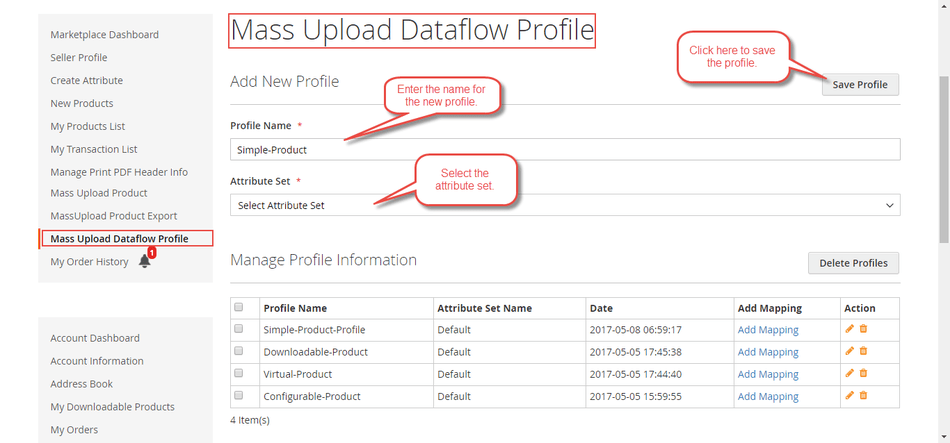
- In the seller panel, navigate to Marketplace > Mass Upload DataFlow Profile.
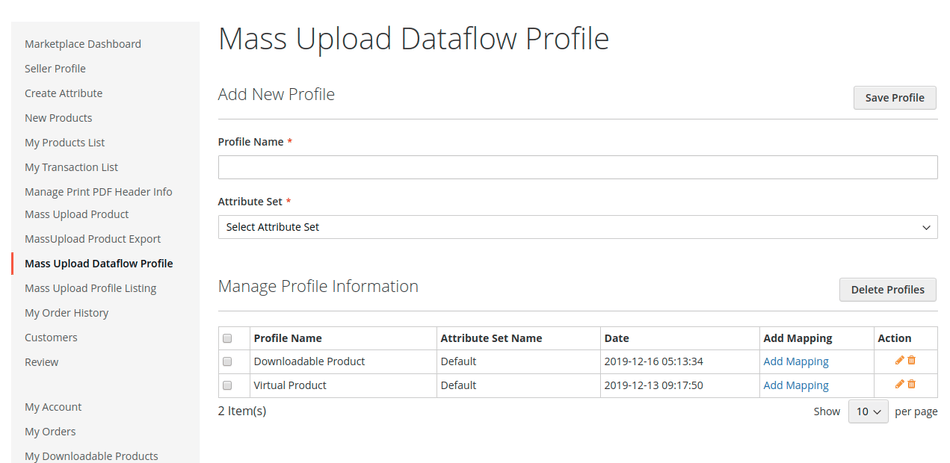
- Enter a Profile Name and select the applicable Attribute Set.
- Click Save Profile.
- In the Field Mapping section, map each custom In File Name (header name in your CSV file) to the corresponding Magento Database Attribute.
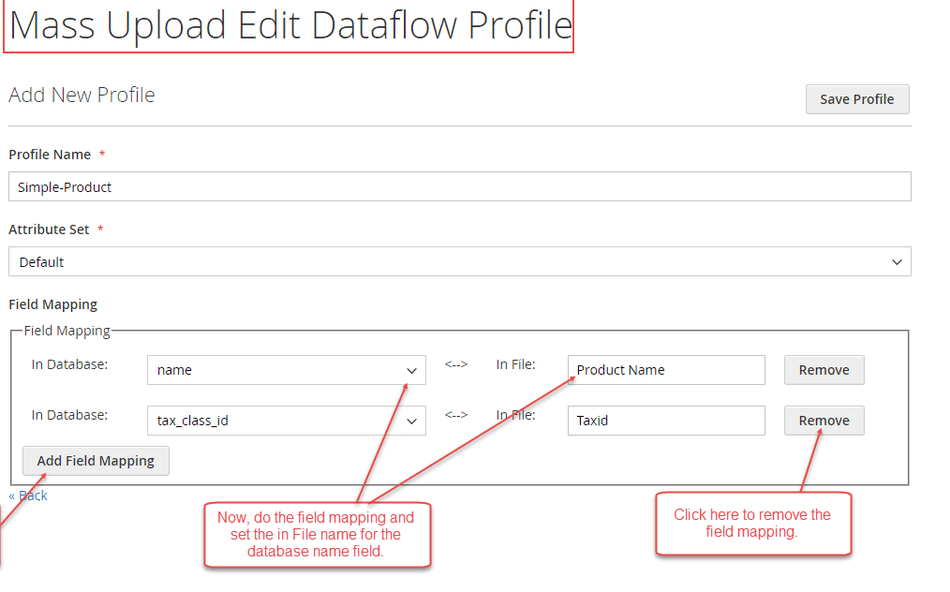
- Save the profile settings.
- When uploading files, use your custom header names in the CSV file—the system automatically converts them to database fields during import execution.
