Magento 2 Multi Vendor Mass UploadMagento 2 Multi Vendor Mass Upload
Live Demo
Buy Now
Support
Live Demo
Buy Now
Support
  • Getting Started

    • Introduction
    • Requirements
    • Installation
  • Configuration

    • Admin Configuration
    • Multilingual & i18n
  • Seller Management

    • Mass Upload Overview
    • Simple Products
    • Configurable Products
    • Virtual Products
    • Downloadable Products
    • Error Detection
    • Dataflow Profile
    • Product Export
    • Profile Listing
  • Admin Management

    • Admin Mass Upload
    • Multiple Sellers Import
    • Dataflow & Export
  • Storefront View

    • Product Edit & Front View
  • Help

    • Troubleshooting
    • FAQ

Seller Dataflow Profile

The Mass Upload Dataflow Profile feature allows sellers to map custom column headers in their CSV/XLS files to standard Magento database attributes. This eliminates the need to manually edit third-party ERP/supplier CSV files before importing.


Creating a Dataflow Mapping Profile

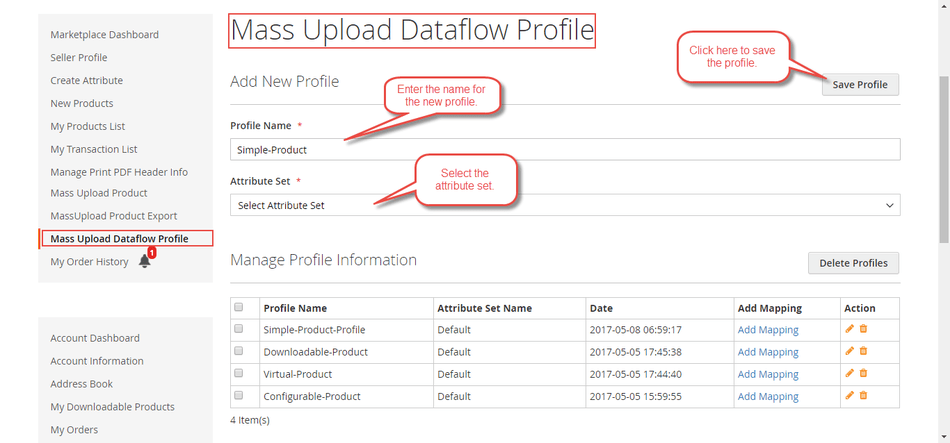
  1. In the seller panel, navigate to Marketplace > Mass Upload DataFlow Profile.
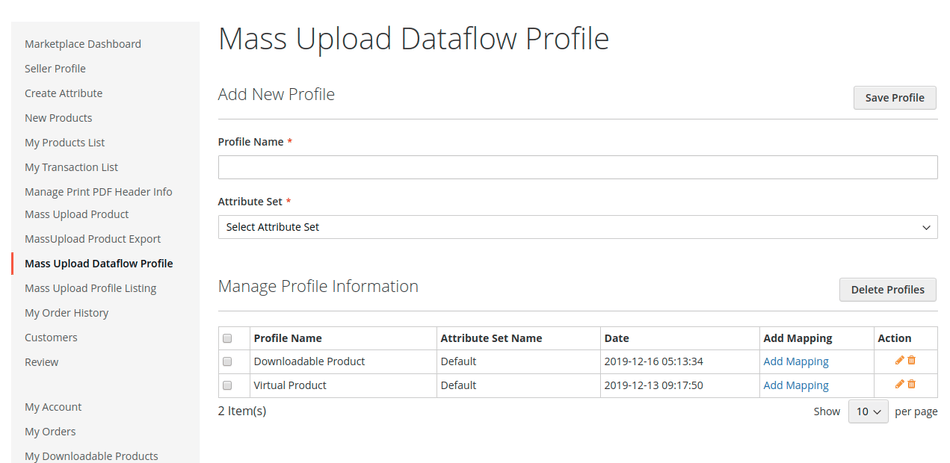
Seller Dataflow Profile Navigation

  1. Enter a Profile Name and select the applicable Attribute Set.
  2. Click Save Profile.

Add Dataflow Profile Form

  1. In the Field Mapping section, map each custom In File Name (header name in your CSV file) to the corresponding Magento Database Attribute.
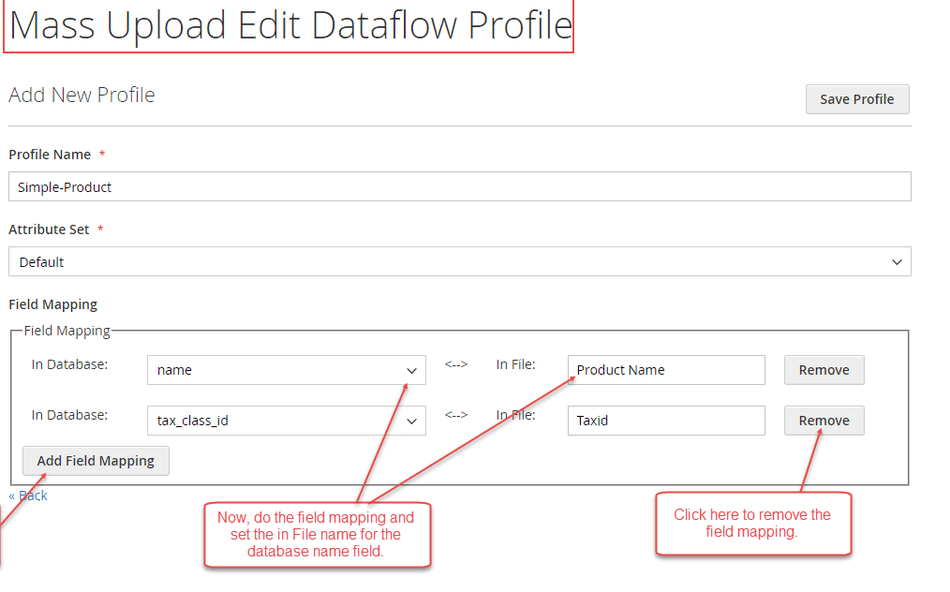
Field Mapping Configuration Table

  1. Save the profile settings.
  2. When uploading files, use your custom header names in the CSV file—the system automatically converts them to database fields during import execution.

CSV File with Custom Mapped Column Names

Prev
Error Detection
Next
Product Export