Campaign Management
A Campaign brings together your email design, scheduled dispatch times, and target audience settings. The Magento 2 Email Marketing module gives you full control over defining, target-filtering, and executing campaigns.
Navigating to Campaigns
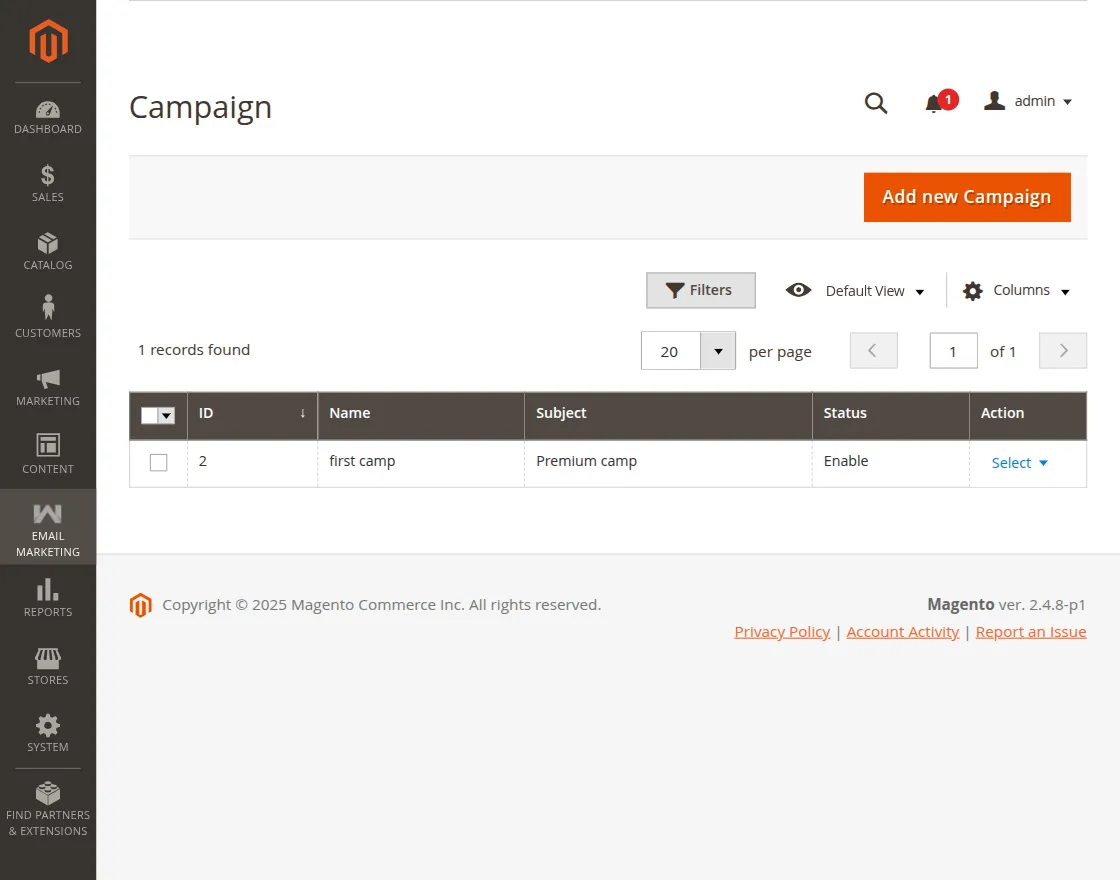
The admin will navigate from Email Marketing → Campaign from the left menu bar.
Creating a Campaign
The admin can create a new campaign by clicking on Add New Campaign at the top right.
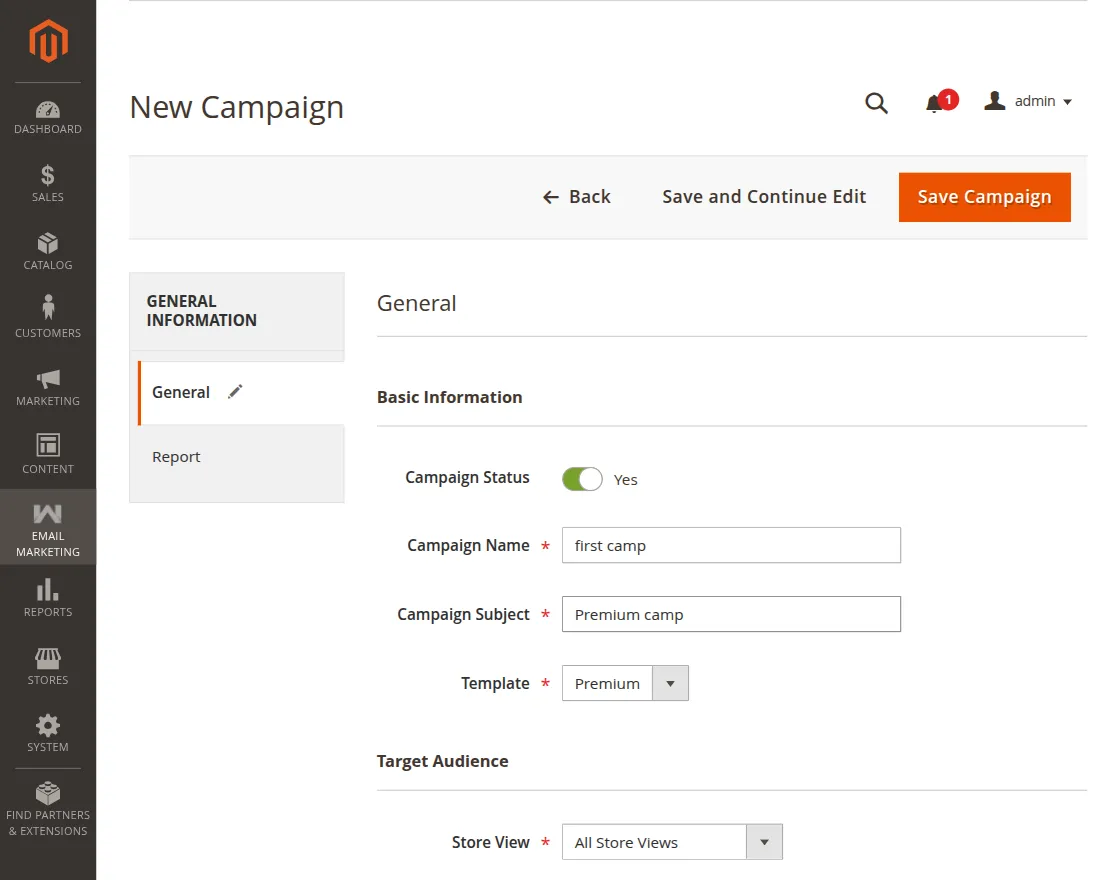
1. Basic Information
- Campaign Status: The admin can set the status as Yes or No through the radio button.
- Campaign Name: The admin can enter the campaign name.
- Template: The admin can select the template from the dropdown.
- Campaign Subject: Here the admin can write the subject as per their choice.
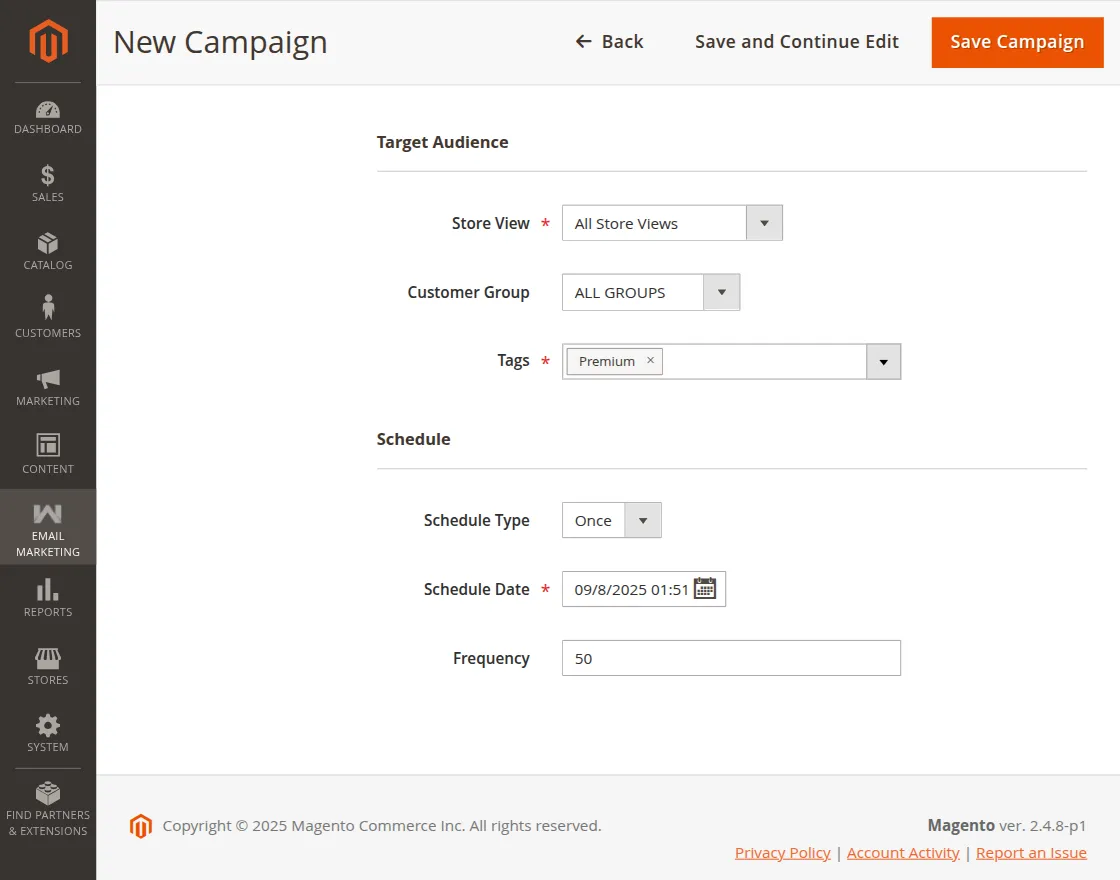
2. Target Audience
- Target Audience: Here the admin can choose store views, customer group, and tags as per their choice.
3. Schedule & Frequency
- Schedule: The admin can schedule the campaign.
- Frequency: The admin can set the frequency for which the cron will work in the scheduled time period.