
Connect Magento to Zoho
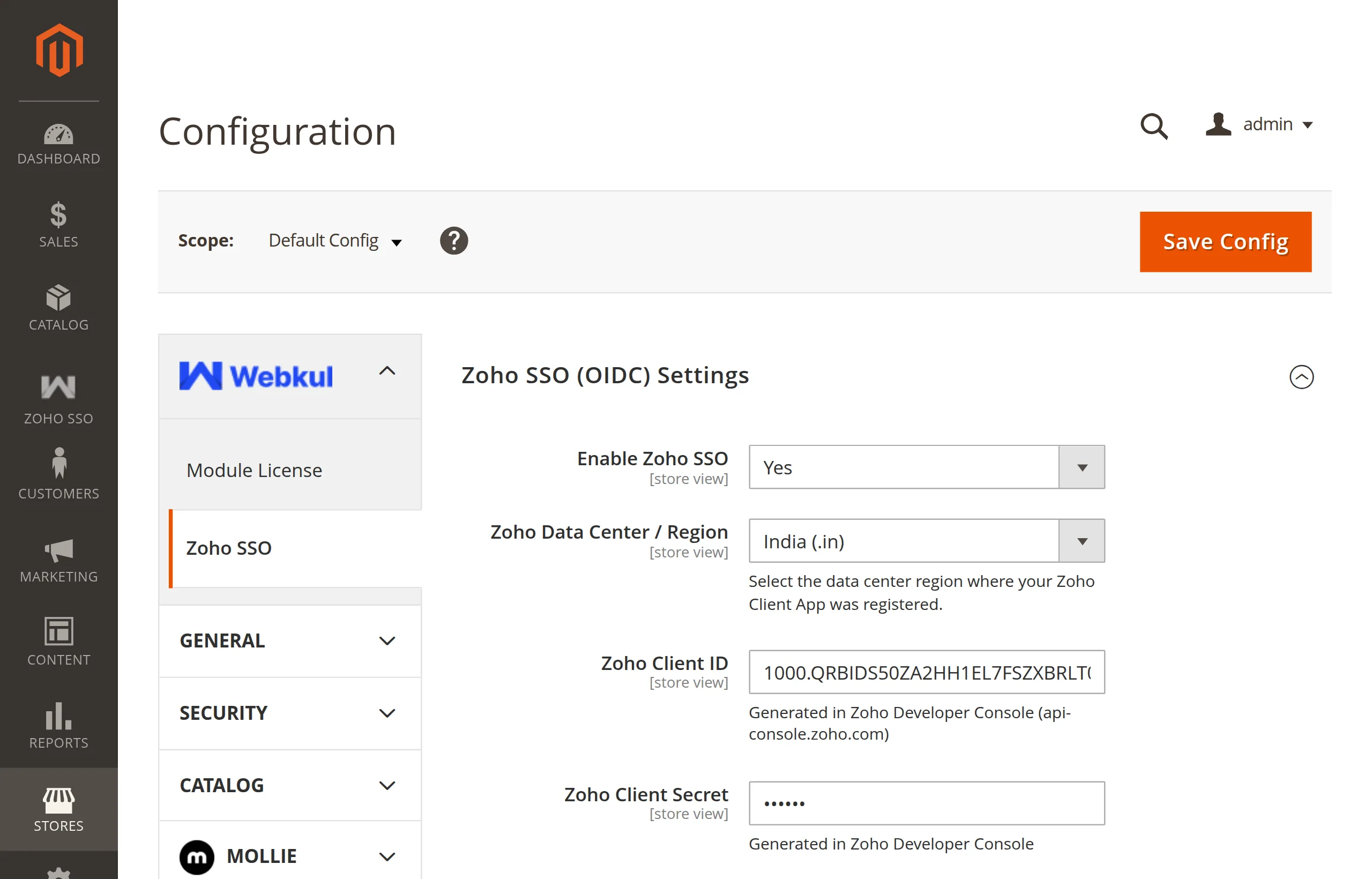
Go to Stores → Configuration → Webkul → Zoho SSO and expand Zoho SSO (OIDC) Settings.
Enable Zoho SSO — set to Yes.
Zoho Data Center / Region — select the region of the API Console where you created the client, for example United States (.com) or Europe (.eu).
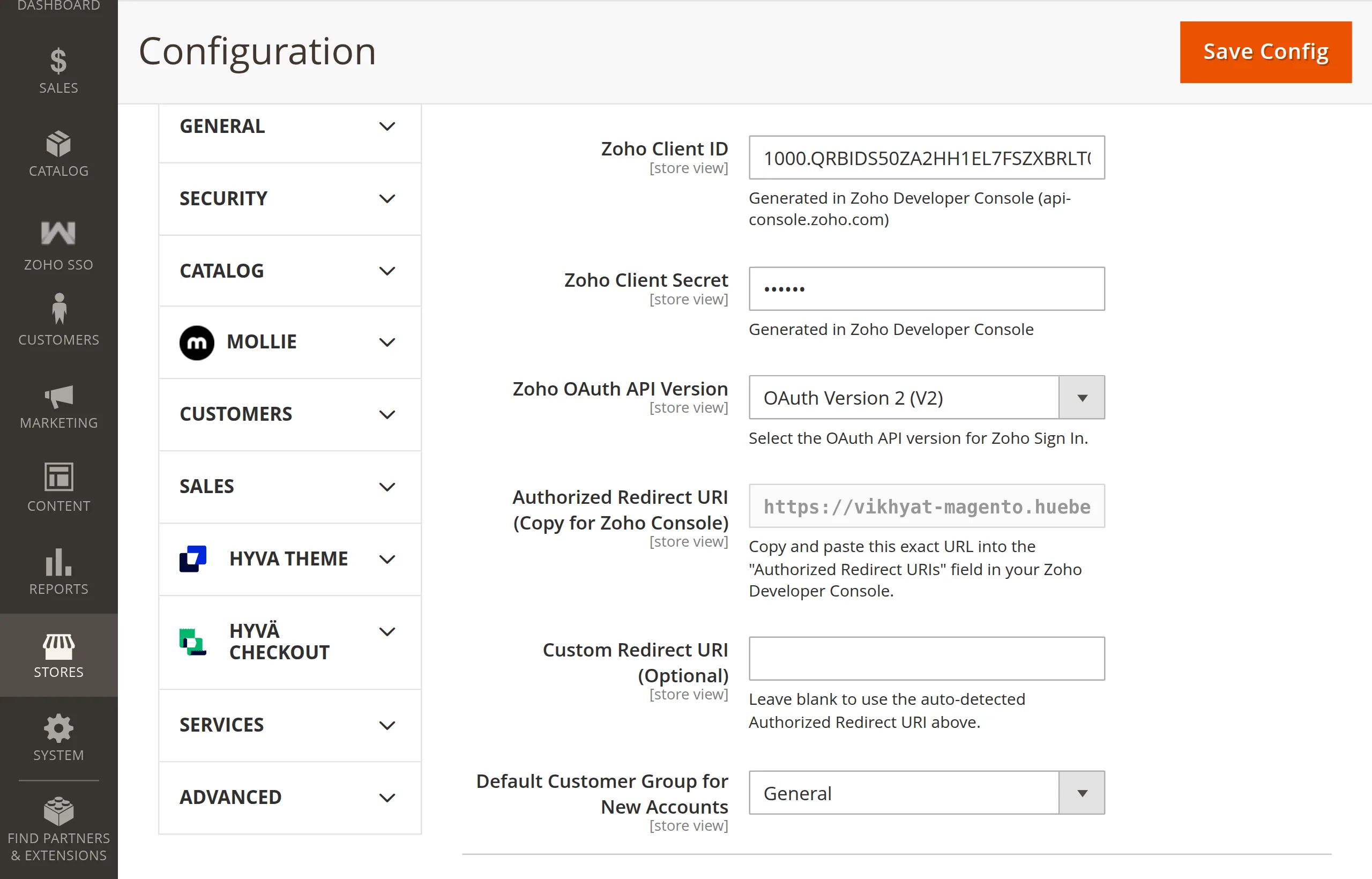
Zoho Client ID — paste the Client ID.
Zoho Client Secret — paste the Client Secret. It is shown as dots and stored encrypted.
Zoho OAuth API Version — leave at OAuth Version 2 (V2).
Authorized Redirect URI (Copy for Zoho Console) — read-only. Confirm it matches the URI you entered in the Zoho client.
Custom Redirect URI (Optional) — leave blank unless you have a reason to override it. See Redirect URI.
Default Customer Group for New Accounts — the group for customers created through Zoho. General is the usual choice.
Click Save Config.
Magento flushes the configuration cache on save. If you use Varnish or another full-page cache in front of Magento, purge it so the login and registration pages pick up the button:
php bin/magento cache:flush
The region must match the client
A client created in api-console.zoho.eu only works with Europe (.eu). A mismatch makes Zoho reject the sign-in with an invalid-client error.
Every field is explained in Settings Reference.
Next: Test the First Sign-In.