
Image Lazy Loader
The Image Lazy Loader feature speeds up your store by delaying the download of images located further down the page until the customer actually scrolls near them.
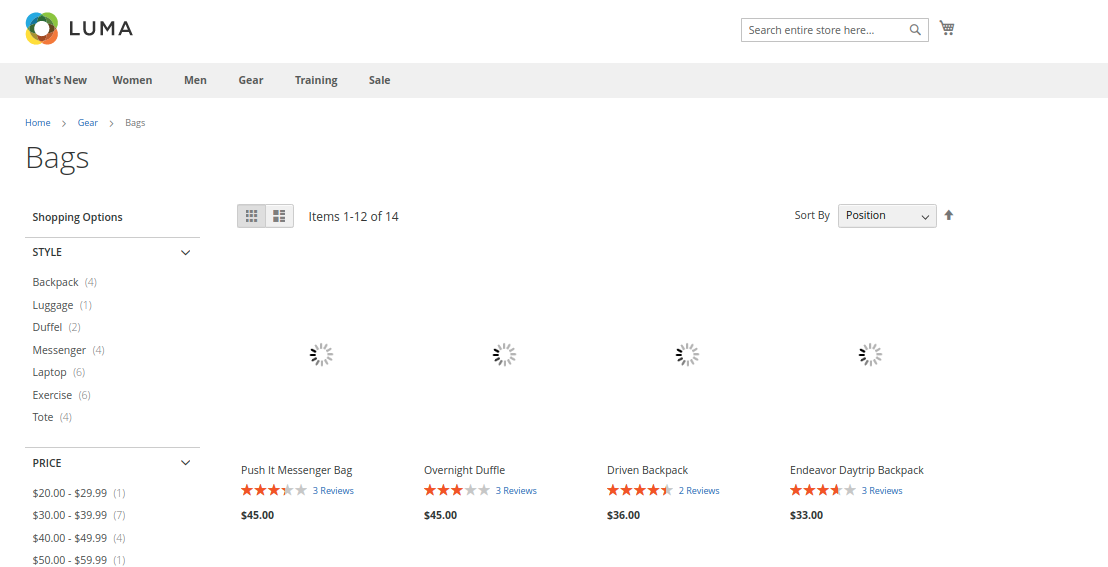
Instead of forcing the browser to download all category or product images at once during initial page load, only visible (above-the-fold) images load immediately — significantly improving initial page loading speeds.
Why Use Image Lazy Loader?
The Challenge: By default, web browsers attempt to fetch every image on a web page simultaneously as soon as a customer opens a page. On heavy category listing pages or product pages with dozens of media assets, this causes network congestion, inflates initial page download sizes, and delays visual page rendering.
The Solution: With Image Lazy Loader enabled:
- Immediate Page Display: Initial store layout and top images display instantly without waiting for offscreen images.
- Smart On-Demand Fetching: Offscreen product images load dynamically in real-time as the customer scrolls down to view them.
- Reduced Data Consumption: Saves cellular data for mobile shoppers who only view the top portion of a page.
- Higher Speed Scores: Dramatically improves Largest Contentful Paint (LCP) and overall Google PageSpeed ratings.
Admin Configuration
Admin Menu Location
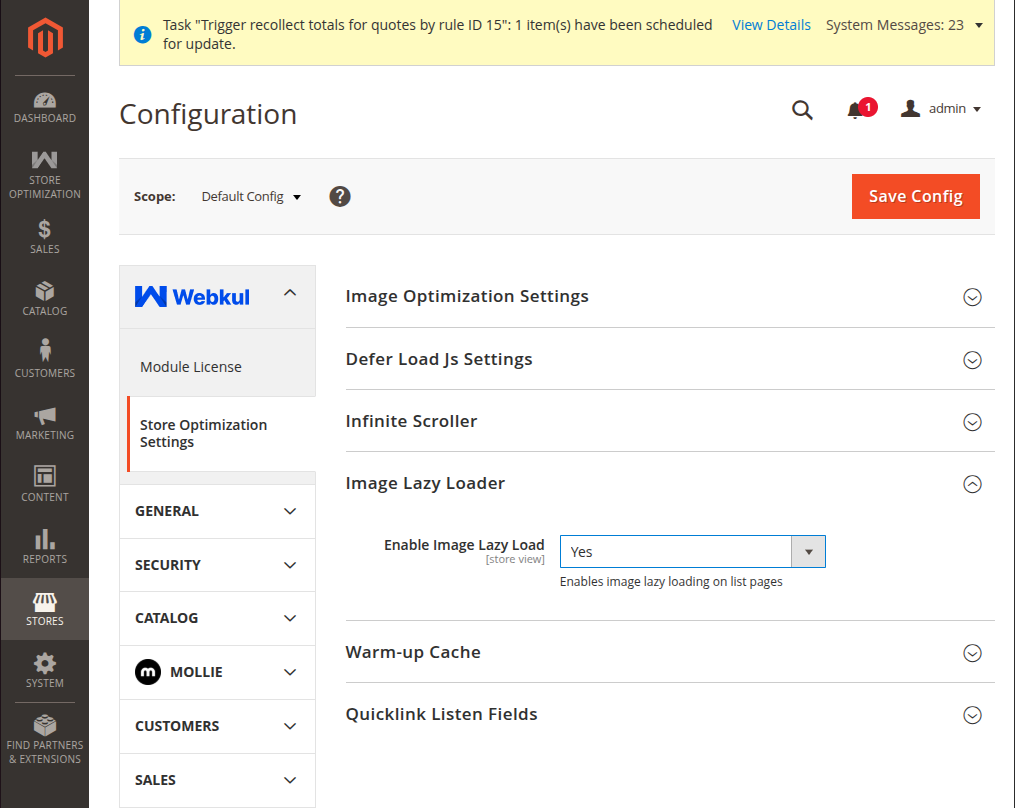
Navigate to Stores → Configuration → Webkul → Store Optimization Settings → Image Lazy Loader.
| Setting | Field Type | Options | Description |
|---|---|---|---|
| Enable Image Lazy Load | Select | Yes / No | Yes: Category and product page content loads first, then images load as shopper scrolls. No: All page images load simultaneously during initial page request. |
Option Breakdown
- Select "Yes": The admin needs to select Yes to enable the image lazy loader feature. This helps in loading category and product pages faster by showcasing the text content and layout on pages first, followed by loading their images as shoppers scroll down.
Key Benefits
- Saves mobile cellular data for store visitors.
- Dramatically reduces initial page download size.
- Improves Largest Contentful Paint (LCP) performance scores.