
Activate & Connect
After the successful installation of the module, the admin must verify the module license and configure the initial settings before creating discount plans.
Module License Verification
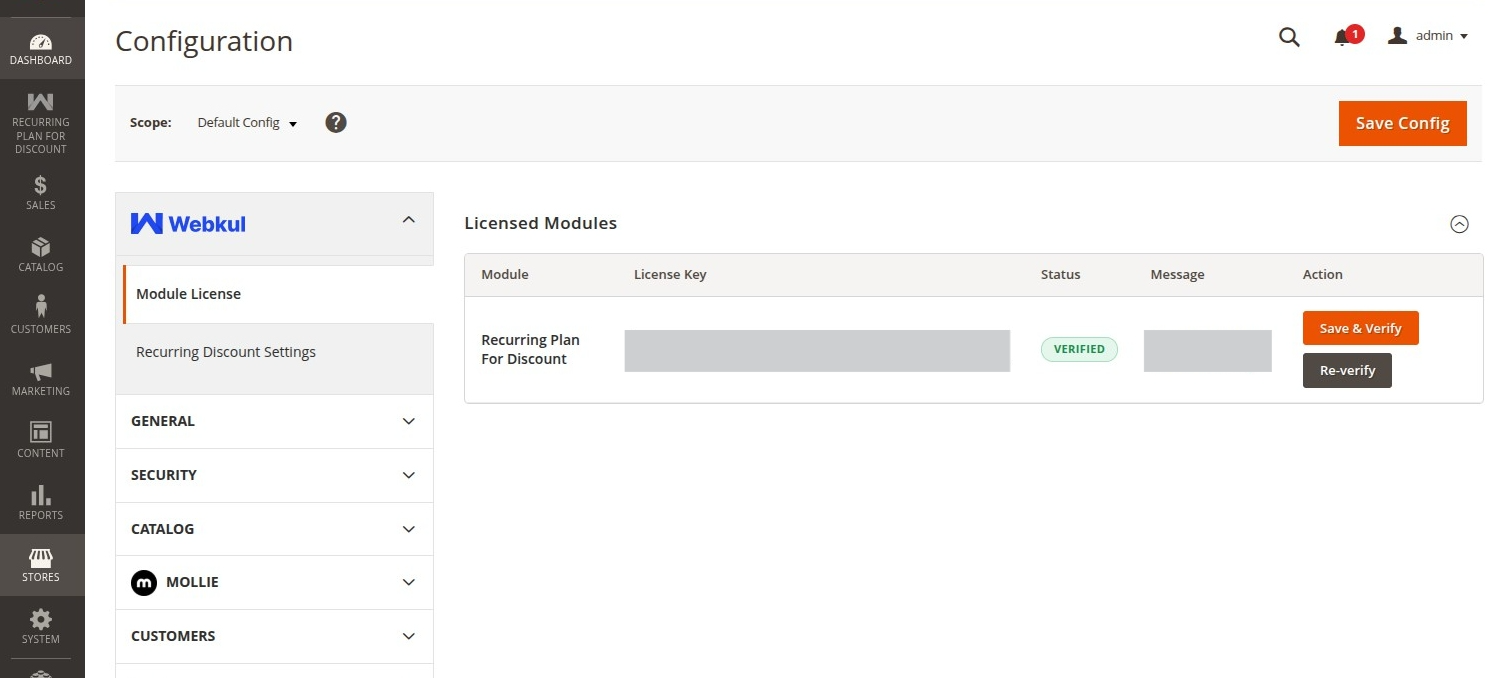
To verify and activate your license:
- Navigate to Stores > Configuration > Webkul > Module License in your Magento Admin panel.
- In the list of installed Webkul modules, find the entry for Recurring Plan For Discount.
- Enter the License Key received upon purchasing the module from the Webkul Store.
- Click the Save & Verify button to validate your license with the Webkul licensing server.
Module Configuration
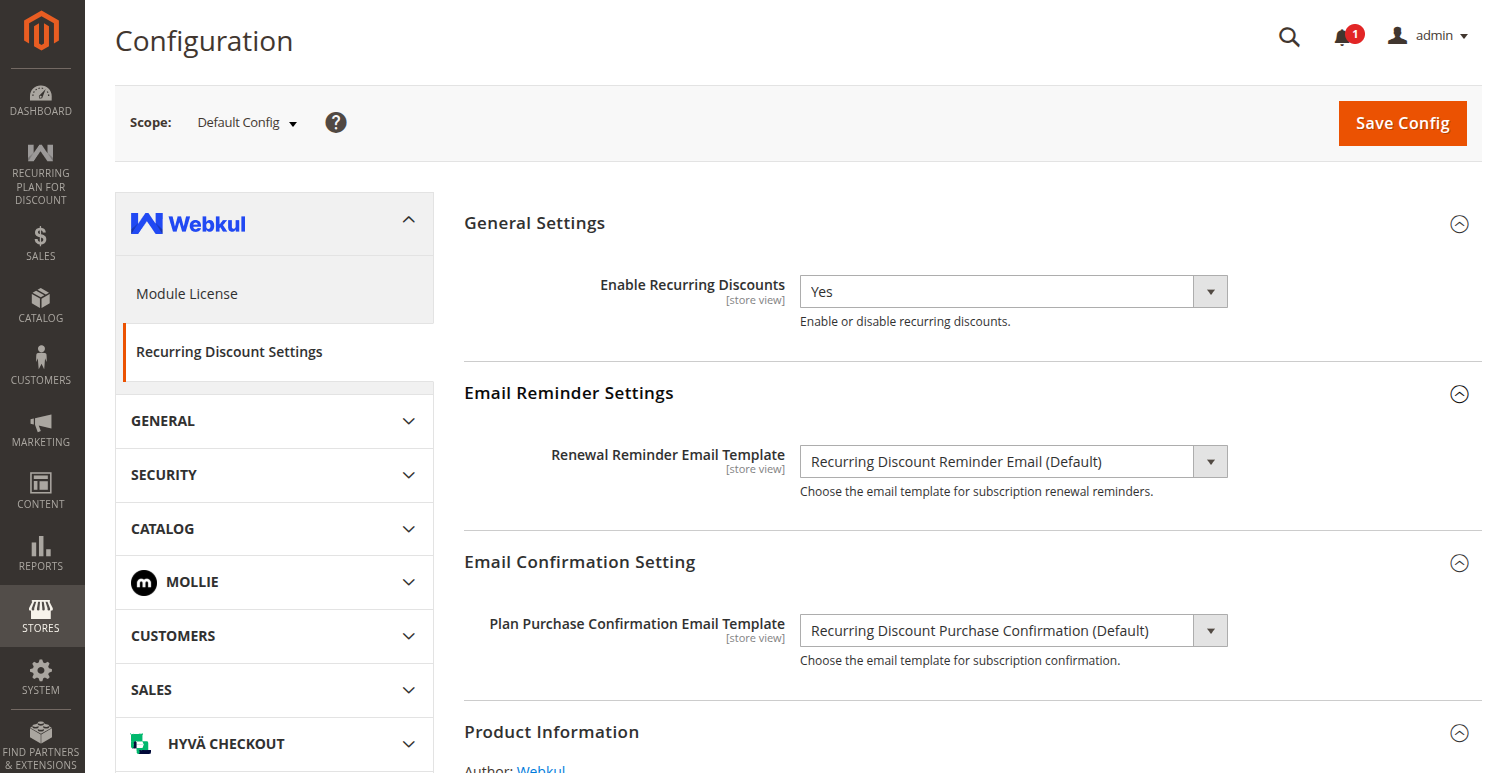
To configure the general and email settings for the extension, navigate to Stores > Configuration > Webkul > Recurring Discount Settings.
General Settings
Under the General Settings group, configure the following:
- Enable Recurring Discounts: Select Yes to turn on recurring plan discount functionality across your store, or select No to temporarily disable the feature without uninstalling the module.
Email Reminder Settings
This section enables automated renewal reminders to keep subscribed shoppers informed prior to upcoming billing cycles:
- Renewal Reminder Email Template: Select the transactional email template that will be automatically dispatched to customers before their subscription renews (e.g., Webkul Recurring Discount Renewal Reminder Template).
Email Confirmation Settings
This section configures the confirmation email dispatched immediately when a customer subscribes to a discount plan:
- Plan Purchase Confirmation Email Template: Select the transactional email template sent to customers confirming their new subscription details (e.g., Webkul Recurring Discount Purchase Confirmation Template).
Automated Email Processing
Reminder emails and recurring renewal orders are processed automatically via Magento's cron scheduler. Ensure that the Magento cron daemon is active on your server.