
RMA Configuration – Seller End
When the marketplace administrator enables Allow Seller Workflow Configuration and Allow Seller Fraud Configuration in global settings, sellers can independently establish automated approval rules and fraud limits tailored to their specific products.
To access these settings, the seller logs in to their dashboard and navigates to RMA Configuration.
Automated Workflow Configuration
Sellers can override global store defaults with custom approval and escalation guidelines:
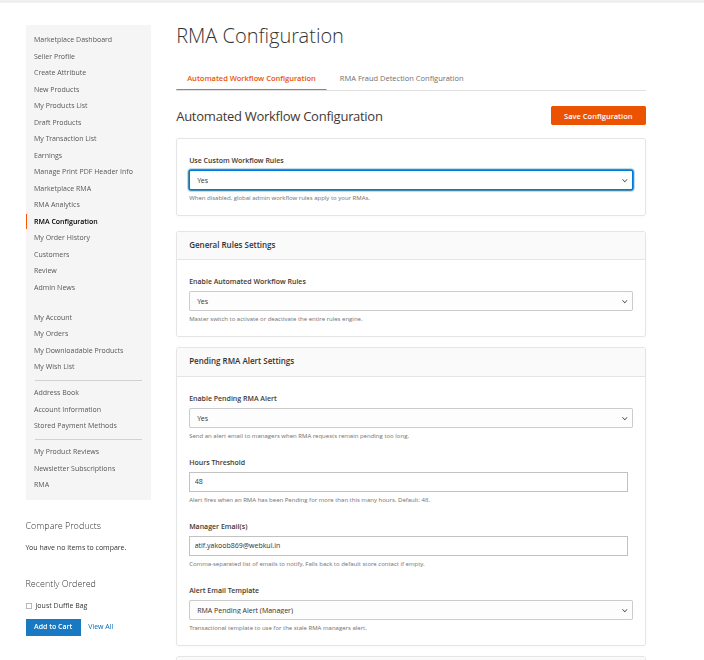
Hyva theme Automated Workflow Configuration
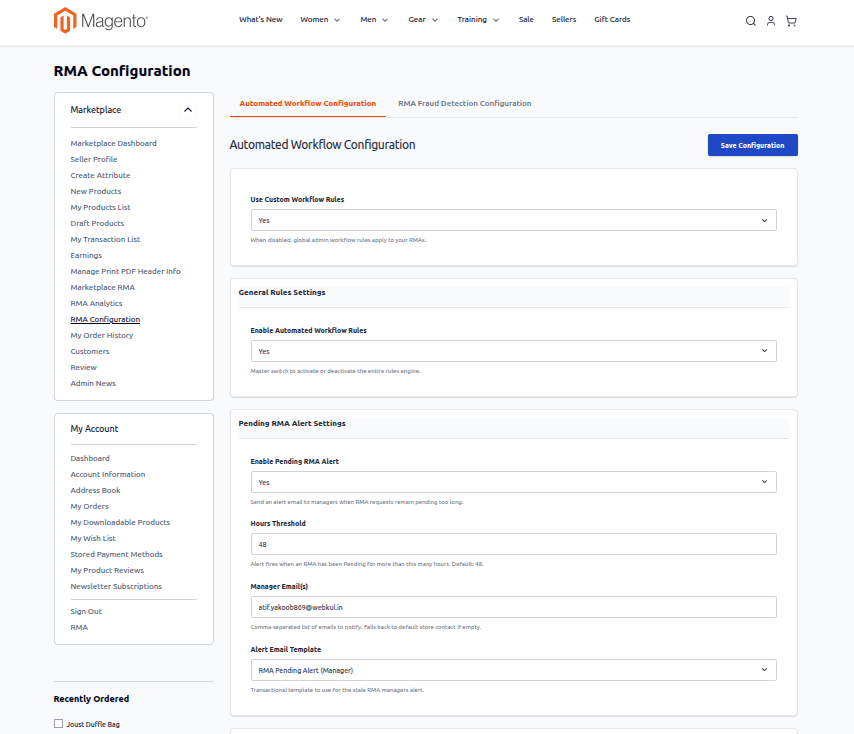
- Use Custom Workflow Rules: Select Yes to apply vendor-specific workflow rules instead of the marketplace global defaults.
- Enable Automated Workflow Rules: Master switch activating the seller's automated rules engine.
- Enable Pending RMA Alert: Sends alert emails to vendor team members when tickets sit pending without action.
- Hours Threshold: Maximum hours an RMA can remain unresolved before triggering an escalation alert.
- Manager Email(s): Comma-separated list of vendor email addresses designated to receive alert notifications.
- Alert Email Template: Transactional template used for pending RMA reminder notices.
Auto-Approve Rules
Vendors selling low-risk or high-volume goods can automate approvals to enhance customer satisfaction:
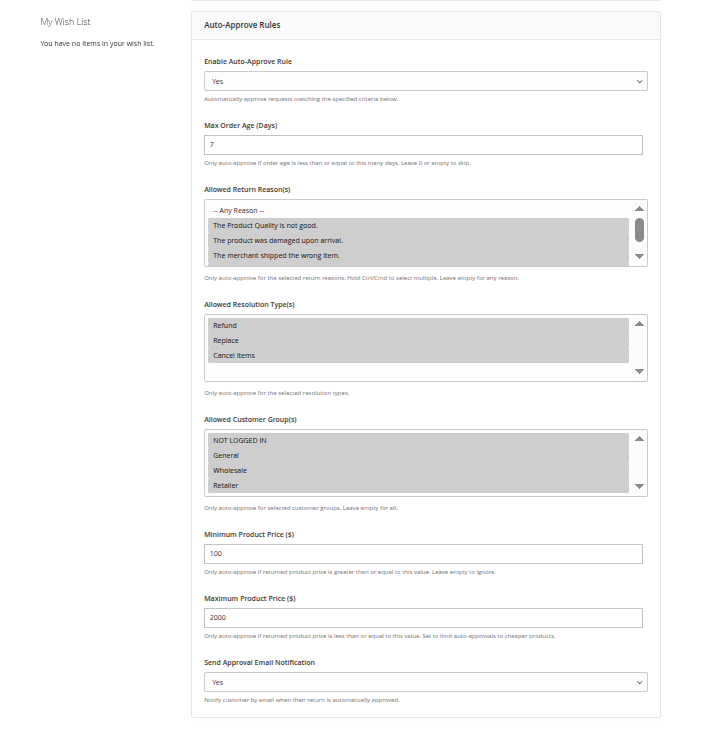
Hyva theme Auto Approve Rules
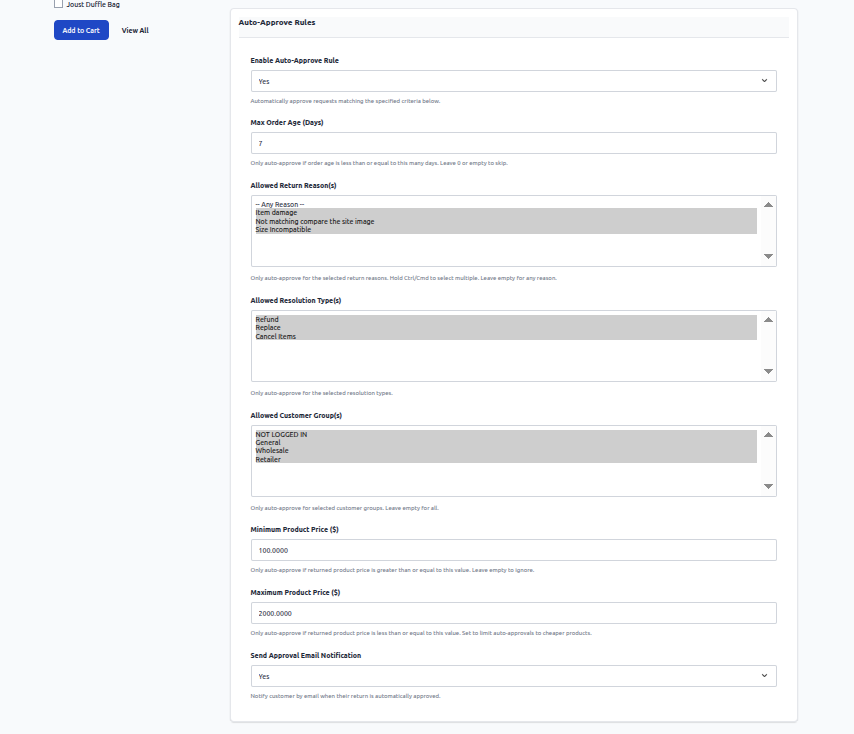
- Enable Auto-Approve Rule: Automatically accepts matching RMA requests immediately upon customer submission.
- Max Order Age (Days): Restricts auto-approval to orders placed within this designated time limit.
- Allowed Return Reason(s): Multi-select return reasons permitted for instant approval.
- Allowed Resolution Type(s): Filter auto-approval to specific outcomes (Refund or Replace).
- Allowed Customer Group(s): Whitelist customer tiers eligible for automatic approval.
- Minimum Product Price ($): Establishes a floor price below which returns require manual oversight.
- Maximum Product Price ($): Establishes a ceiling price above which high-value items must undergo manual inspection.
- Send Approval Email Notification: Sends immediate email confirmation to the customer upon automated approval.
RMA Fraud Detection Configuration
Sellers can monitor return velocity and protect their store against abusive claims:
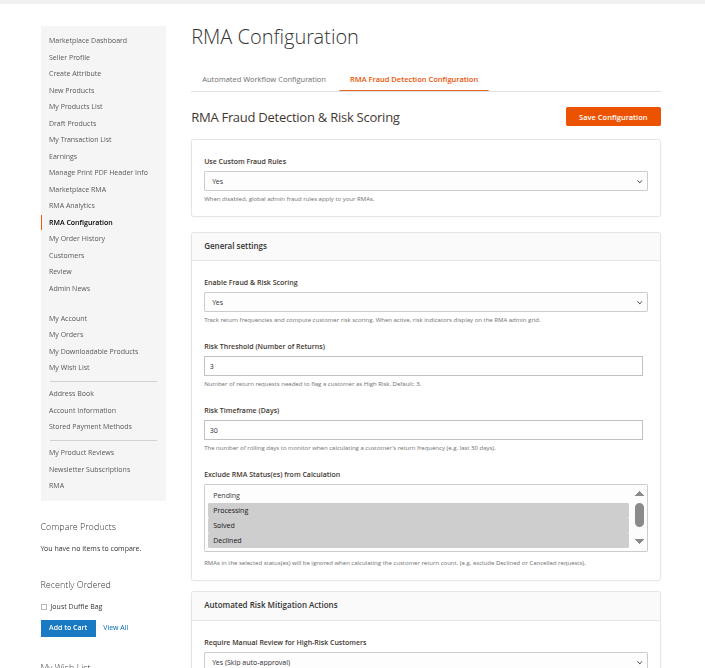
Hyva theme RMA Fraud Detection
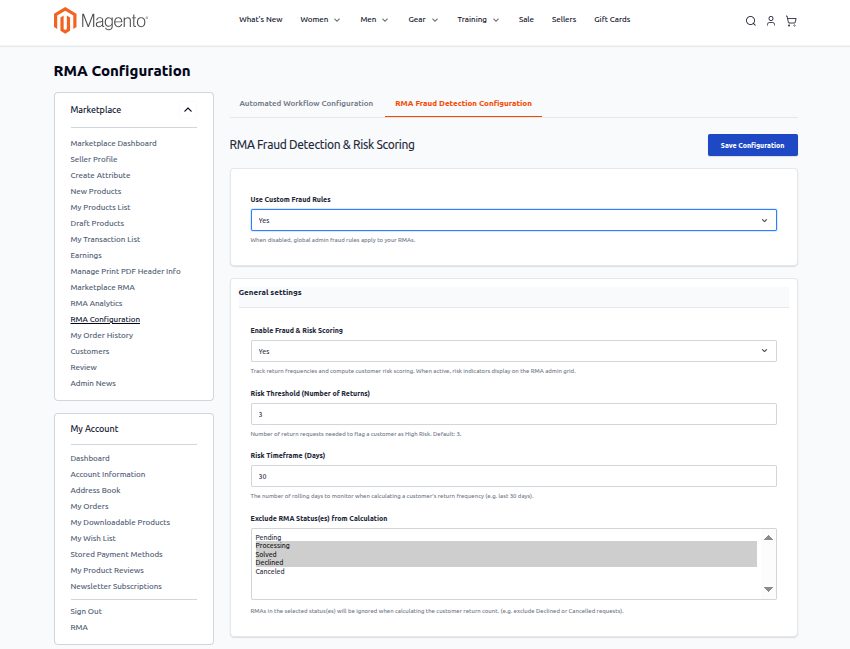
- Use Custom Fraud Rules: Select Yes to customize fraud thresholds specifically for the seller's catalog.
- Enable Fraud & Risk Scoring: Tracks customer return frequency across the seller's products and flags high-risk accounts.
- Risk Threshold (Number of Returns): Minimum number of return requests within the designated timeframe required to flag a customer as High Risk.
- Risk Timeframe (Days): The rolling evaluation window (in days) used to aggregate return frequencies.
- Exclude RMA Status(es) from Calculation: Disregard specific statuses (such as Declined or Canceled) when computing customer risk.
Automated Risk Mitigation Actions
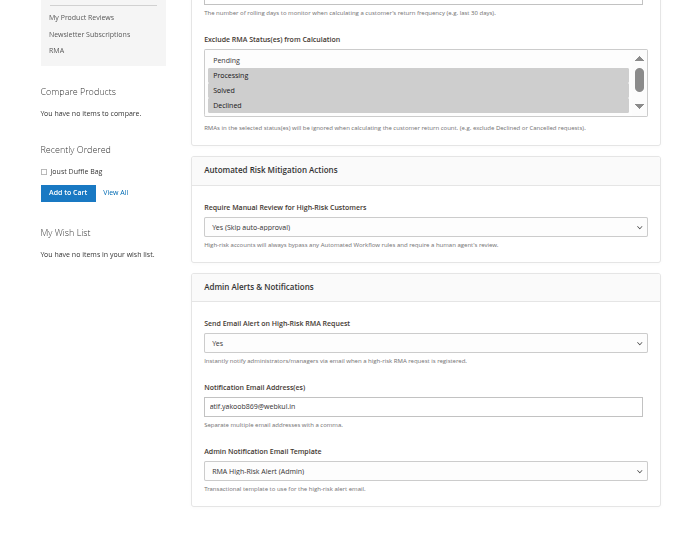
Hyva theme Risk Mitigation Actions
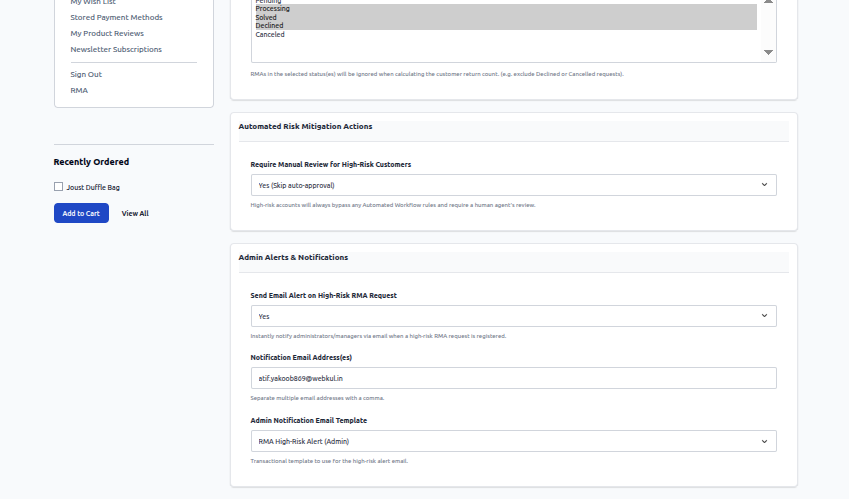
- Require Manual Review for High-Risk Customers: When enabled, return requests filed by customers flagged as High Risk automatically bypass all automated approval rules and require manual seller examination.
Vendor Alerts & Notifications
- Send Email Alert on High-Risk RMA Request: Triggers an instant notification when a flagged customer initiates a return for the seller's items.
- Notification Email Address(es): Target vendor staff email addresses (separated by commas).
- Admin Notification Email Template: Email template used for risk alert delivery.