
Manage RMA Reasons
The store administrator can configure and maintain the standardized list of return reasons that buyers choose from when requesting an RMA. Well-defined reasons improve return analytics and allow automated workflow rules to accurately categorize requests.
Navigate to Marketplace Management > RMA System > Manage RMA Reasons.
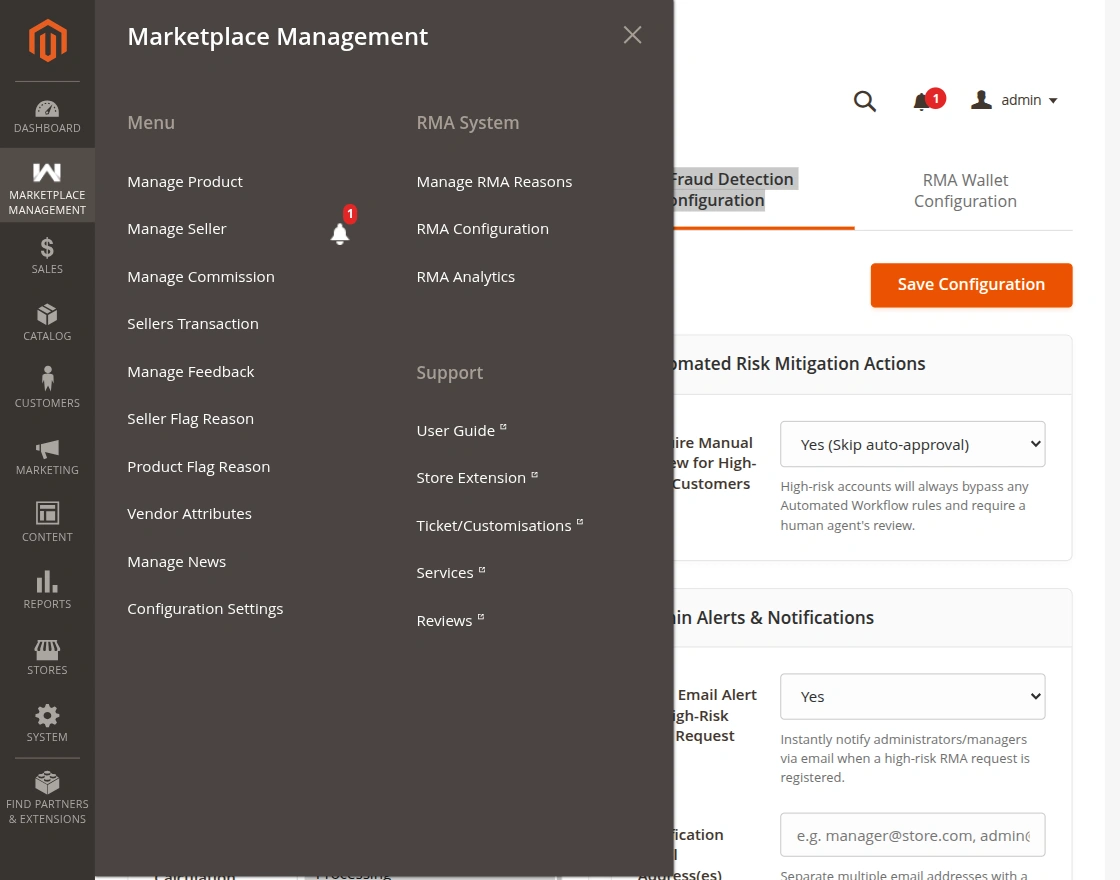
RMA Reasons Grid
The grid presents a complete inventory of all configured reasons:
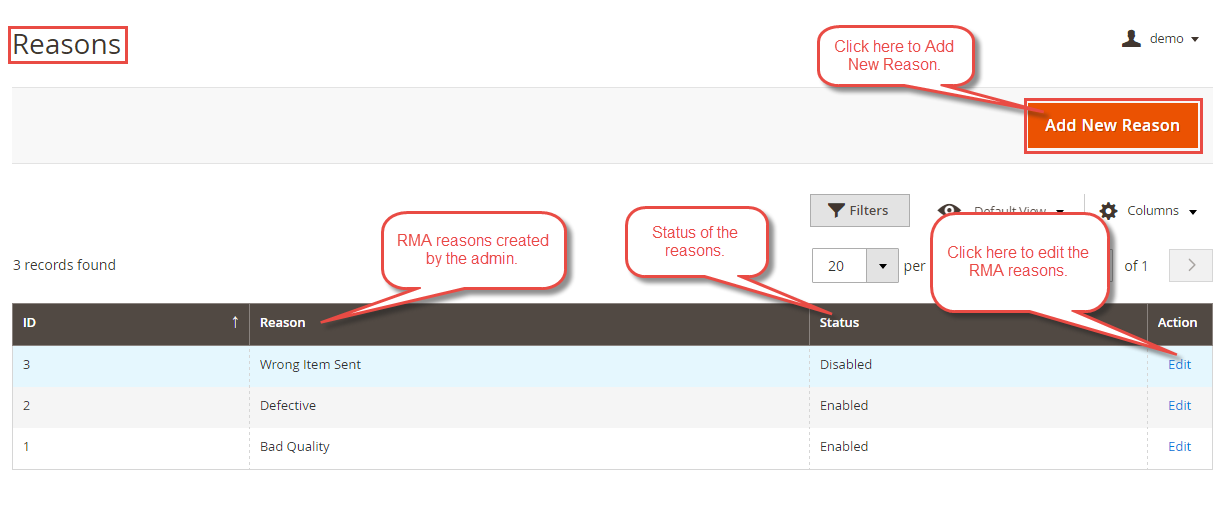
From this grid, administrators can:
- Inspect Reason Status: Verify whether a reason is currently Active (visible to buyers on storefront) or Inactive.
- Filter & Search: Quickly locate reasons by ID, Reason Title, Status, or Created Date.
- Edit Existing Reasons: Click the Edit action link to modify reason descriptions or toggle active status.
- Mass Actions: Enable, disable, or delete multiple reasons simultaneously.
Adding a New RMA Reason
To introduce a new reason into the marketplace:
- Click the Add New Reason button in the upper right header of the grid.
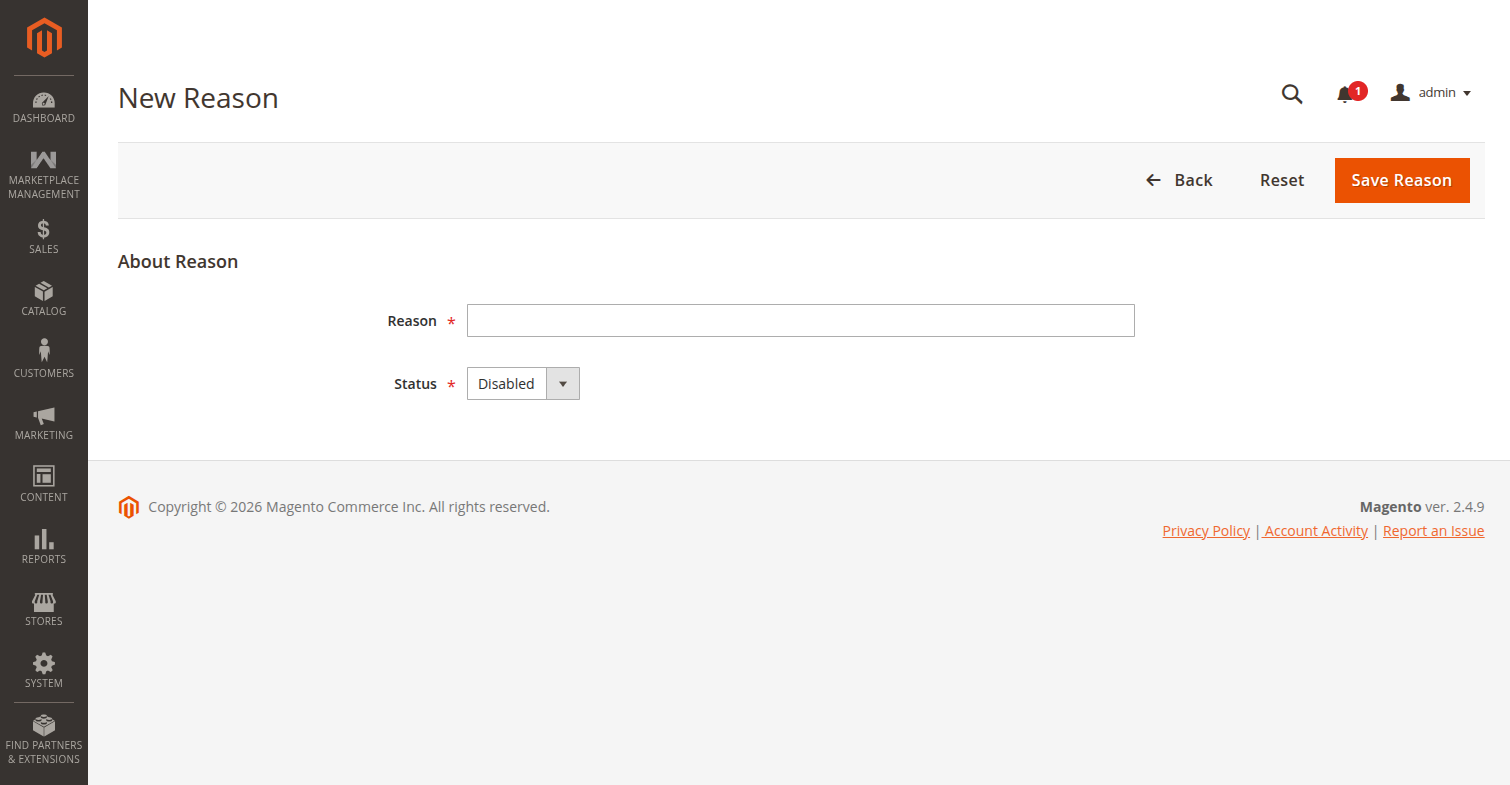
- Fill in the required fields:
- Reason: Enter the descriptive reason label (e.g., Defective item received, Incorrect size or fit, Item arrived damaged, Package delayed beyond delivery estimate).
- Status: Select Active to make this option immediately selectable on the storefront RMA submission modal.
- Click Save Reason.
Recommended Practice
Group reasons logically so shoppers can self-diagnose their issue accurately. These reasons feed directly into the Auto-Approve Rules and RMA Analytics dashboards.