
Import Overview & Sequence
Importing catalog data from Akeneo PIM into Magento 2 requires strict adherence to entity dependency order. Executing jobs out of sequence can result in products lacking attribute values or categories failing to associate.
Recommended Import Sequence
Always follow this four-stage sequence when ingesting catalog data from Akeneo PIM:
- Categories
- Attribute Sets (Families)
- Attributes
- Products
Why Order Matters
- Categories: Product models and simple products reference category IDs during ingestion. Creating category trees first prevents broken category relationships.
- Attribute Sets (Families): Akeneo families correspond to Magento attribute sets. They define the grouping structure required before attributes can be assigned.
- Attributes & Options: Attribute codes, labels, and option values (dropdowns, multi-selects) must exist in Magento's EAV tables before products can store values against them.
- Products: Products link categories, attribute sets, attribute options, and media files created in previous steps.
Navigating to the Import Console
To open the import interface:
- Log in to the Magento Admin Panel.
- Navigate to Akeneo Connector → Import in the primary navigation:
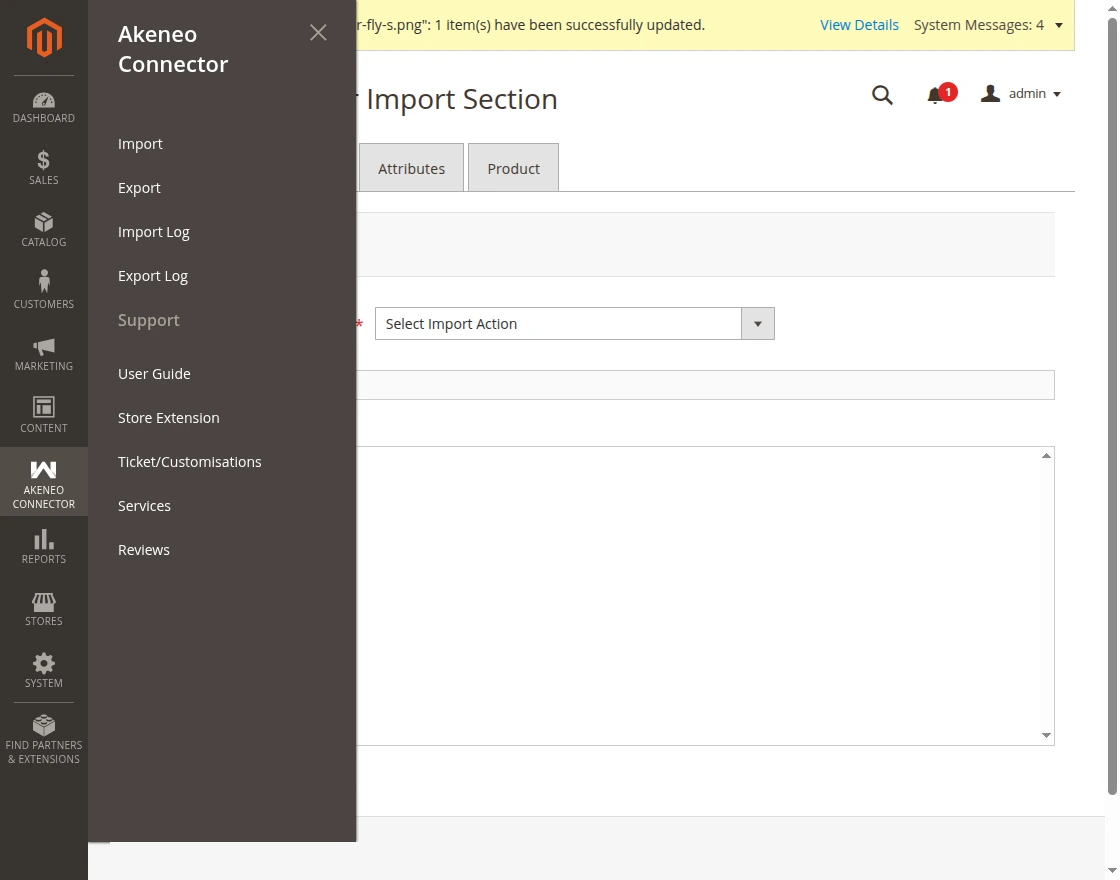
- The import dashboard displays four distinct tabs:
- Categories
- Attributes Set
- Attributes
- Product
Action Types
Most import tabs allow selecting an Action Type:
- Add or Update: Creates newly discovered entities from Akeneo while updating attributes, labels, and values of existing entities in Magento. (Recommended for standard operations).
- Replace: Overwrites matching catalog records with data from Akeneo.