
Import & Export Settings
Fine-tune how catalog hierarchies, media assets, stock inventory, and URL rewrites are processed when moving data between Magento 2 and Akeneo PIM.
1. Category Import & Export Settings
Configure scoping rules to govern category synchronization:
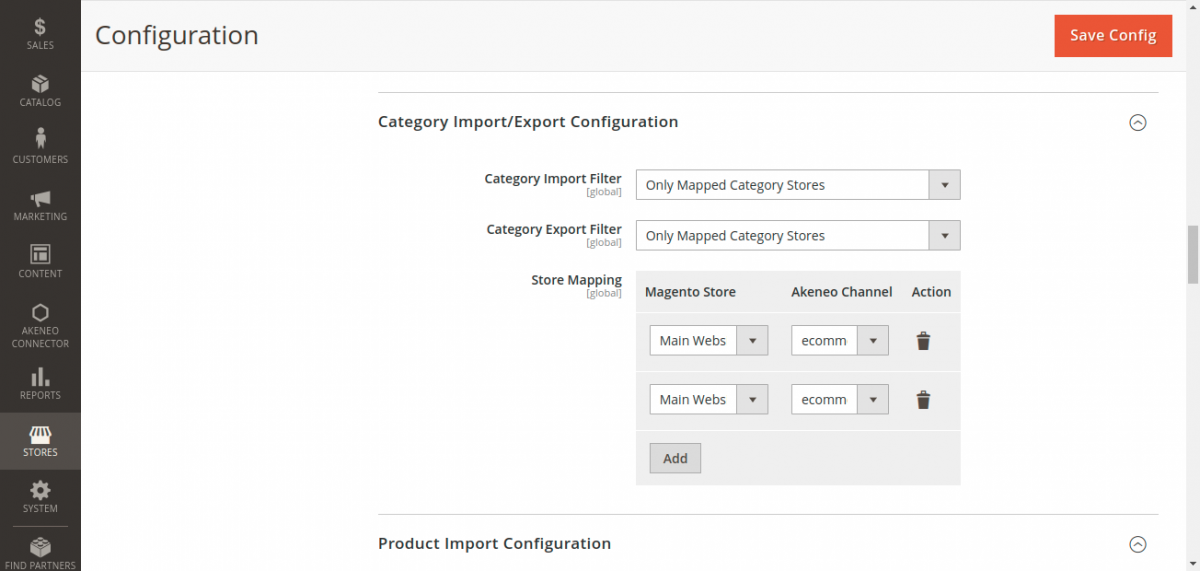
- Category Import Filter:
All Categories: Ingests the complete category tree defined in Akeneo.Only mapped category stores: Imports solely the category tree associated with the Akeneo channel mapped to your active store.
- Store Mapping: Establishes root category relationships between Magento root categories and Akeneo channel trees.
- Category Export Filter: Select whether to export the entire Magento catalog tree or restrict exports to categories subordinate to the mapped store root.
2. Product Import Settings
Control how products, inventory levels, media files, and SEO URLs are imported into Magento:
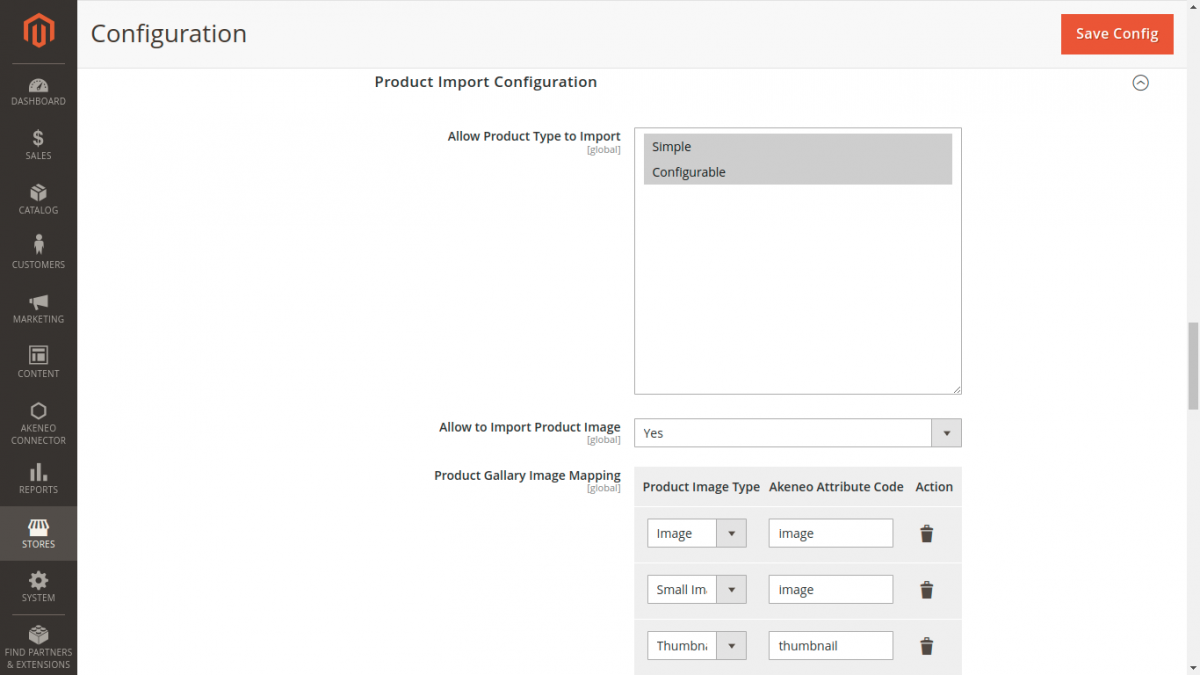
- Allow Product Type to Import: Enable
Simple,Configurable, or both. - Allow to Import Product Image: Enable (
Yes) to download and attach product images from Akeneo. - Product Gallery Image Mapping: Map Akeneo image attributes to Magento's image roles:
- Base Image
- Small Image
- Thumbnail
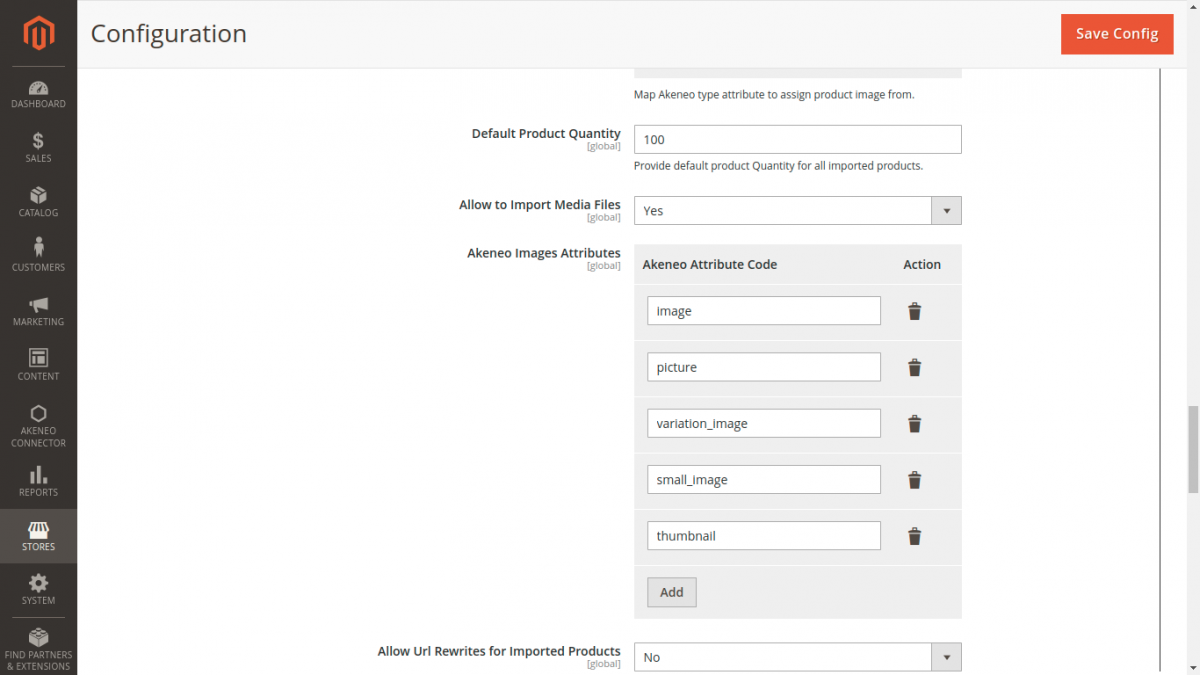
- Default Product Quantity: Sets the default stock quantity for newly imported items (e.g.,
100). - Allow to Import Media Files: Download extra file attachments and asset attributes from Akeneo.
- Akeneo Images Attribute: Comma-separated list of additional image attribute codes to fetch.
- Allow URL Rewrites for Imported Products: Generates SEO search engine URL rewrites in Magento during catalog import.
3. Export Configuration Settings
Define how Magento catalog entities, media roles, and configurable axes map when exporting data to Akeneo:
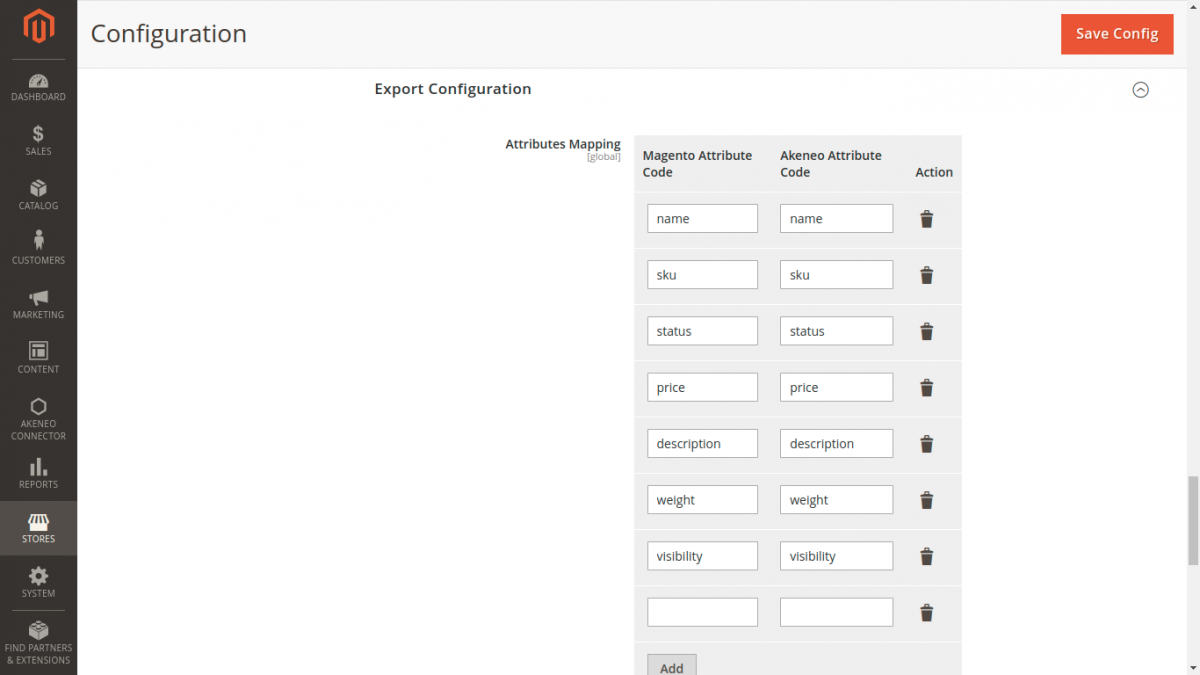
Attributes Mapping
Pair each Magento Attribute Code with its destination Akeneo Attribute Code (e.g., color → color, size → size, weight → weight).
Configurable Super Attributes
All attributes used as configurable axes (such as color and size) must have valid mappings configured in this grid before initiating product model exports.
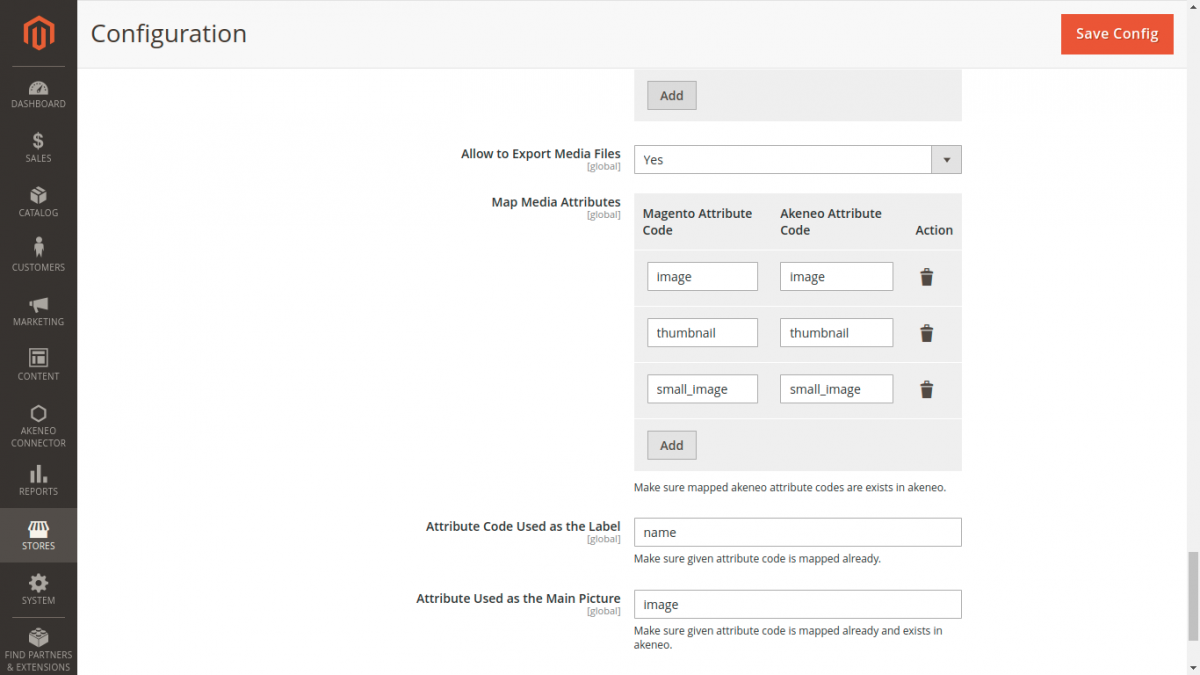
- Allow to Export Media Files: Set to
Yesto upload product media via Akeneo's/api/rest/v1/media-filesendpoint. - Map Media Attributes: Link Magento roles (
image,small_image,thumbnail) to designated Akeneo image attributes. - Attribute Code Used as the Label: The Akeneo attribute code used as the label for families and product models (typically
name). - Attribute Used as the Main Picture: The Akeneo attribute code displayed as the primary thumbnail preview (typically
thumbnailorimage).