
Categories & Attribute Sets Import
Categories and Attribute Sets form the foundational hierarchy of your Magento catalog. Follow these steps to import them from Akeneo PIM.
Step 1: Import Categories
- In the Magento Admin, open Akeneo Connector → Import.
- Select the Categories tab.
- Select your Action Type (
Add or UpdateorReplace). - Click Run Job:
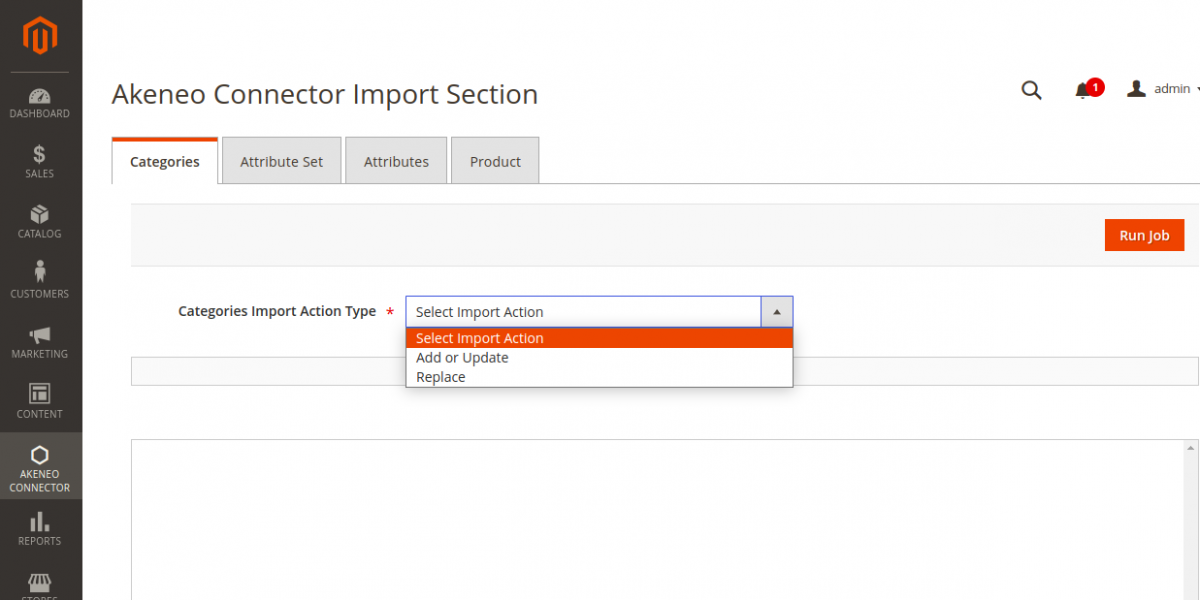
Real-Time Chunk Execution
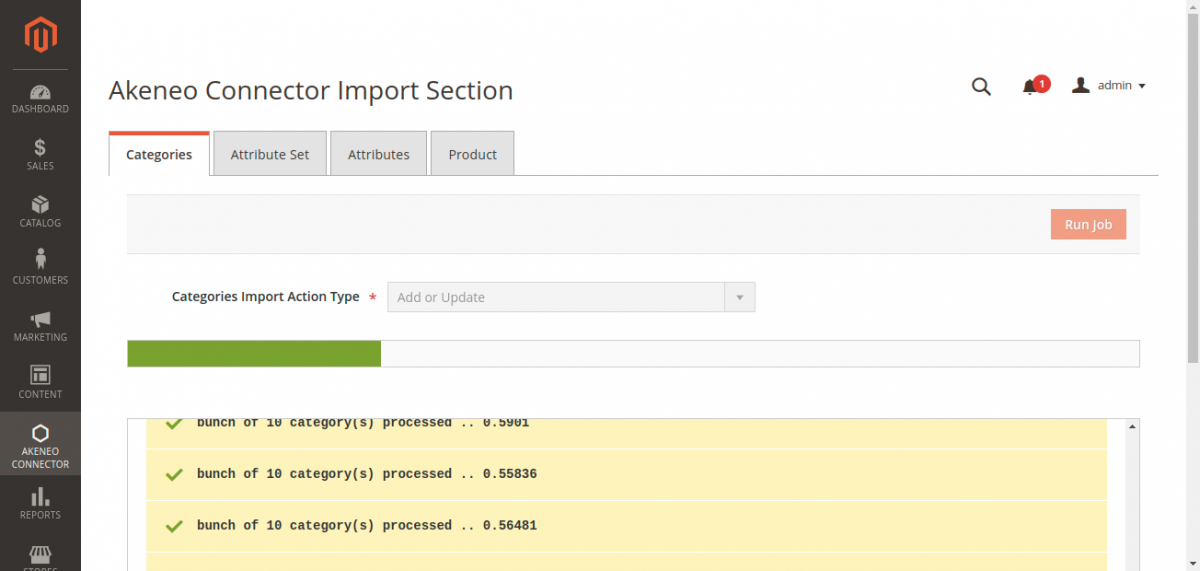
The connector queries Akeneo's Category API (/api/rest/v1/categories) in chunks. A dynamic progress bar updates in real time, showing the quantity of processed items, items remaining, and percentage completed:
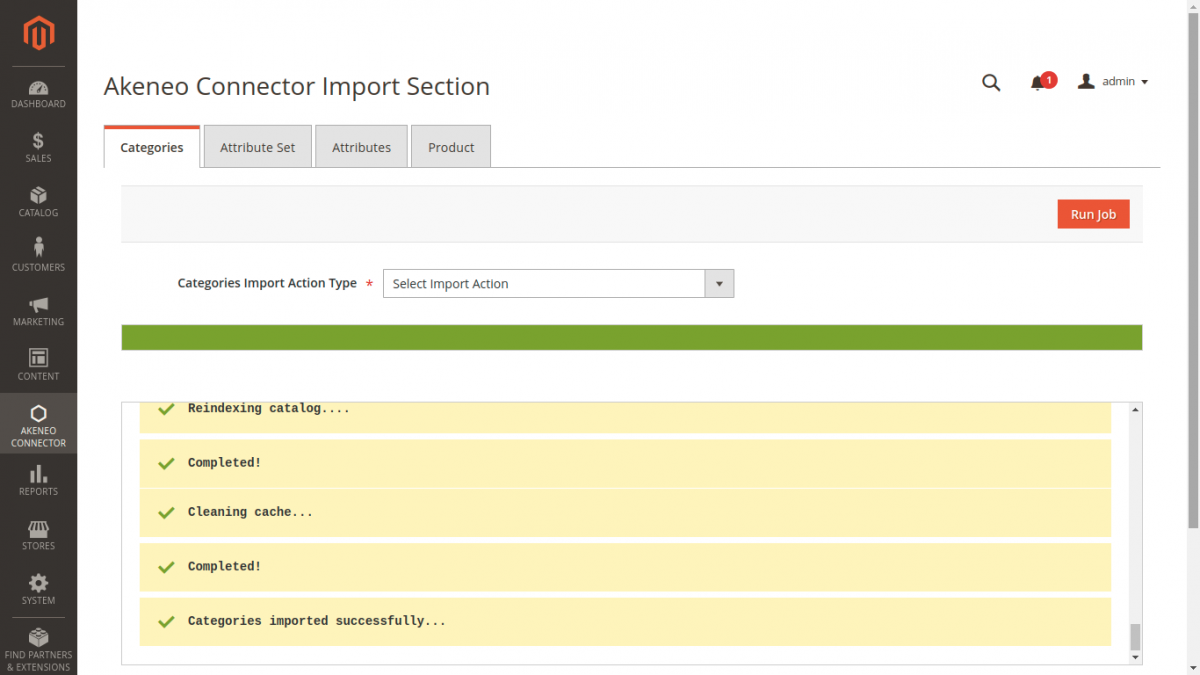
Job Completion
When the job completes, a summary status box confirms the number of created, updated, and deleted categories:
Scoping Check
If your categories are not appearing, ensure that Stores → Configuration → Webkul → Akeneo Connector → Category Import Filter is set to All Categories or that your store's root category matches the mapped channel in Akeneo.
Step 2: Import Attribute Sets (Families)
In Akeneo PIM, product templates and schemas are organized as Families. In Magento 2, these are represented as Attribute Sets.
- Select the Attributes Set tab in the Import console.
- Select the desired Action Type (
Add or UpdateorReplace). - Click Run Job:
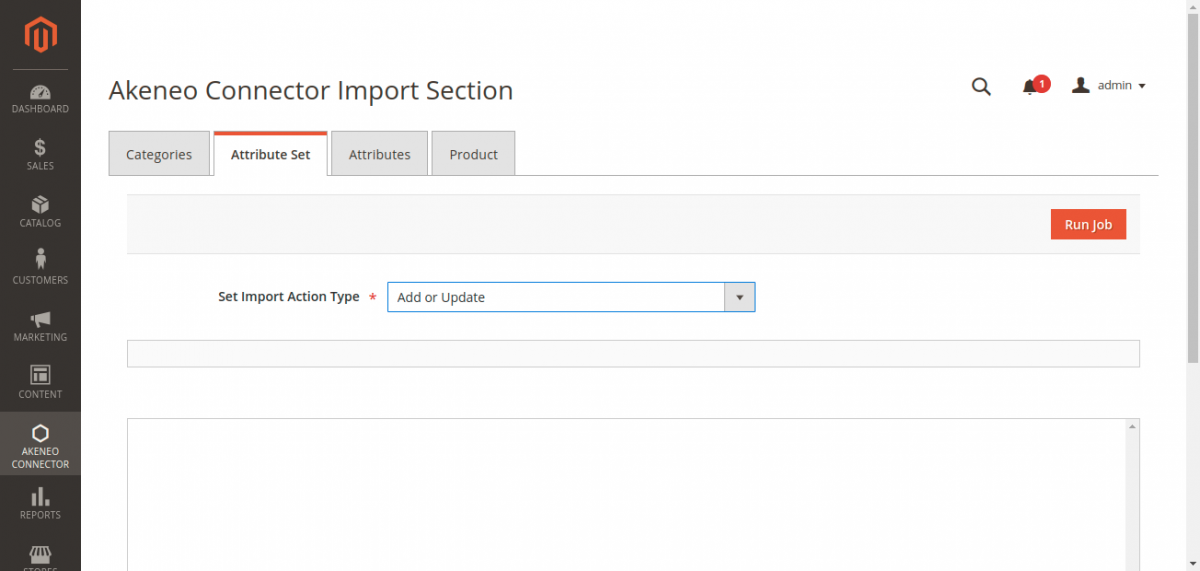
Processing & Synchronization
The job fetches families and their constituent attribute groups from Akeneo (/api/rest/v1/families). Matching attribute sets are constructed in Magento with identical naming conventions:
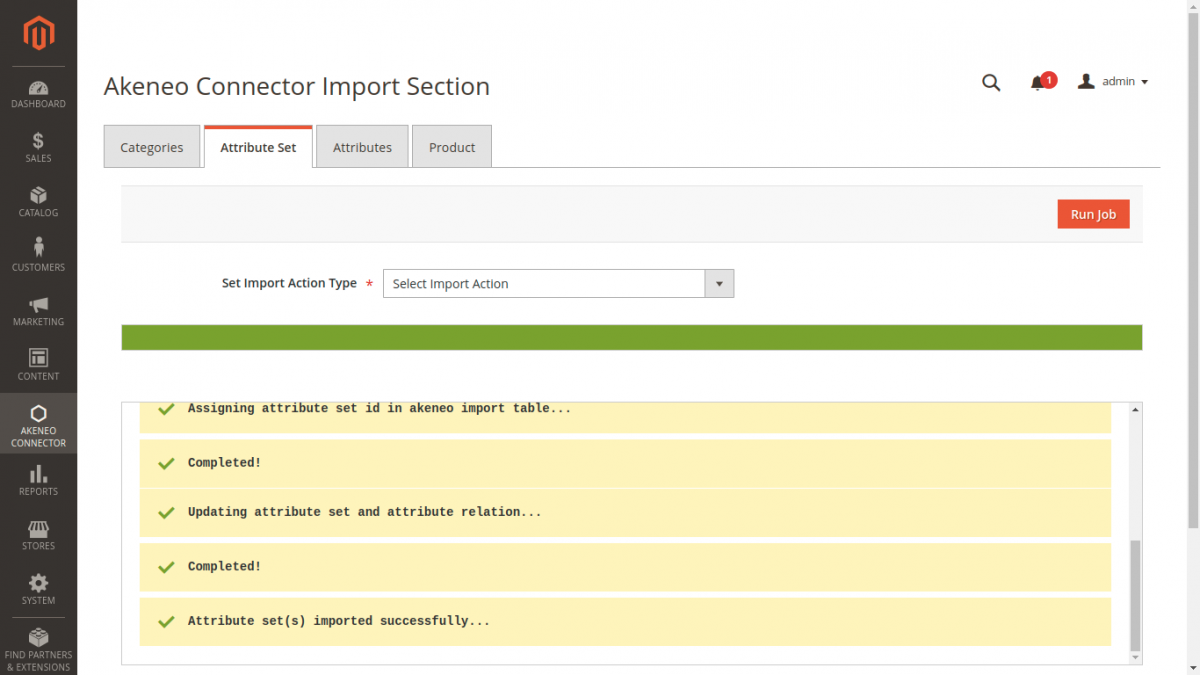
Once finished, navigate to Stores → Attributes → Attribute Set to inspect the newly imported sets.