
Multilingual & Translation Support
The Akeneo Connector for Magento 2 provides comprehensive internationalization (i18n) and Right-to-Left (RTL) language support, allowing store owners to customize all admin interface labels, status prompts, and buttons for global operations.
1. Setting Store Locale in Magento
To change the active locale for your Magento admin panel or storefront:
- In the Magento Admin, navigate to Stores → Configuration → General → General.
- Expand the Locale Options panel.
- Select your target Locale (for example, German (Germany) or Arabic (Saudi Arabia)):
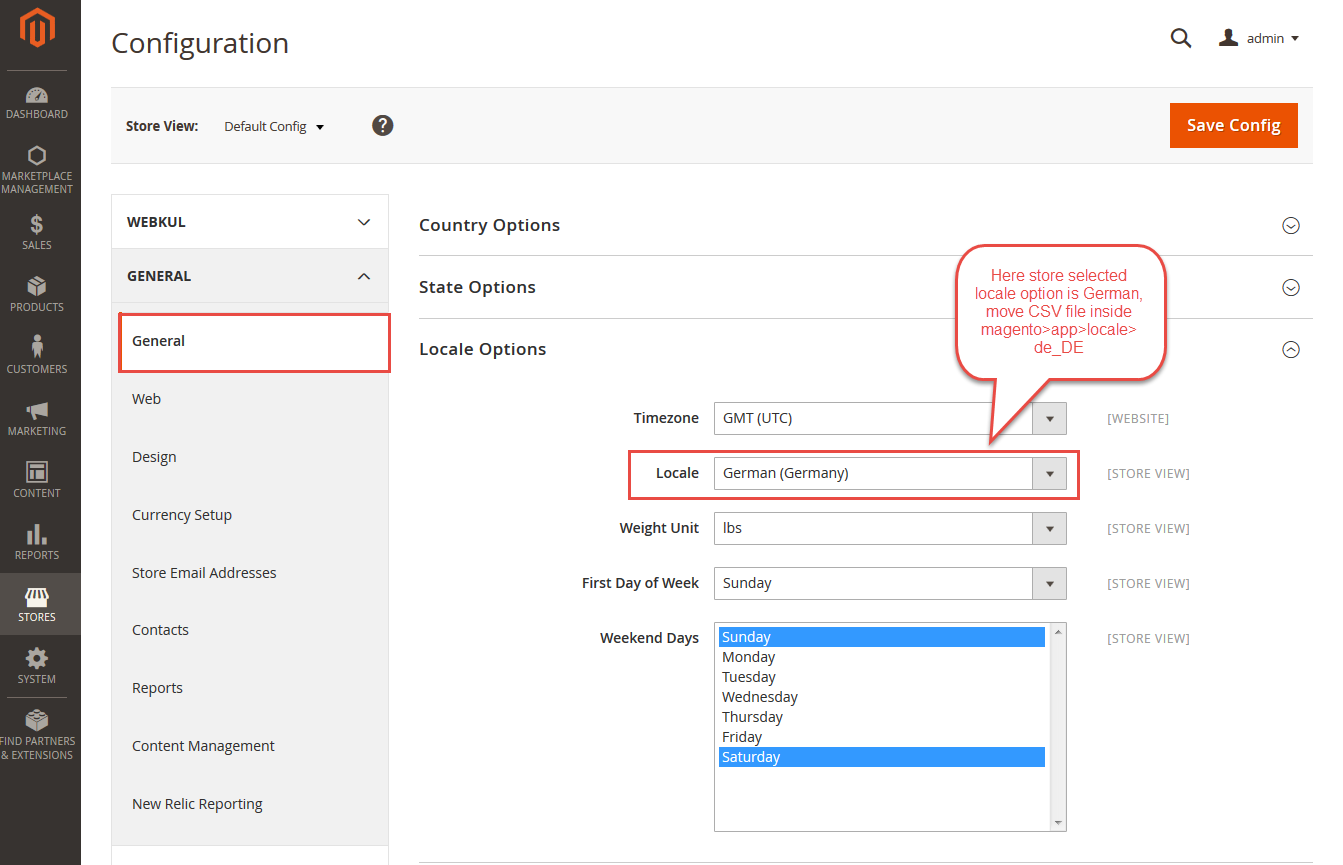
- Click Save Config.
2. Adding Custom Module Translations
The connector ships with default English translations located in its internal i18n dictionary.
- Navigate to the module directory on your server:
app/code/Webkul/AkeneoConnector/i18n/
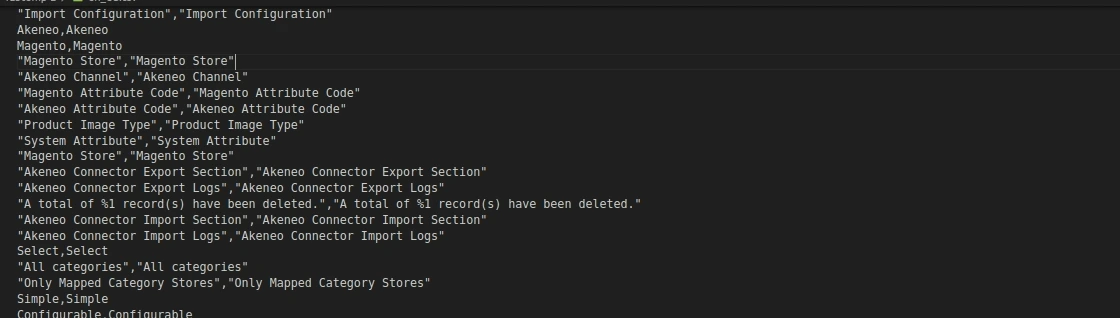
Locate the base dictionary file
en_US.csv.Create a copy of
en_US.csvnamed according to your target ISO locale code:- German:
de_DE.csv - French:
fr_FR.csv - Spanish:
es_ES.csv - Arabic:
ar_SA.csv
- German:
Open the new CSV file in a text or spreadsheet editor. Keep the first column as the source English string and replace the second column with your translation:
"Akeneo Connector","Akeneo Anschluss"
"Export Categories","Kategorien exportieren"
"Import Categories","Kategorien importieren"
"Attributes Set","Attributsatz"
"Run Job","Job ausführen"
Deploy static assets and flush the cache:
php bin/magento setup:static-content:deploy -f
php bin/magento cache:flush
RTL Language Compatibility
For RTL languages like Arabic or Hebrew, Magento will automatically invert the layout direction when the corresponding locale is selected, and all connector navigation tabs, buttons, and progress indicators will adjust seamlessly.