
Attribute Mapping
Magento 2 and Akeneo PIM manage attributes through distinct EAV (Entity-Attribute-Value) schemas. To guarantee that attribute data types, validation constraints, and required fields translate accurately, the connector provides dedicated mapping interfaces.
1. Additional Attribute Types Mapping
Akeneo PIM includes specialized attribute types (such as pim_catalog_file, pim_catalog_simpleselect, or pim_catalog_multiselect). Use this setting to map them to Magento's native catalog input types.
- Navigate to Stores → Configuration → Webkul → Akeneo Connector.
- Scroll to the Additional Attribute Types Mapping section:
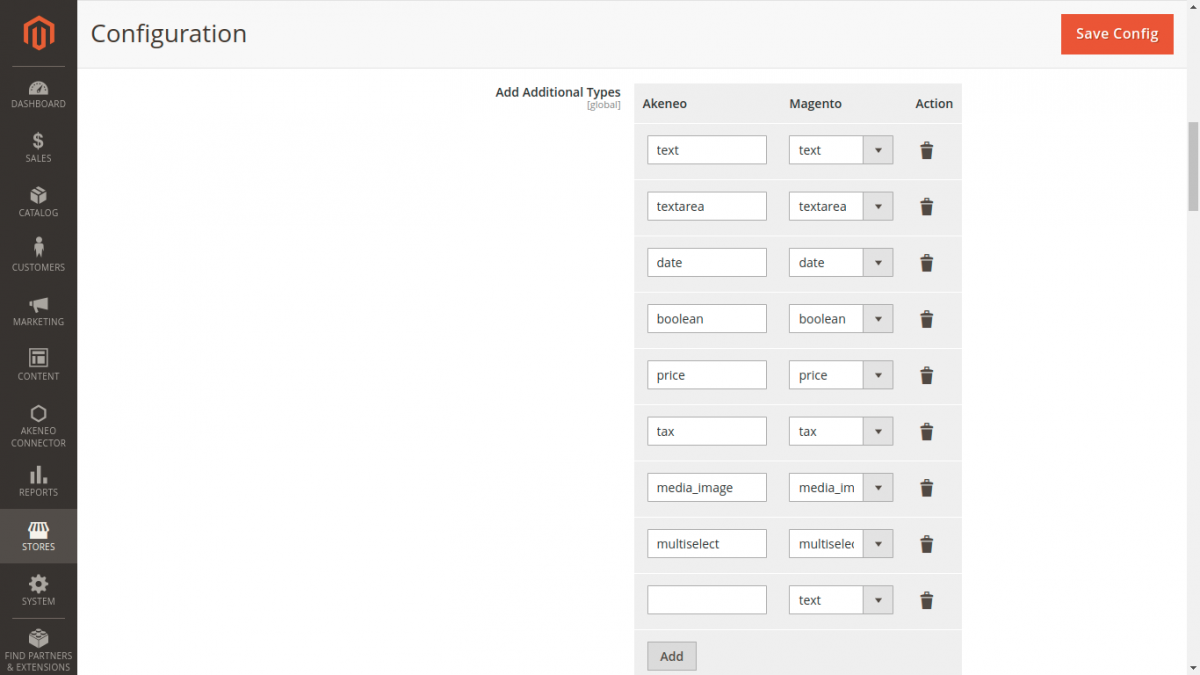
- Configure pairs as needed:
- Akeneo Attribute Type: Enter or select the Akeneo type string (e.g.,
pim_catalog_file,pim_catalog_simpleselect). - Magento Input Type: Select the destination Magento attribute type (e.g.,
Text Field,File,Dropdown,Media Image).
- Akeneo Attribute Type: Enter or select the Akeneo type string (e.g.,
- Click Add to include additional type conversions.
2. Required Attributes Mapping
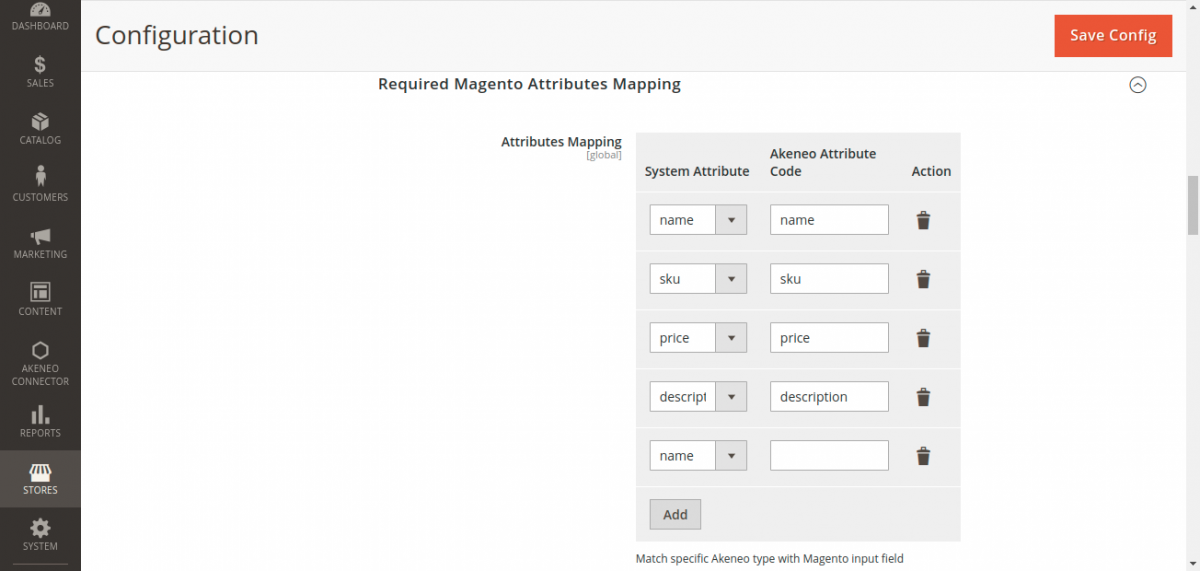
Magento strictly requires specific core attributes for every catalog product: name, sku, price, and description. Map these to your designated Akeneo attribute codes to ensure imported products satisfy Magento catalog validation rules.
Field Reference
| Magento Mandatory Attribute | Recommended Akeneo Code | Description |
|---|---|---|
| Name | name or label | The primary product display title on category and detail pages. |
| SKU | sku or identifier | Unique product identifier and stock keeping unit. |
| Price | price or regular_price | Standard monetary price mapped to channel currency. |
| Description | description | Primary rich text HTML product description. |
Unique Product Identifier
The SKU attribute serves as the canonical synchronization key across both systems. Modifying SKU values in one system without synchronization will result in duplicated catalog entities.