
Installation
You can install the Magento 2 Shopping List module either manually via file copy or through Composer.
Method 1: Manual Installation (File Transfer)
Central Base Dependency
Because the module depends on Webkul base libraries, you must ensure Webkul_Base is installed at:
app/code/Webkul/Base
If dependencies are missing, Magento setup compilation will throw dependency unresolved exceptions.
Unzip Code Package: Extract the module ZIP archive on your local computer.
Move Module Files: Create the folder directory
app/code/Webkul/ShoppingListinside your Magento root installation and transfer all extracted extension files into this location:app/code/Webkul/ShoppingList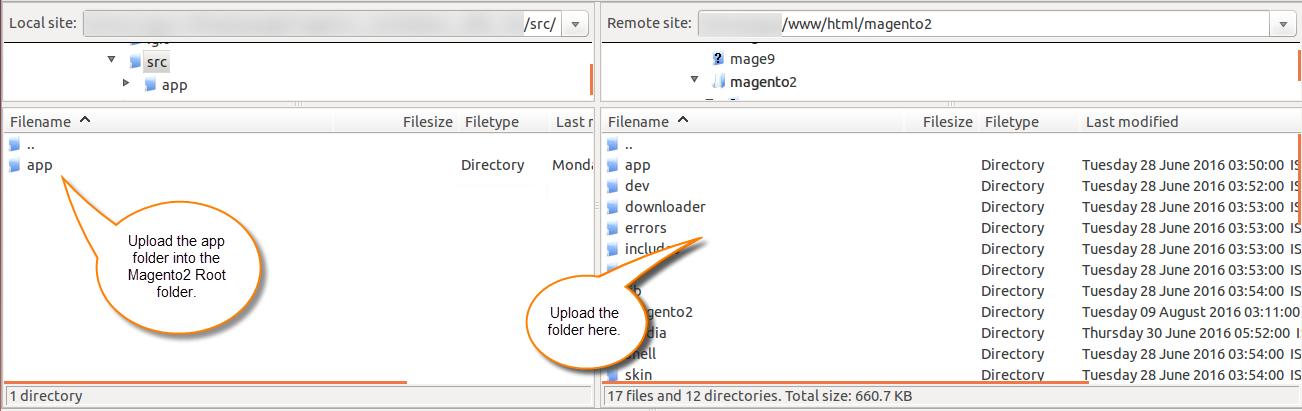
Set Ownership & Permissions: Grant execution and read permissions to your web server user:
chown -R www-data:www-data app/code/Webkul/ShoppingList
Method 2: Composer Installation (If available)
Run the composer require command to download the module package:
composer require webkul/shopping-list
Post-Installation Commands
Once the module files are in place, run the following standard Magento CLI commands from your terminal:
Enable Module:
php bin/magento module:enable Webkul_ShoppingListRun Setup Upgrade:
php bin/magento setup:upgradeRecompile Code:
php bin/magento setup:di:compileDeploy Static Content:
php bin/magento setup:static-content:deploy -fFlush Caches:
php bin/magento cache:flush