
General & Email Configuration
To configure the global operational parameters, procurement rules, increment numbers, and transactional email templates, navigate to:
Stores > Configuration > Webkul > Purchase Management
Alternatively, access it via Purchase Management > Purchase Configuration from the main admin navigation.
General Options
The General Options panel configures how purchase orders are initiated, calculated, and numbered.
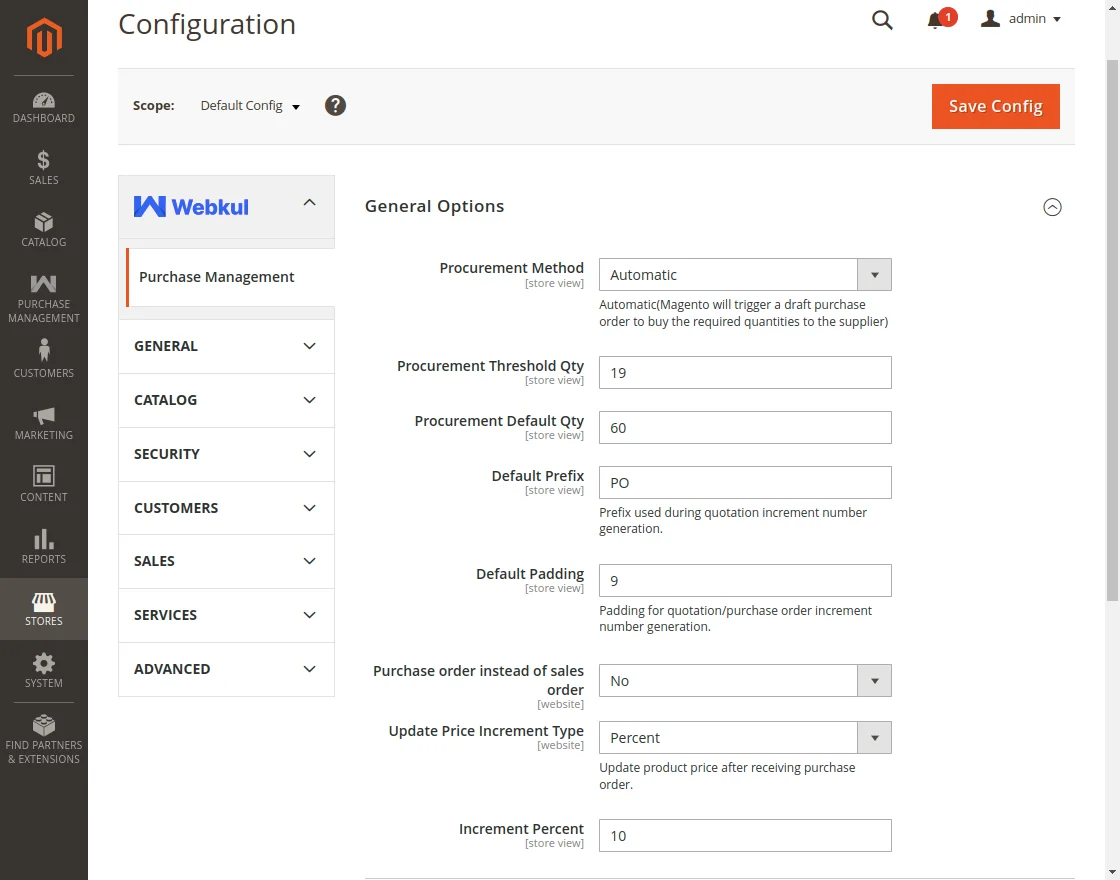
Configuration Fields Reference
| Field | Type | Description & Behavior |
|---|---|---|
| Module Enabled Status | Dropdown (Yes / No) | Globally enables or disables Purchase Management features across the store. |
| Procurement Method | Dropdown (Manual / Automatic) | Manual: The admin creates quotations and purchase orders manually. Automatic: Magento automatically triggers a draft PO to buy required product quantities from the primary supplier whenever stock falls below threshold. |
| Procurement Threshold Qty | Number | Trigger point for automatic procurement. If remaining stock is less than or equal to this threshold, an automatic replenishment quote is scheduled. (Visible only when Procurement Method is Automatic) |
| Procurement Default Qty | Number | The quantity ordered automatically from the supplier when a replenishment draft PO is generated. (Visible only when Procurement Method is Automatic) |
| Default Prefix | Text | Custom prefix prepended to all auto-generated quotation and purchase order reference numbers (e.g. PO-, RFQ-). |
| Default Padding | Integer (1–15) | Number of zero-padded digits in the sequential quotation and order numbering (e.g. padding 5 creates IDs such as PO-00001). |
| Purchase order instead of sales order | Dropdown (Yes / No) | When set to Yes, when a customer places an order on the storefront, the system initiates a purchase order to replenish supplier goods rather than fulfilling immediately from local stock. |
| Update Price Increment Type | Dropdown (Fixed / Percent) | Determines how product selling prices are recalculated upon receiving stock from suppliers. |
| Increment Fixed | Decimal | Fixed dollar amount added to the product cost price upon inward receipt. (Shown when Increment Type is Fixed) |
| Increment Percent | Decimal | Percentage markup added to the product cost price upon inward receipt. (Shown when Increment Type is Percent) |
Email Options
The Email Options group controls which transactional email templates are dispatched to vendors for Request for Quotations (RFQs) and finalized Purchase Orders.
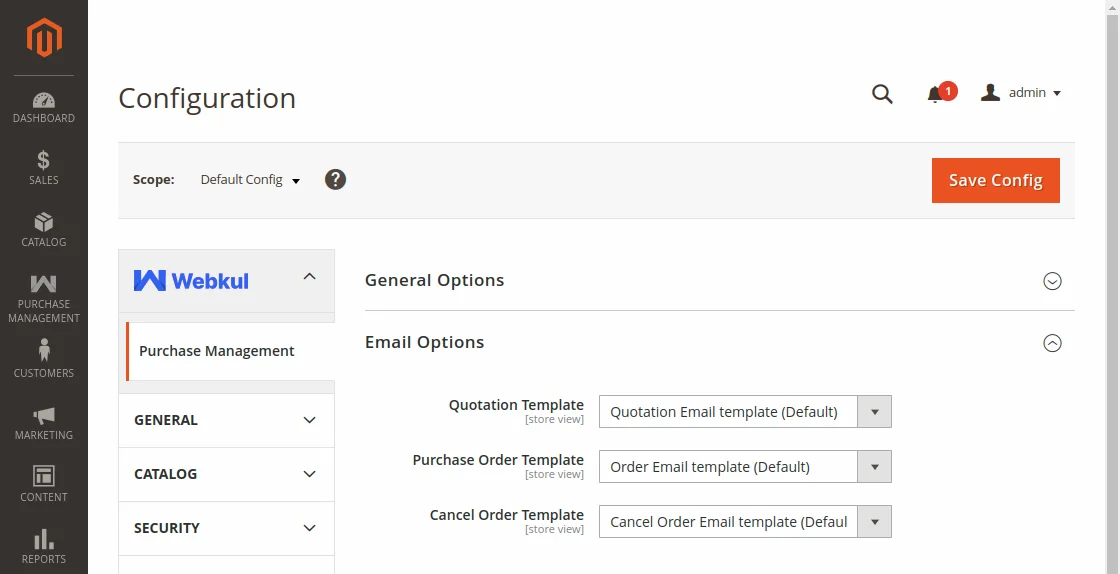
Field Details
- Quotation Template: Select the email layout used when sending draft quotation RFQs to suppliers. Default template: Webkul Purchase Management Quotation Template.
- Purchase Order Template: Select the email layout used when sending confirmed Purchase Orders with attached terms to suppliers. Default template: Webkul Purchase Management Order Template.
- Cancel Order Template: Email notification template dispatched to suppliers if a purchase order is voided or cancelled.
Click Save Config in the top right to save your changes, and flush the Magento cache.