
Installation
You can install the Marketplace Adyen Payment module either manually via file copy or through Composer (recommended if packaged in a repository).
Method 1: Manual Installation (File Transfer)
Central Base & Marketplace Dependencies
Because the module depends on Webkul base libraries and multi-vendor marketplace core, you must ensure both Webkul_Base and Webkul_Marketplace are installed at:
app/code/Webkul/Base
app/code/Webkul/Marketplace
If dependencies are missing, Magento compilation and setup upgrades will fail with dependency errors.
Extract Archive: Extract the zipped code packages for the module.
Move Files: Copy the extracted folder structure into your Magento root directory:
- Marketplace Adyen Payment:
app/code/Webkul/MpAdyenPayment
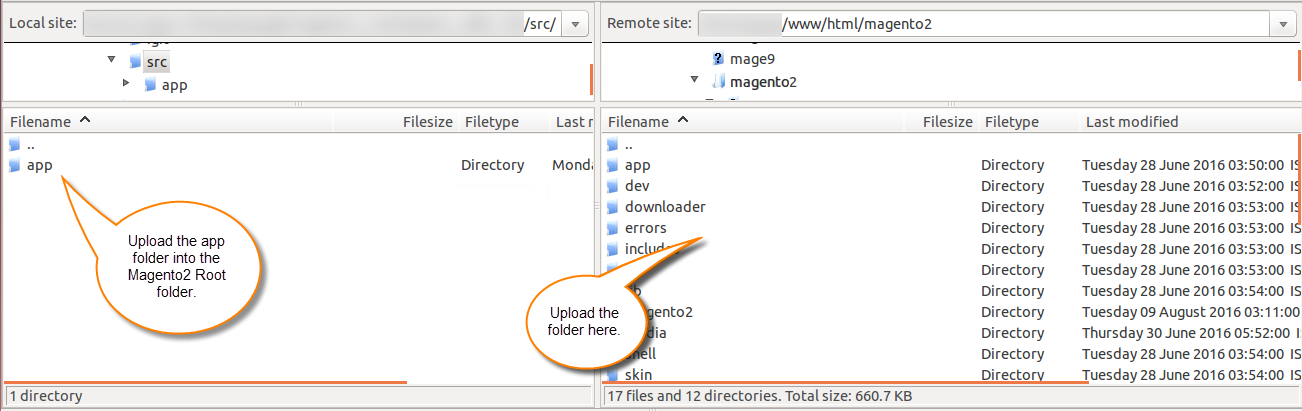
- Marketplace Adyen Payment:
Set Permissions: Ensure the file permissions and ownership match your Magento user:
chown -R www-data:www-data app/code/Webkul/MpAdyenPayment
Method 2: Composer Installation (If available)
Run the composer require command to automatically download the module and dependencies:
composer require webkul/marketplace-adyen-payment-gateway
Post-Installation Commands
Once the code is in place, compile, update the database schemas, and deploy static assets:
Enable Module:
bin/magento module:enable Webkul_MpAdyenPaymentRun Setup Upgrade:
bin/magento setup:upgradeRecompile Code:
bin/magento setup:di:compileDeploy Static Content:
bin/magento setup:static-content:deploy -fFlush Caches:
bin/magento cache:flush