Payout Settings
Configure multi-vendor payout modes, split commission settings, and seller onboarding options.
Admin Payout Modes
Navigate to Stores > Configuration > Sales > Payment Methods > Adyen Marketplace Payment Gateway > Payout Mode.

The module supports two distinct seller payout operation models:
1. Manual Classic Payout Mode
- Workflow: Sellers submit manual withdrawal payout requests from their seller dashboard.
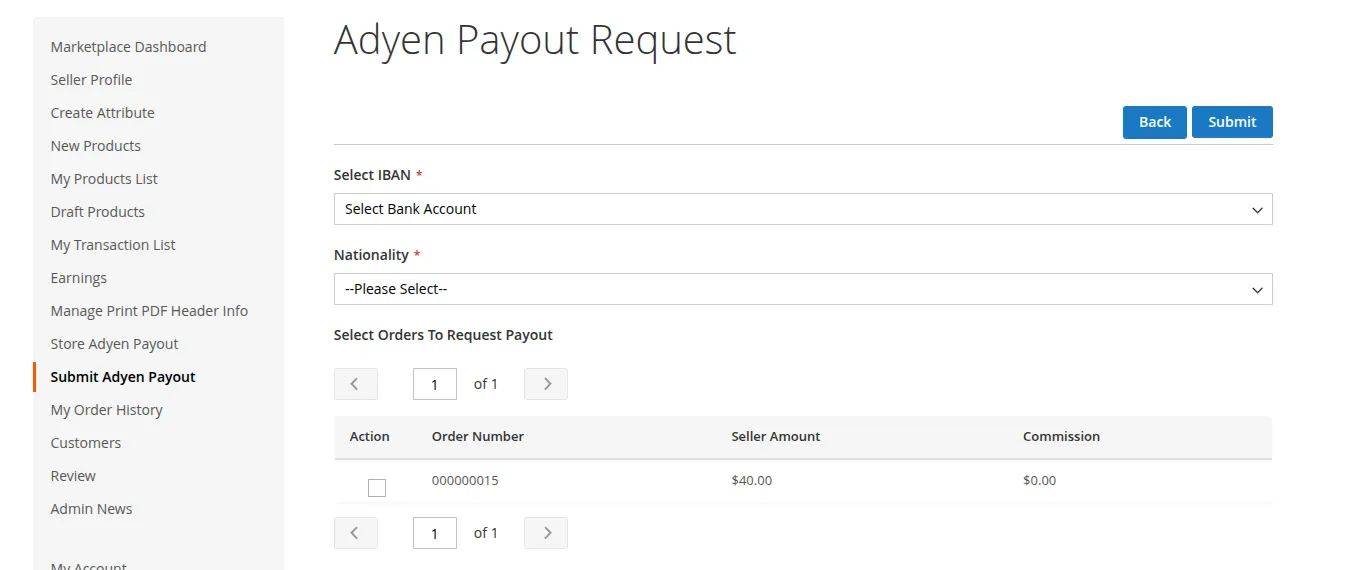
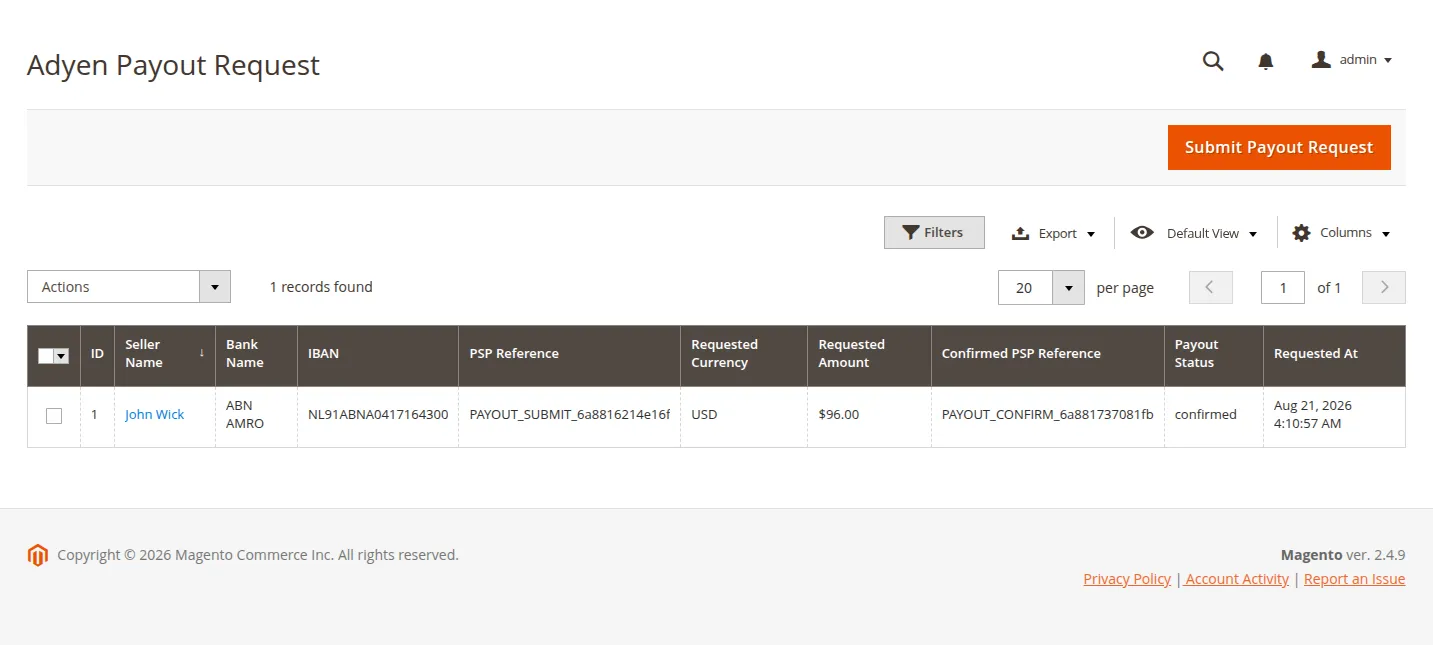
- Admin Control: Store administrators review payout requests in the Admin Panel (Marketplace > Adyen Payout Requests), approve or decline requests, and process bank transfers.
- Best Suited For: Marketplaces where manual verification of seller earnings, refunds, and holdbacks is required before releasing funds.
2. Automatic Platforms Split Mode
- Workflow: Payments are processed using Adyen for Platforms.
- Automated Split: Upon order capture, the module automatically calculates marketplace admin commission and seller item earnings.
- Adyen Direct Payout: Funds are routed directly into each seller's Adyen Account Holder sub-account.
- Best Suited For: Fully automated high-volume multi-vendor platforms.
Seller Onboarding & Bank Details
The seller onboarding workflow and bank details setup depend directly on the Payout Mode selected in the store configuration:
1. Manual Classic Payout Mode (Bank Details Setup)
When Payout Mode is set to Manual, Adyen Hosted Onboarding and KYC verification are not required. Instead, bank account details are stored to process manual withdrawal requests:
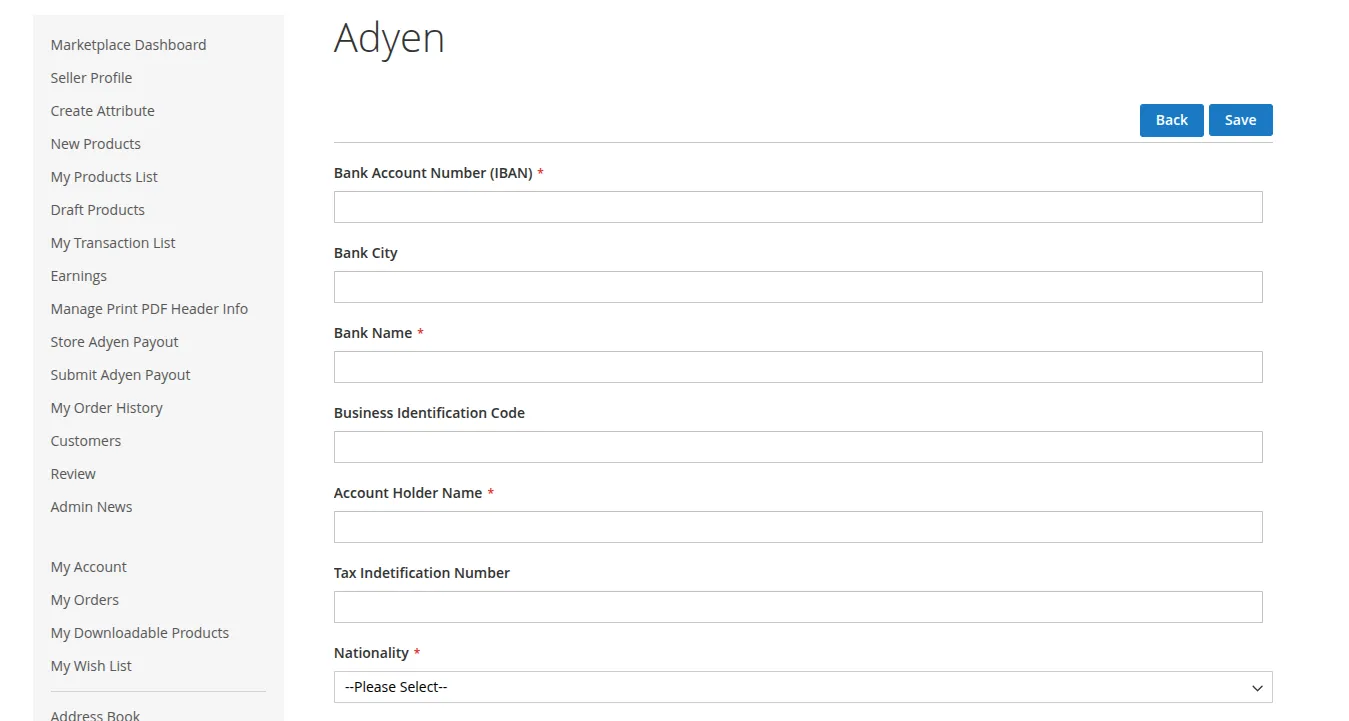
- Seller / Admin Management: Sellers submit their bank details via the customer portal (Marketplace > Adyen Payout Details or Manage Bank Details), or Store Administrators configure/verify bank details on behalf of the seller in the backend.
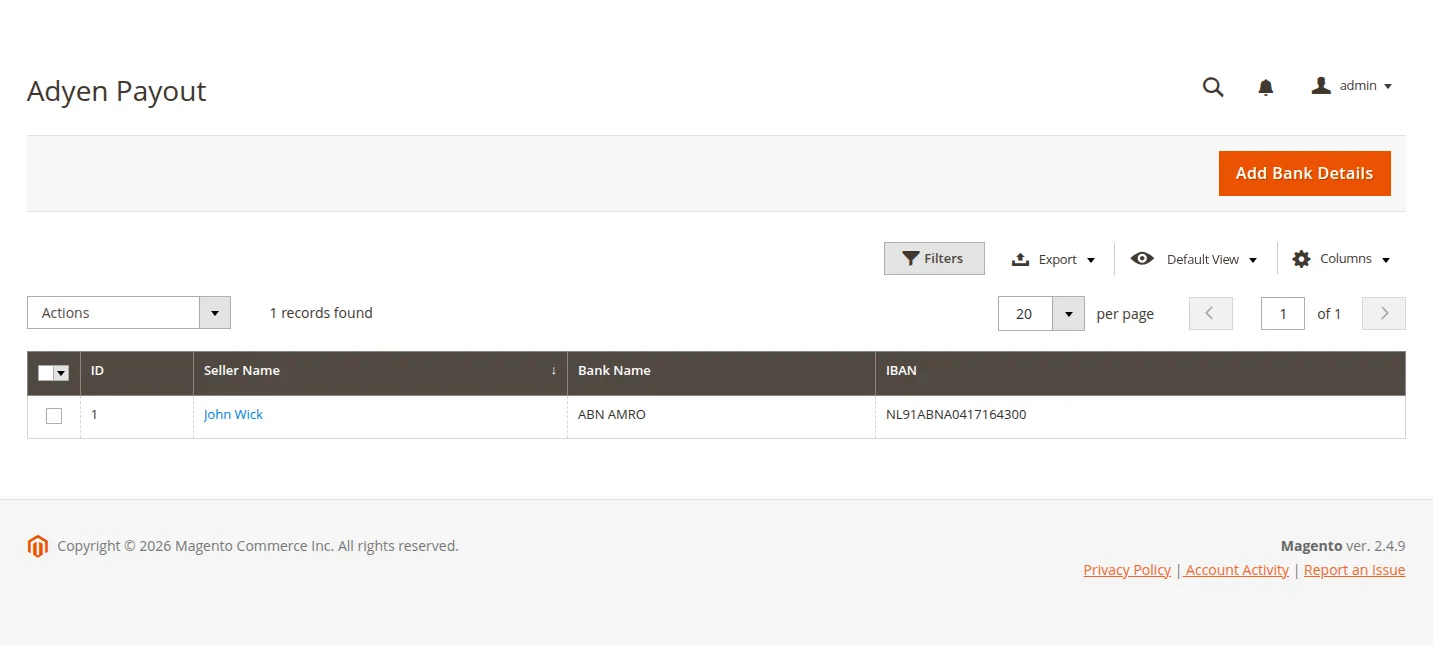
- Required Details:
- Account Owner Name
- Bank Name
- IBAN / Bank Account Number
- SWIFT / BIC Code / Branch Code
- Payout Execution: When a seller submits a withdrawal payout request from their dashboard, the admin reviews the request under Marketplace > Adyen Payout Requests and approves or processes the transfer to the seller's designated bank account.
2. Automatic Platforms Split Mode (Adyen Hosted Onboarding)
When Payout Mode is set to Automatic Platforms Split, sellers must complete Adyen Hosted Onboarding (HOP) to participate in automated split payouts:
- Marketplace Navigation: Seller logs into customer account > Marketplace > Adyen Payout Details.
- Account Holder Entity: The system registers an Adyen Account Holder entity for the seller with legal entity classification (Individual or Business).
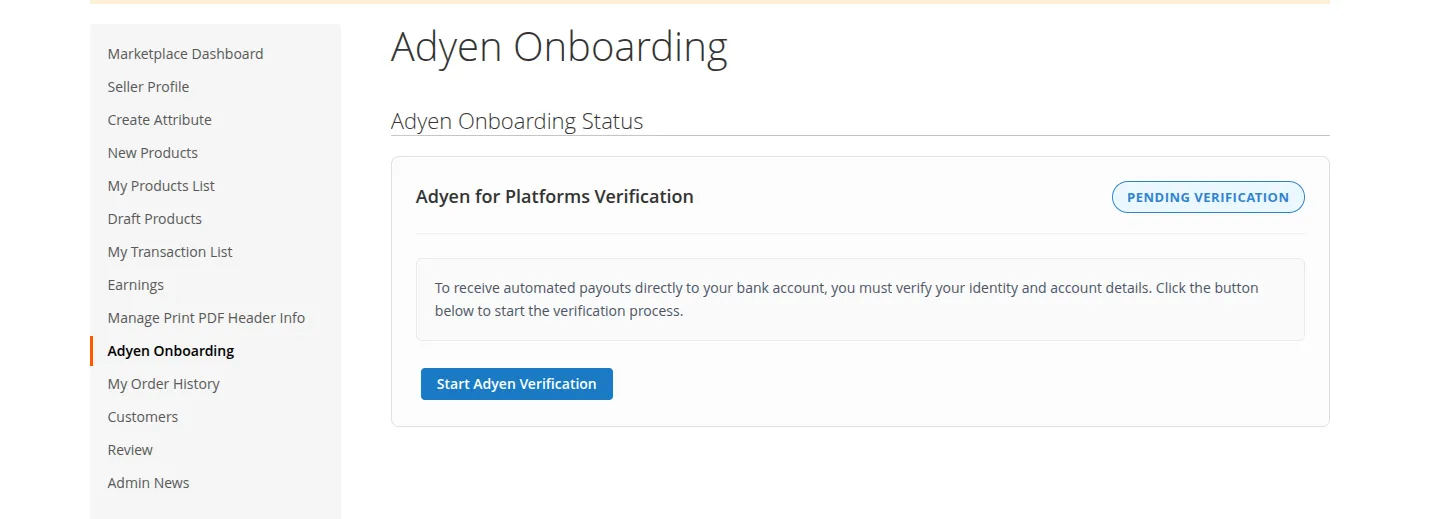
- Adyen Verification Portal: The seller is redirected to Adyen's Hosted Onboarding flow to enter bank information and upload identity compliance documentation.
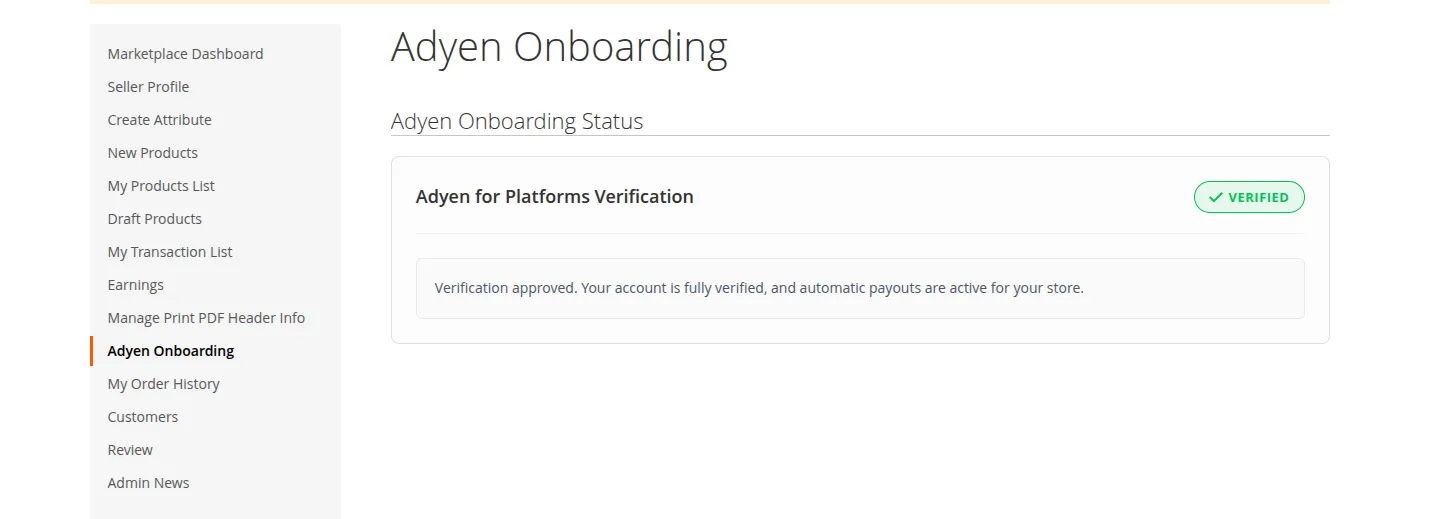
- KYC Verification & Webhooks: Adyen performs KYC identity verification and asynchronously updates account status (
Pending Verification,Verified,Failed, orRejected) via webhooks. Once verified, captured order split funds are routed directly into the seller's Adyen sub-account.