Webhook Integration
Adyen communicates asynchronously with Magento using webhooks to report transaction updates, capture status, refunds, and KYC verification events.
Webhook Endpoint URL
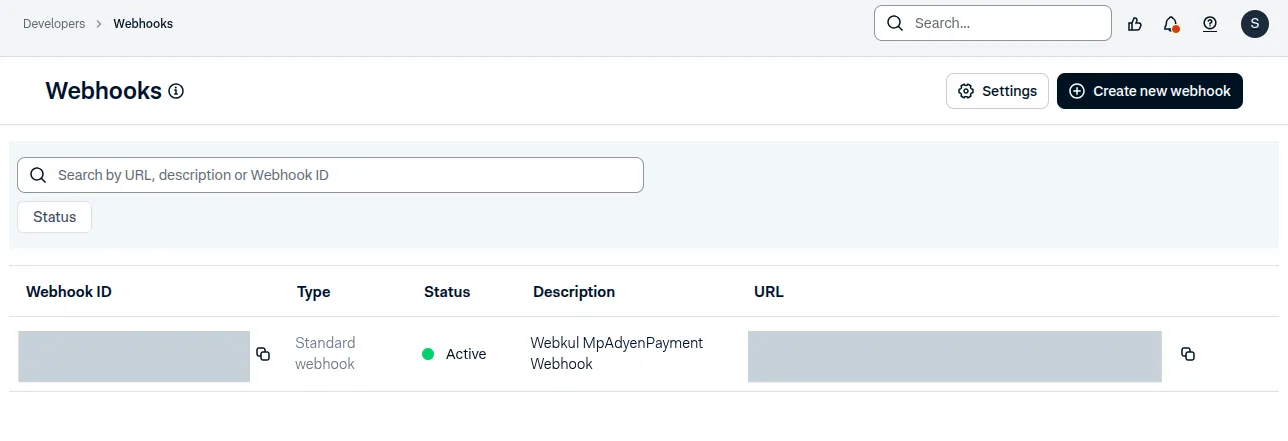
Configure the standard notification webhook endpoint in Adyen Customer Area > Developers > Webhooks:
https://your-domain.com/mpadyenpayment/webhook/notification
Supported Notification Event Types
| Event Code | Description | Magento Action |
|---|---|---|
AUTHORISATION | Payment authorized by issuing bank. | Updates order status to Processing / Pending. |
CAPTURE | Funds successfully captured. | Generates invoice and triggers platform split. |
CANCELLATION | Transaction authorization canceled. | Cancels order. |
REFUND | Refund processed. | Creates Credit Memo and updates seller balance. |
ACCOUNT_HOLDER_VERIFICATION | Seller KYC verification updated. | Updates seller Adyen onboarding status (Verified / Rejected). |
Webhook Security & Verification
All incoming notifications from Adyen are securely verified before being processed:
- Authentication: Each notification is checked using your shared HMAC Key to confirm it comes directly from Adyen.
- Automatic Processing: Once verified, the notification details are logged and your store updates the order or seller status accordingly.
- Protection: Invalid or unverified notifications are safely discarded and logged to protect your store from unauthorized requests.
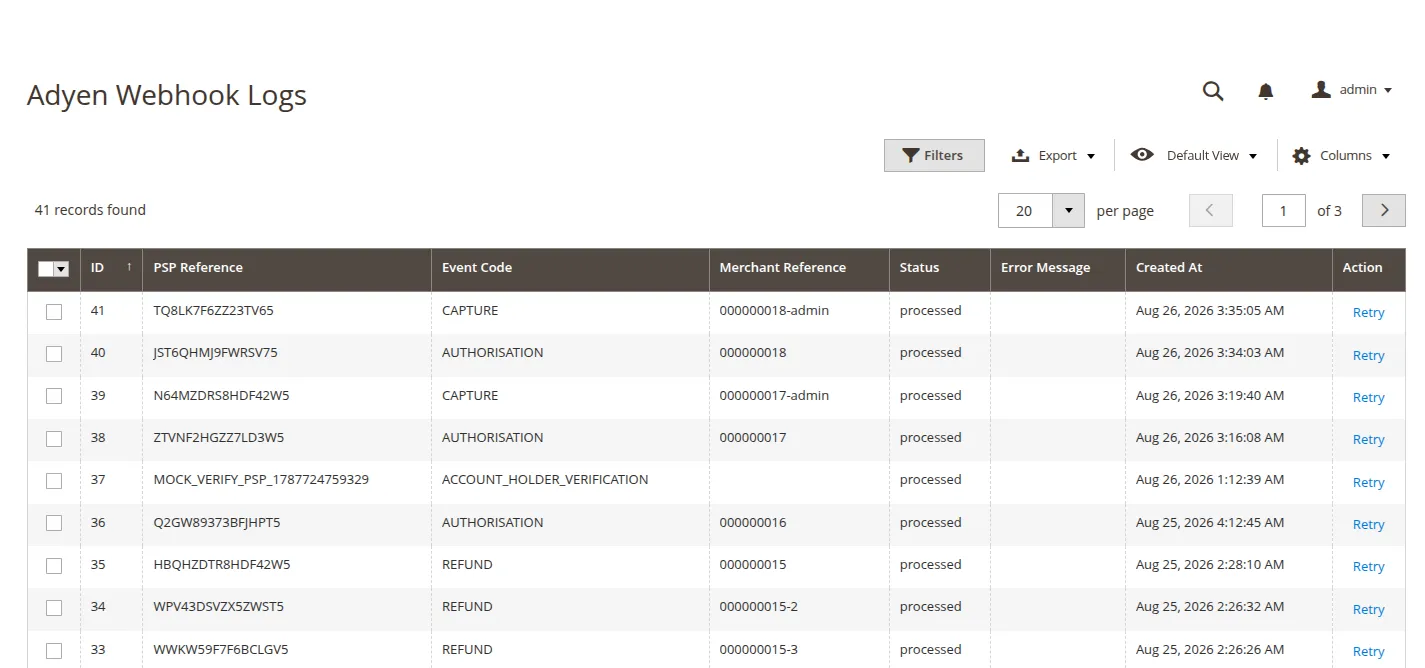
Webhook Log Inspection
Store admins can inspect received webhook logs under Marketplace > Adyen Webhook Logs to view payload details, event codes, execution status, and diagnostic messages.