
Payout Workflows
Learn how seller earnings are managed, requested, approved, and transferred under both Manual Classic and Automatic Split modes.
Manual Classic Payout Workflow
In Manual Classic Payout Mode, sellers initiate withdrawal requests from their account dashboard.
Steps:
- Seller Submission: Seller visits Marketplace > Adyen Payouts, enters payout amount, and clicks Submit Payout Request.
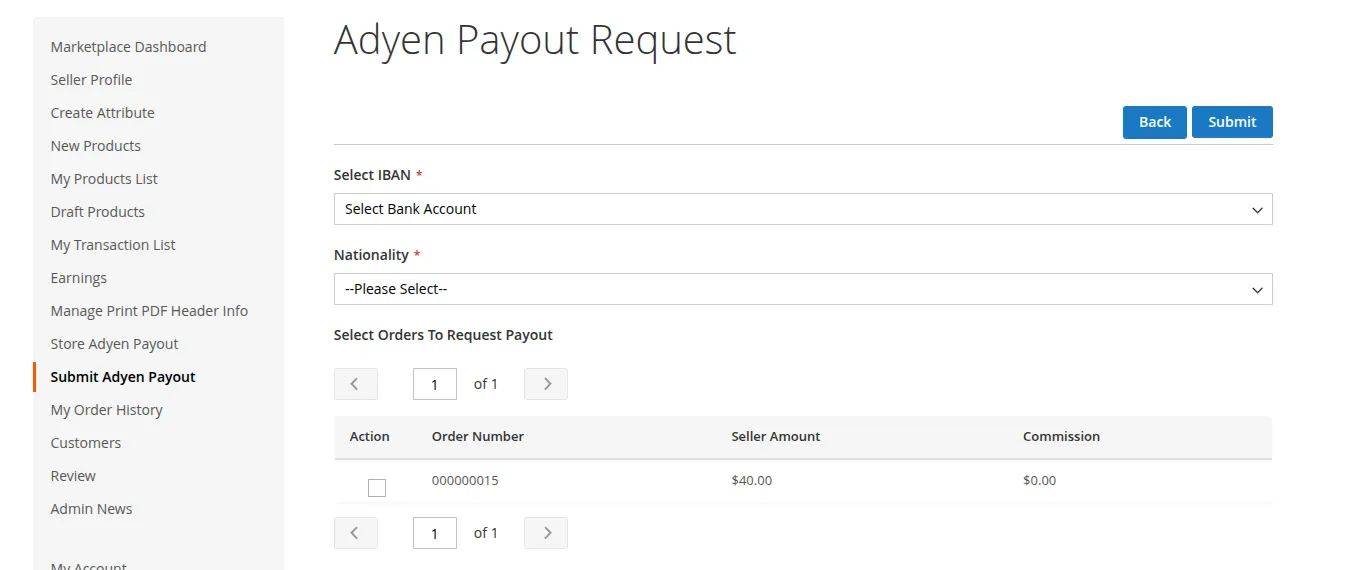
- Admin Verification: Admin opens Marketplace > Adyen Payout Requests grid in the backend.
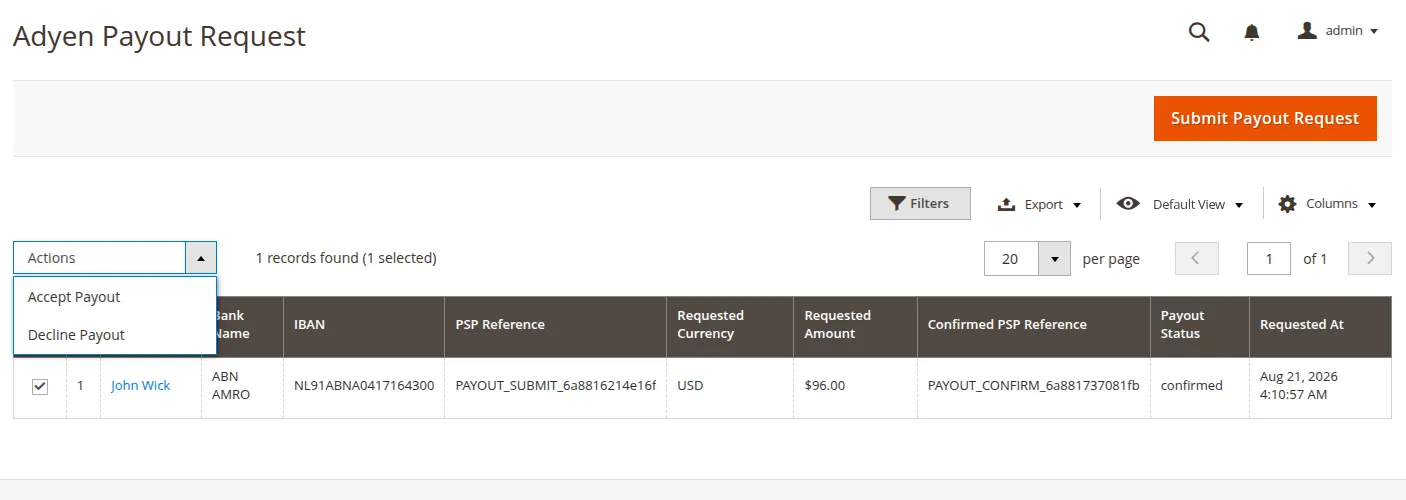
- Execution: Admin clicks Approve. The system invokes Adyen Payout API service and logs transaction PSP reference.
Automatic Platforms Split Workflow
In Automatic Platforms Split Mode:
- Order Authorization: Order contains products from Vendor A ($100) and Vendor B ($50).
- Split Calculation:
- Platform Commission (10%): $15
- Vendor A Sub-account Payout: $90
- Vendor B Sub-account Payout: $45
- Automated Transfer: Upon payment capture webhook receipt, Adyen transfers split amounts into Vendor A and Vendor B Adyen Account Holders.